Editing a customer's information
Keep a customer's contact details current so your WhatsApp, SMS and email messages always land — update any saved buyer in a few clicks.
Contact details drift — buyers switch numbers, move house, change the email they actually read. Keeping a customer's record current is what makes the difference between a campaign that lands and one that bounces, so it's worth editing a profile the moment you learn something new.
What you can change
Editing a customer reopens the same form you used to add them, with every field filled in: name, phone, WhatsApp number, email, Instagram handle, shipping address, notes, customer group and marketing consent. Change any of them and save.
Tip: If a customer asks to stop receiving messages, open their profile, click Edit, and untick Email or SMS / WhatsApp marketing under Marketing consent. Honouring opt-outs keeps your messages out of spam folders.
Notes and tags stay put
Editing only touches the details on the form. A customer's order history, notes, tags and store credit are unaffected — they live on the profile and carry straight through your edit.
-
1
Open Customers
From the dashboard sidebar, open Customers to see your full list of buyers.
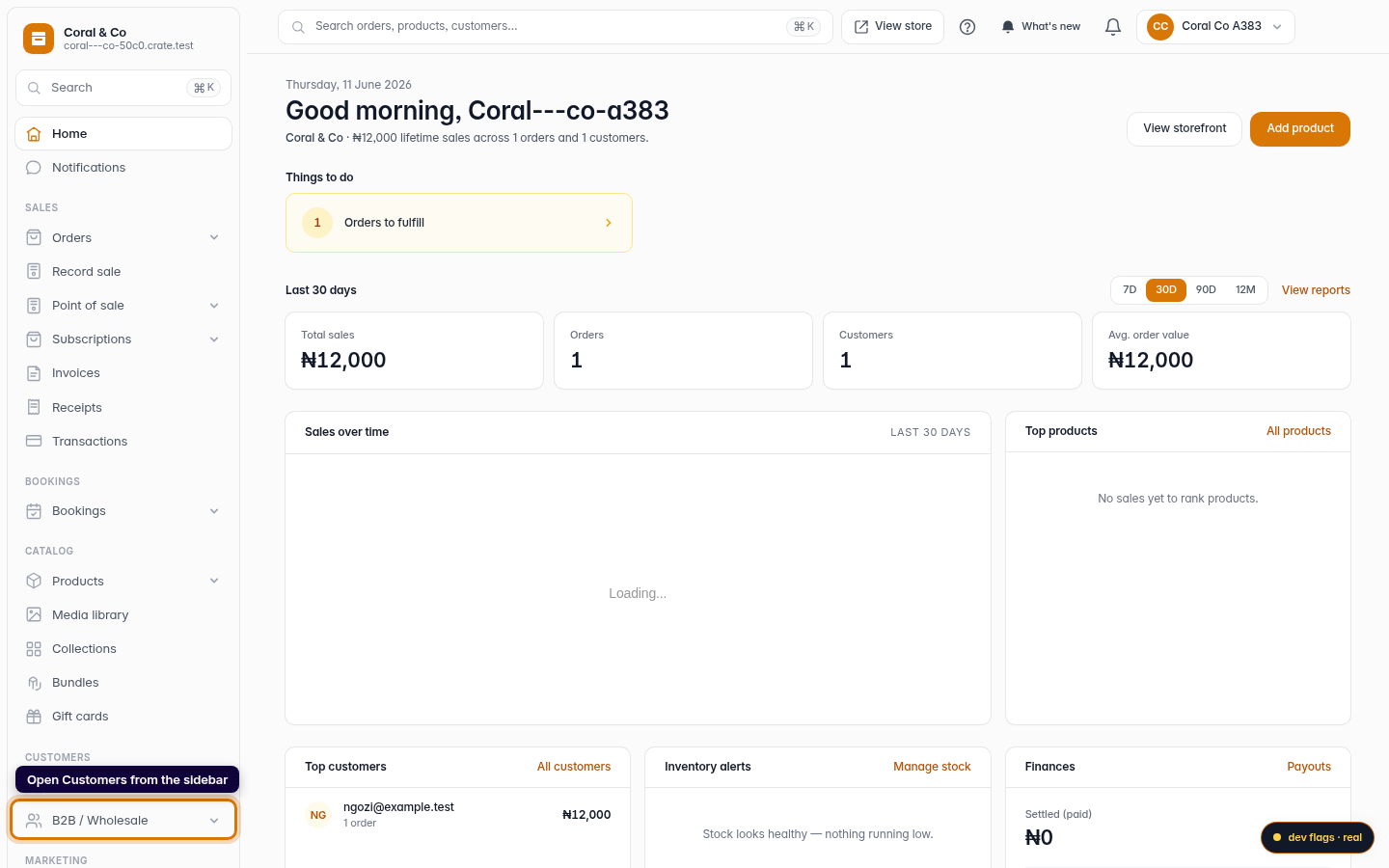
Web 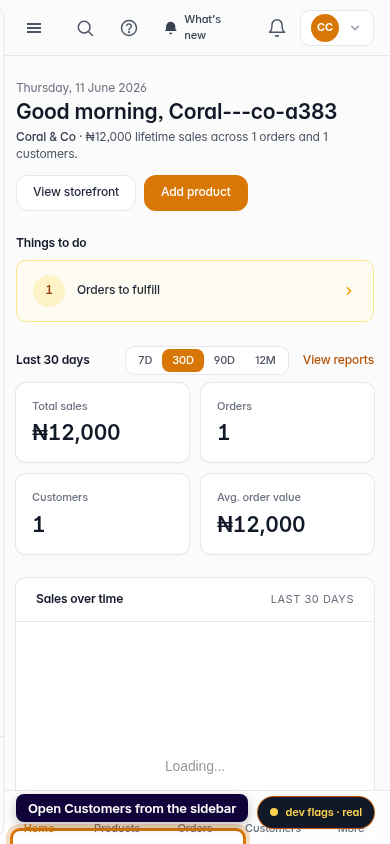
Mobile -
2
Open the customer
Click the customer whose details you want to change. Their profile opens, showing their contact details, orders, notes and tags.
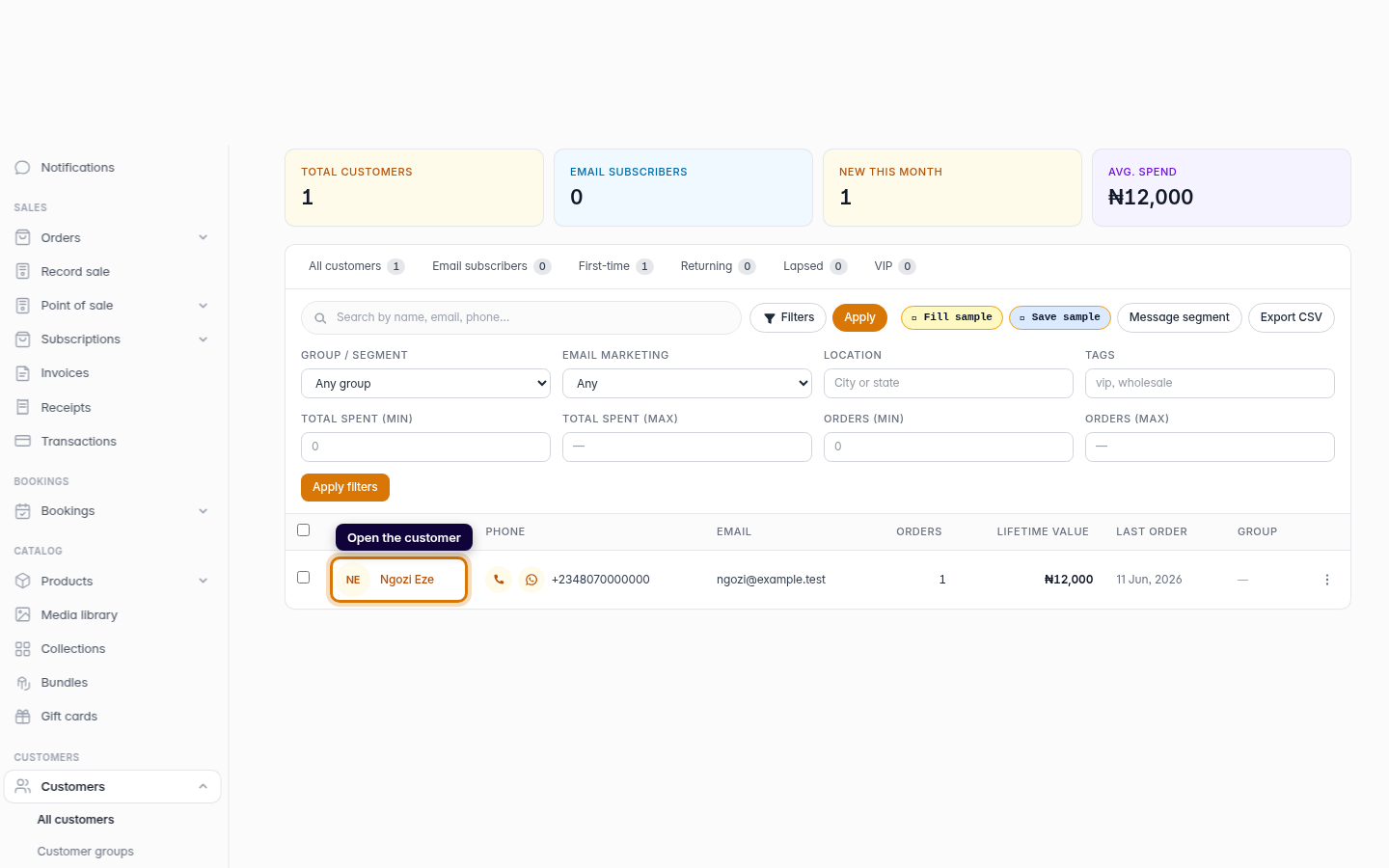
Web -
3
Click Edit
On the profile, click Edit to open the customer's details in an editable form.
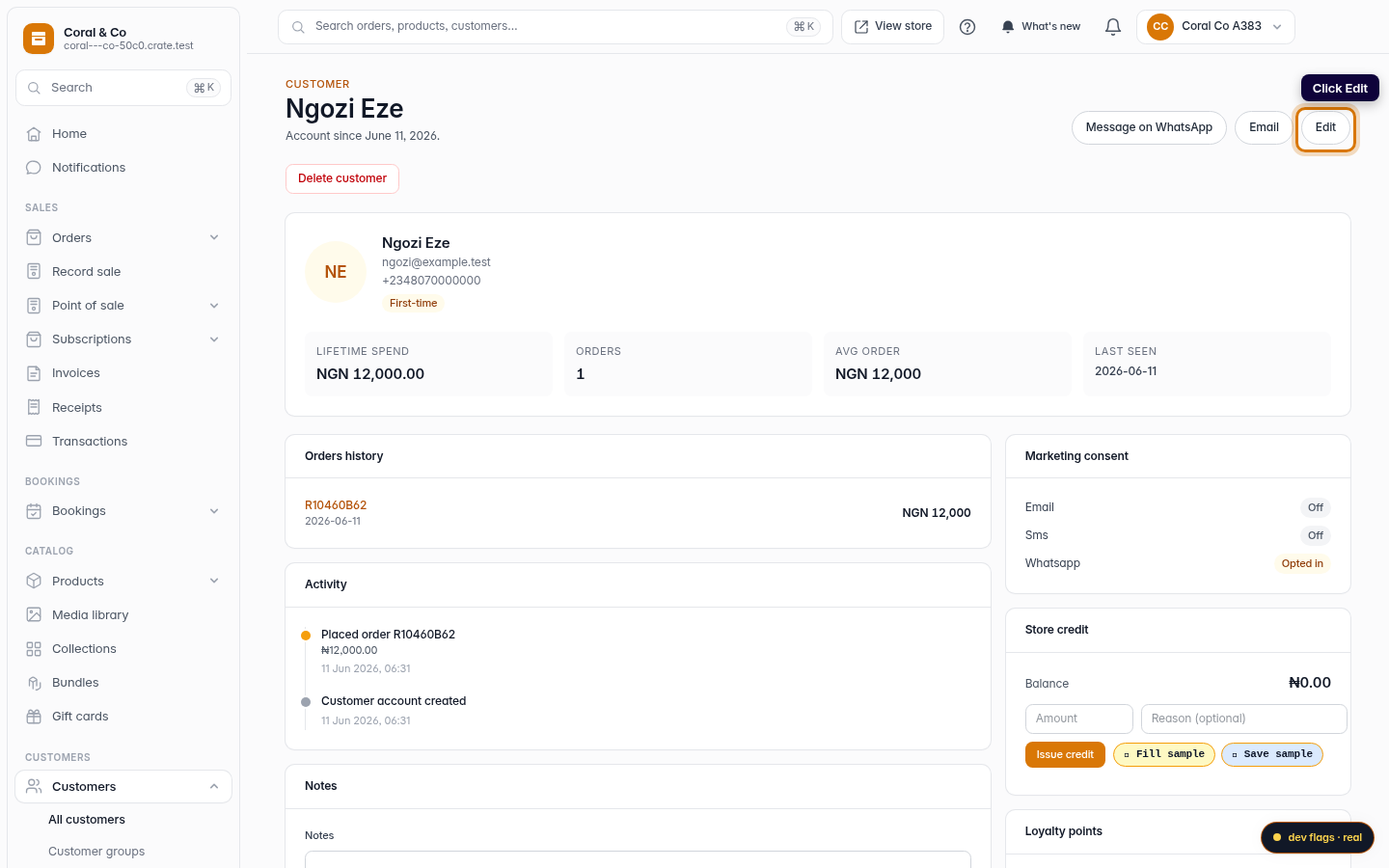
Web -
4
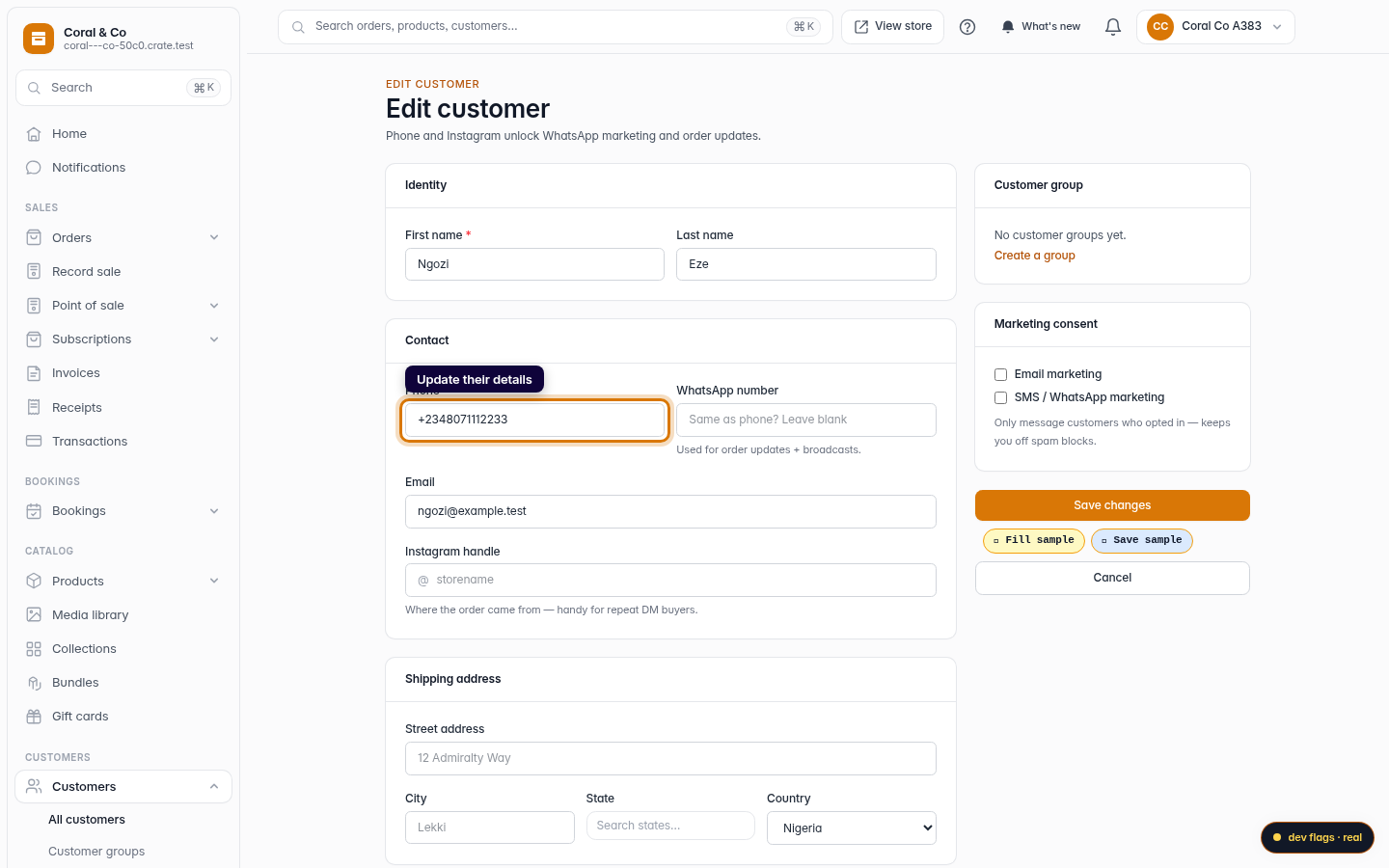
Update their details
Change whatever has moved on — a new phone number, an email, a fresh WhatsApp number or an updated shipping address. Correcting a phone number here means your next broadcast actually reaches them.
Web -
5
Save your changes
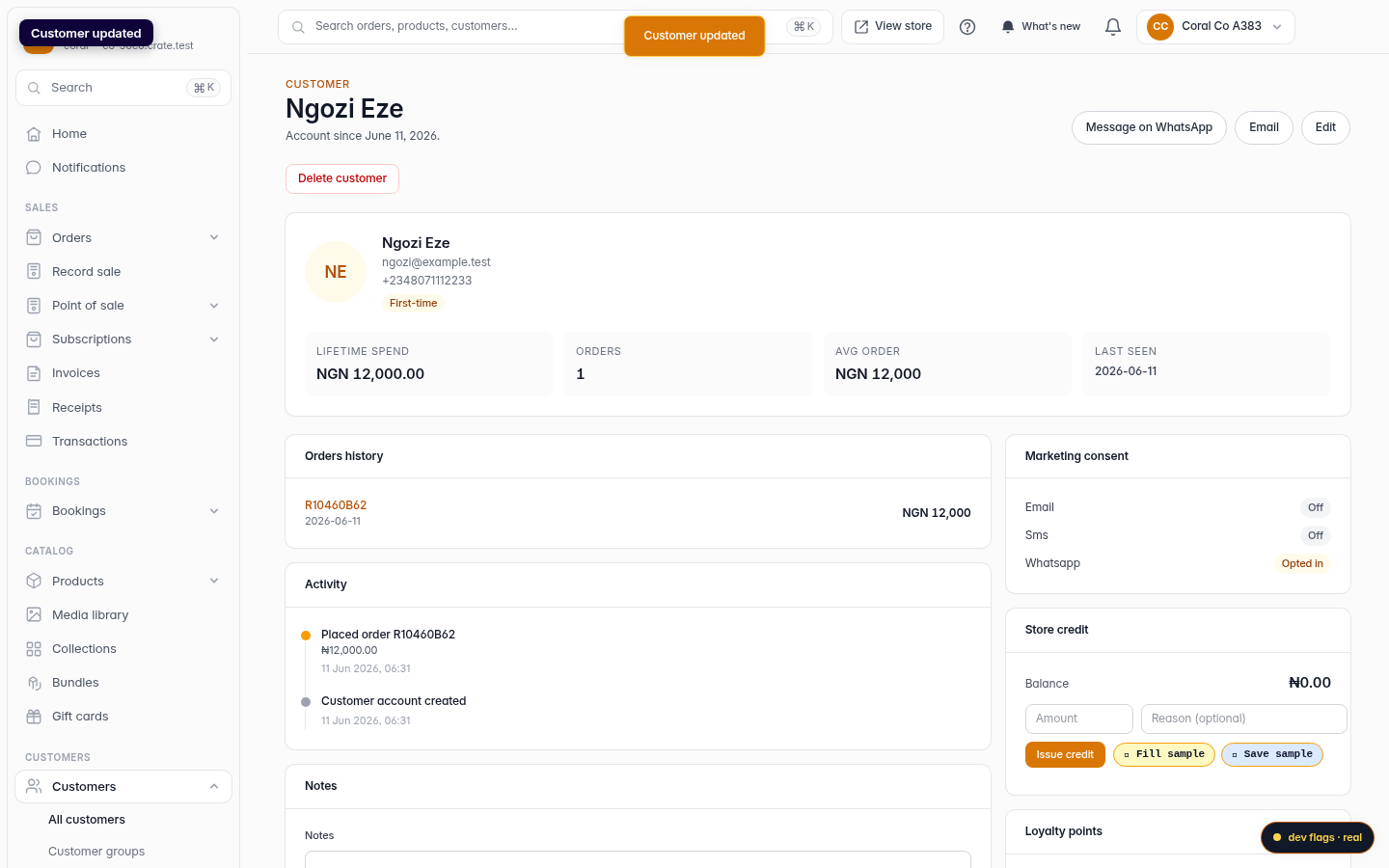
Click Save changes. Crate updates the profile right away and confirms with Customer updated.
Web