How to edit customer groups
Rename a segment, adjust its rules or curate its members — keep your customer groups sharp so every campaign targets the right buyers.
A segment isn't set in stone. As your business changes — a new VIP threshold, a city you've started shipping to, a tag you've retired — you'll want to revise your groups so they keep targeting the right people. Editing a group lets you do that without rebuilding it from scratch.
What you can change
Opening a group for editing reloads the full segment builder with its saved values: the name, the description, the type (dynamic or manual), and — for dynamic segments — every rule and the match mode. Change any of them and save.
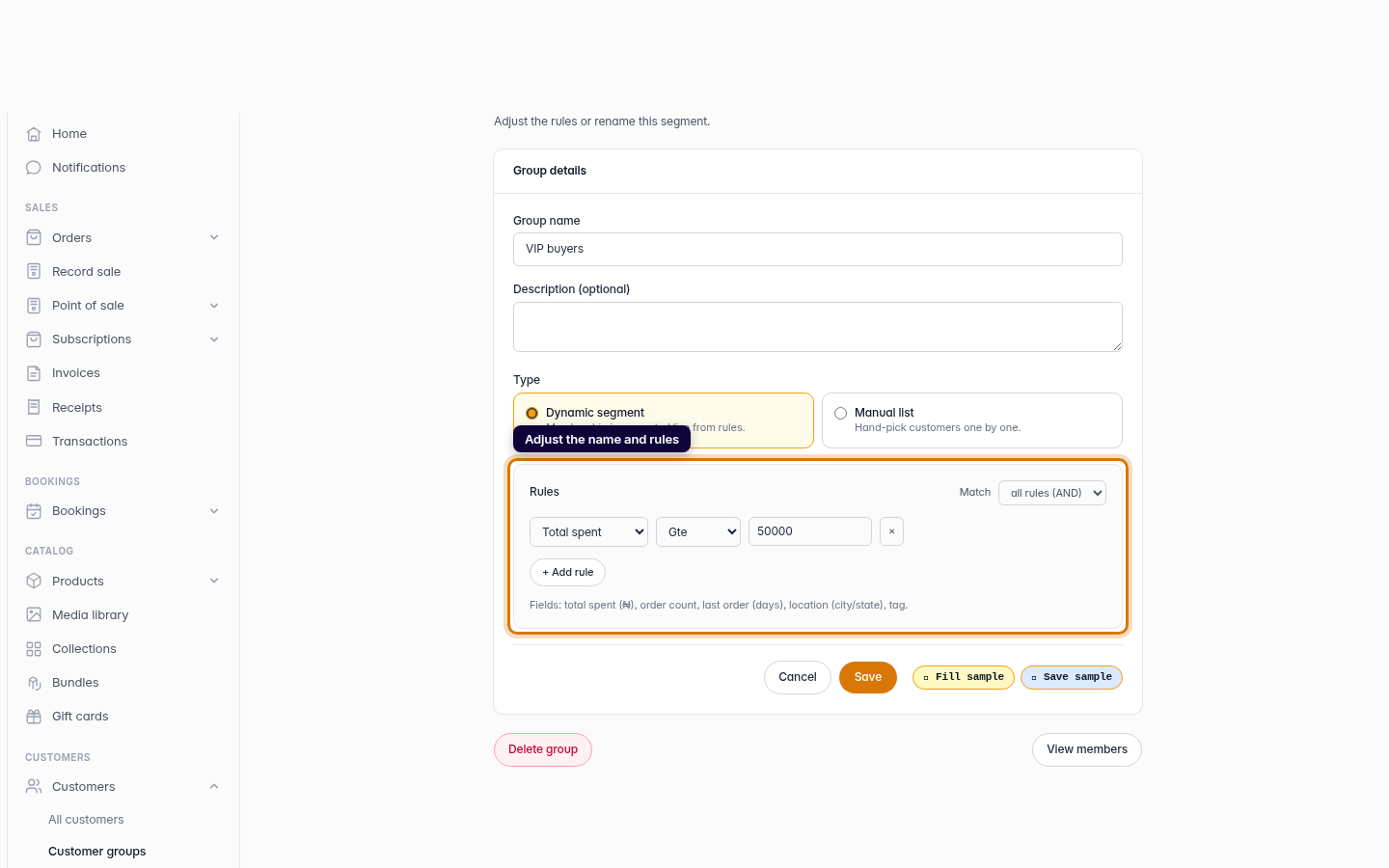
For a dynamic segment, the rule builder is the heart of the edit: add rules with + Add rule, remove ones you no longer want, and adjust thresholds like raising your VIP bar from ₦50,000 to ₦100,000. Because membership is computed live, the moment you save, the group reflects the new rules — no need to re-add anyone.
Curating a manual list
A manual group is curated from its own page rather than the rule builder. Open the group to add store customers from the dropdown or remove members from the list — handy for a hand-picked audience like a wholesale shortlist.
Tip: Need to retire a segment entirely? The edit screen has a Delete group button. Deleting a group never deletes the customers in it — it only removes the segment.
-
1
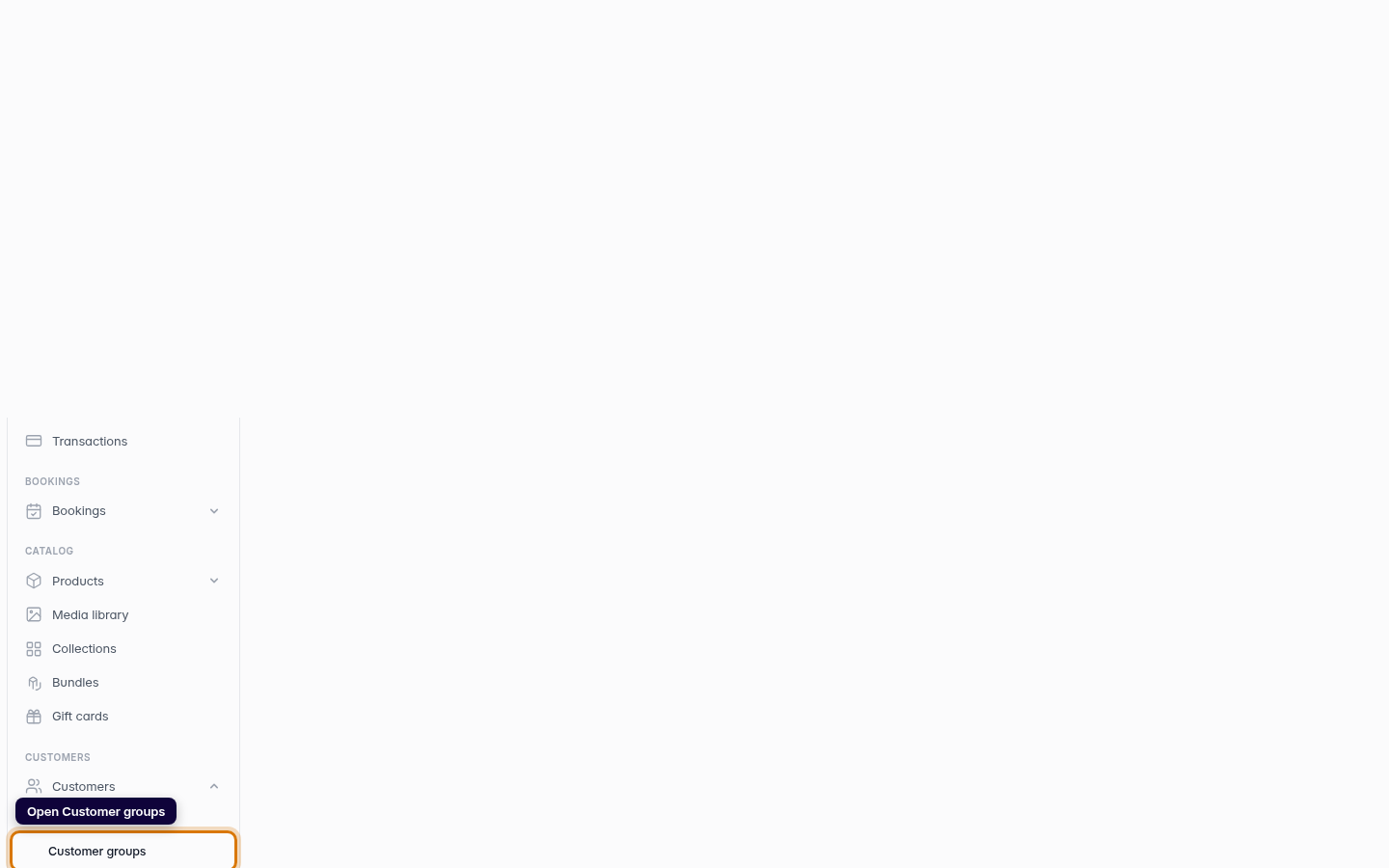
Open Customer groups
From the dashboard sidebar, open Customers and choose Customer groups to see all your segments.
Web -
2
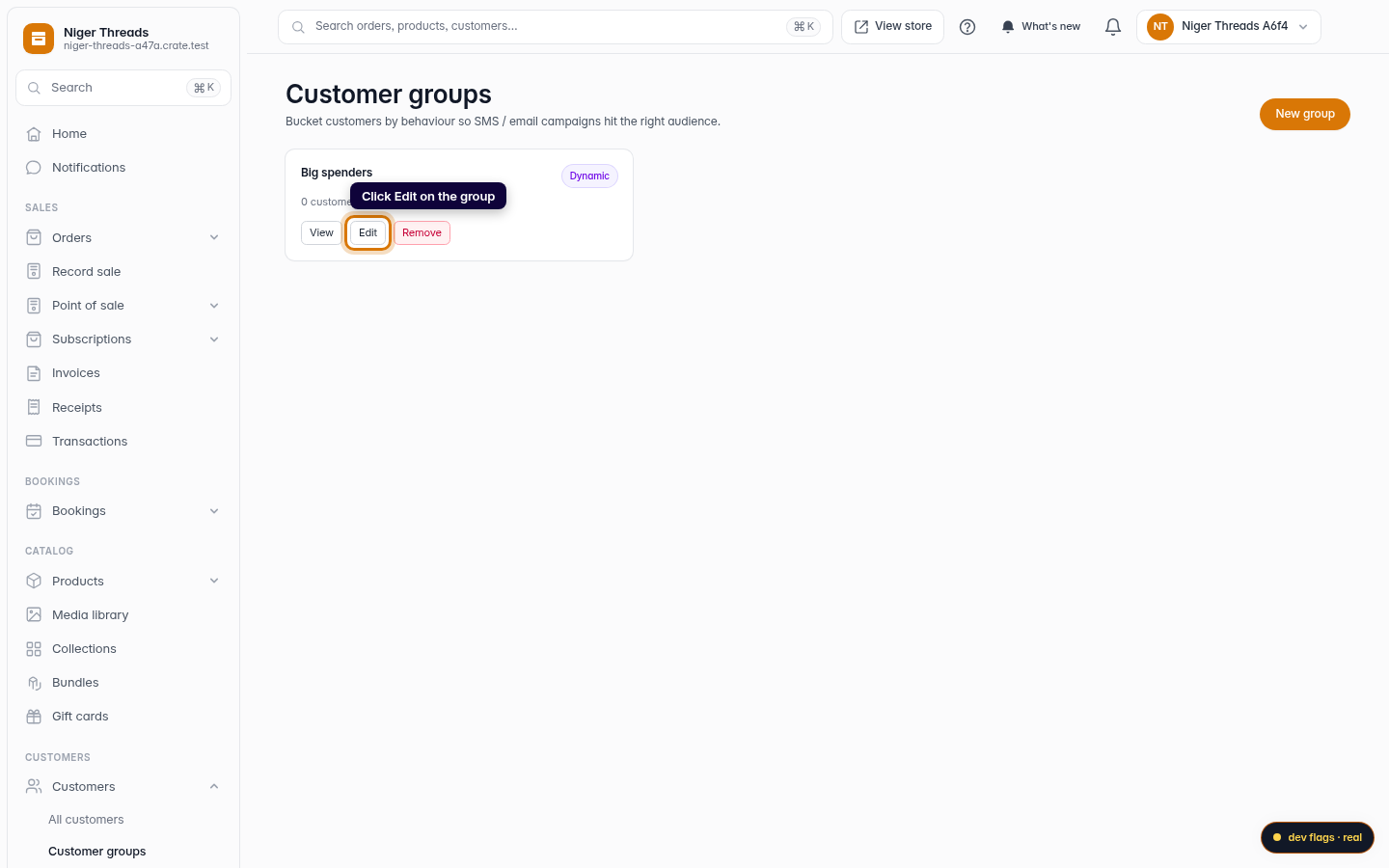
Edit the group
Find the group you want to change and click Edit on its card to open the segment builder with its current settings.
Web -
3
Adjust the name and rules
Change the group name or description, and for a dynamic segment, tweak the rules — add a rule, remove one, or change a threshold. Switch the match mode between all rules (AND) and any rule (OR) to widen or narrow who qualifies.
Web -
4
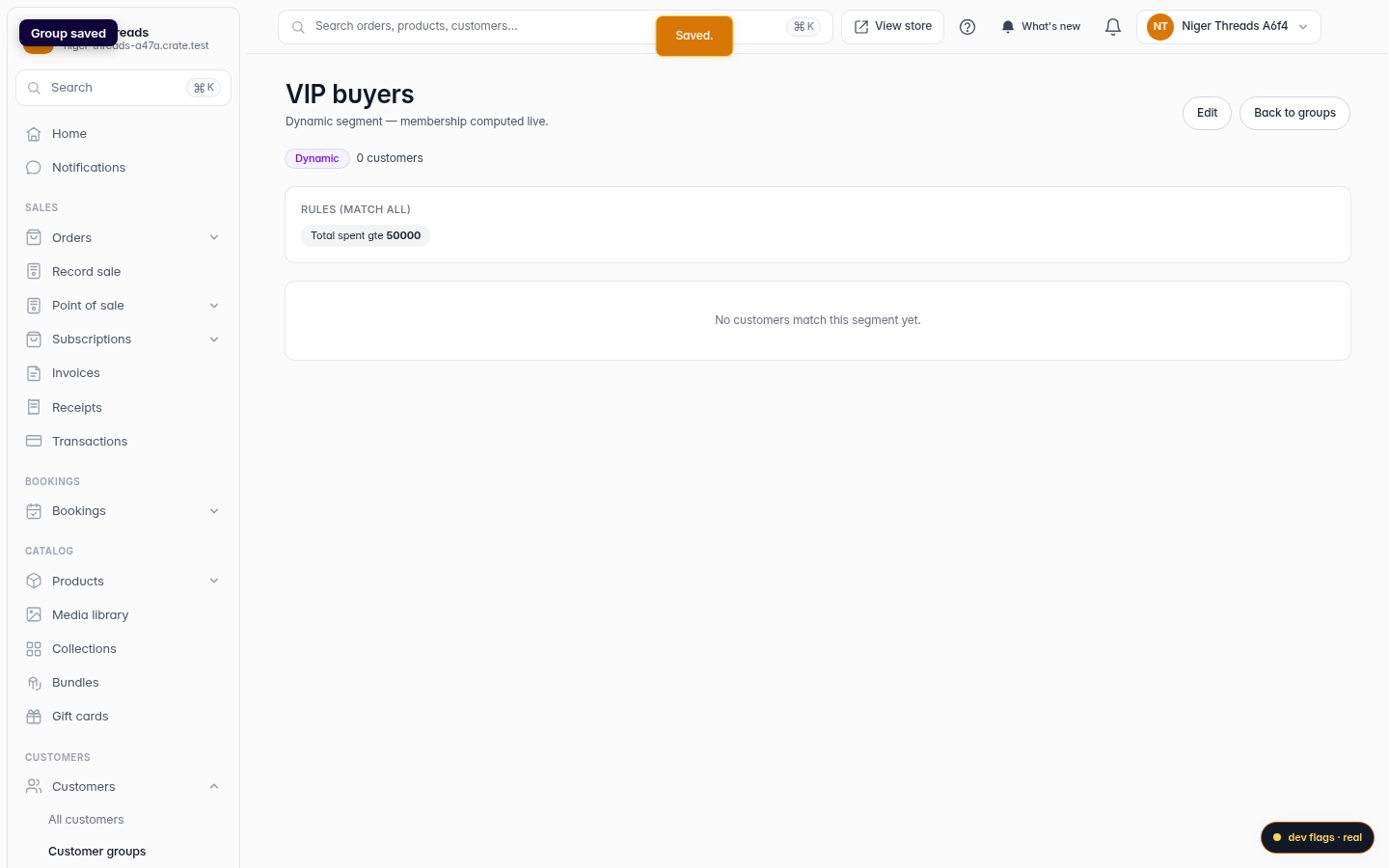
Save your changes
Click Save. Crate applies the new settings; a dynamic segment immediately recomputes its membership against the updated rules.
Web