How to add a customer
Create a customer record from the Crate web dashboard — capture their contact details, Instagram handle, shipping address and group in one form.
Crate's customer management lives entirely in the web dashboard, so you can build and segment your audience from any browser. Adding a customer by hand is the way to capture buyers who reached you off-platform — through Instagram, WhatsApp or in person — so you can market to them and track their spend alongside your online-store customers.
Before you start
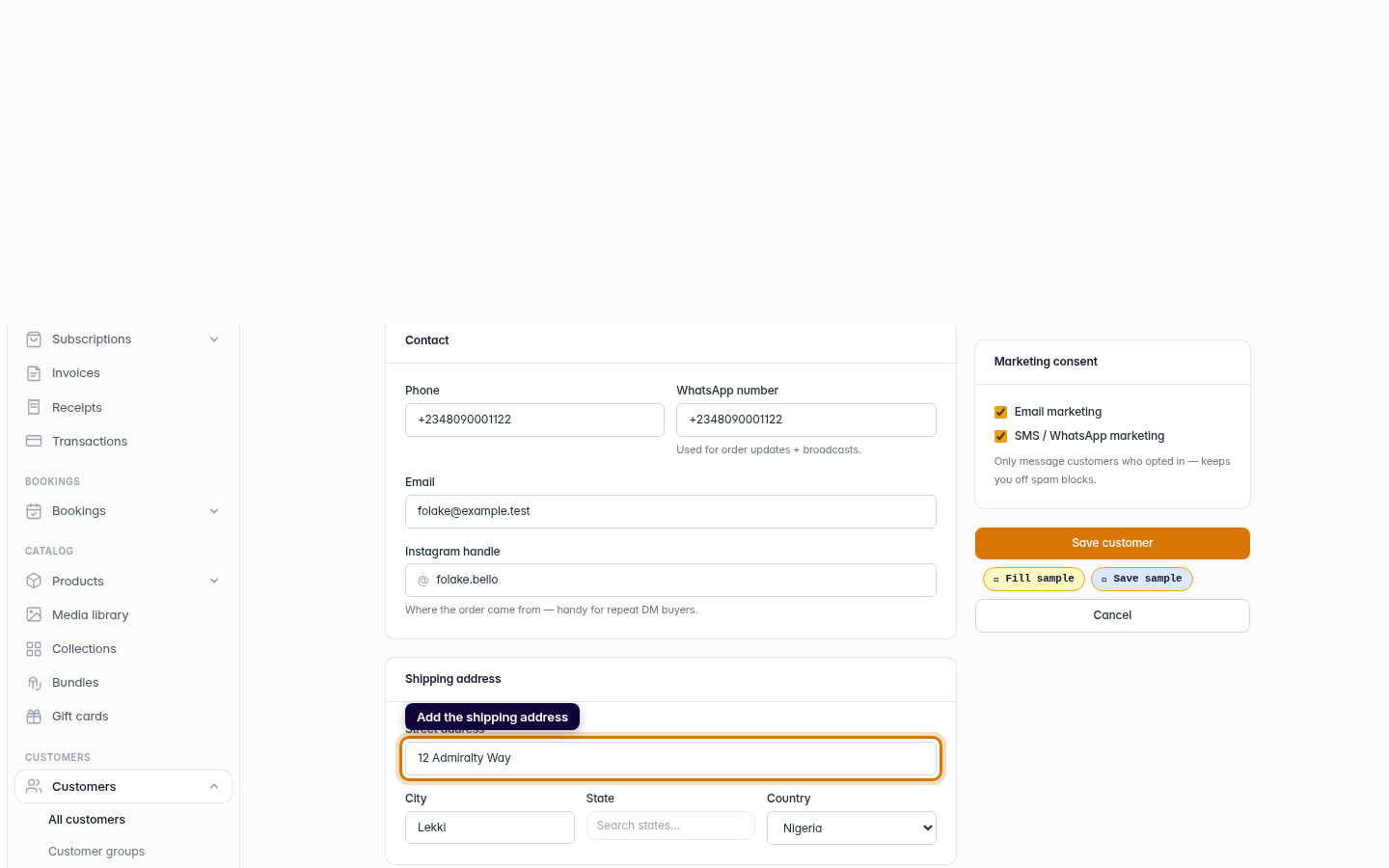
The form is laid out in clear sections — Identity, Contact, Shipping address and Notes on the left, with Customer group and Marketing consent in the sidebar. Only the first name is required; fill in as much or as little of the rest as you have. You can always return and complete a profile later.
Marketing consent
Crate defaults both email and SMS / WhatsApp marketing to on for customers you add yourself, on the basis that you're saving someone you already do business with. Untick either box if a customer hasn't agreed to be marketed to — only messaging opted-in buyers keeps your sender reputation clean.
Tip: No customer groups yet? The Customer group card links straight to Create a group. Build one first if you want to drop new customers into a segment as you add them.
What happens next
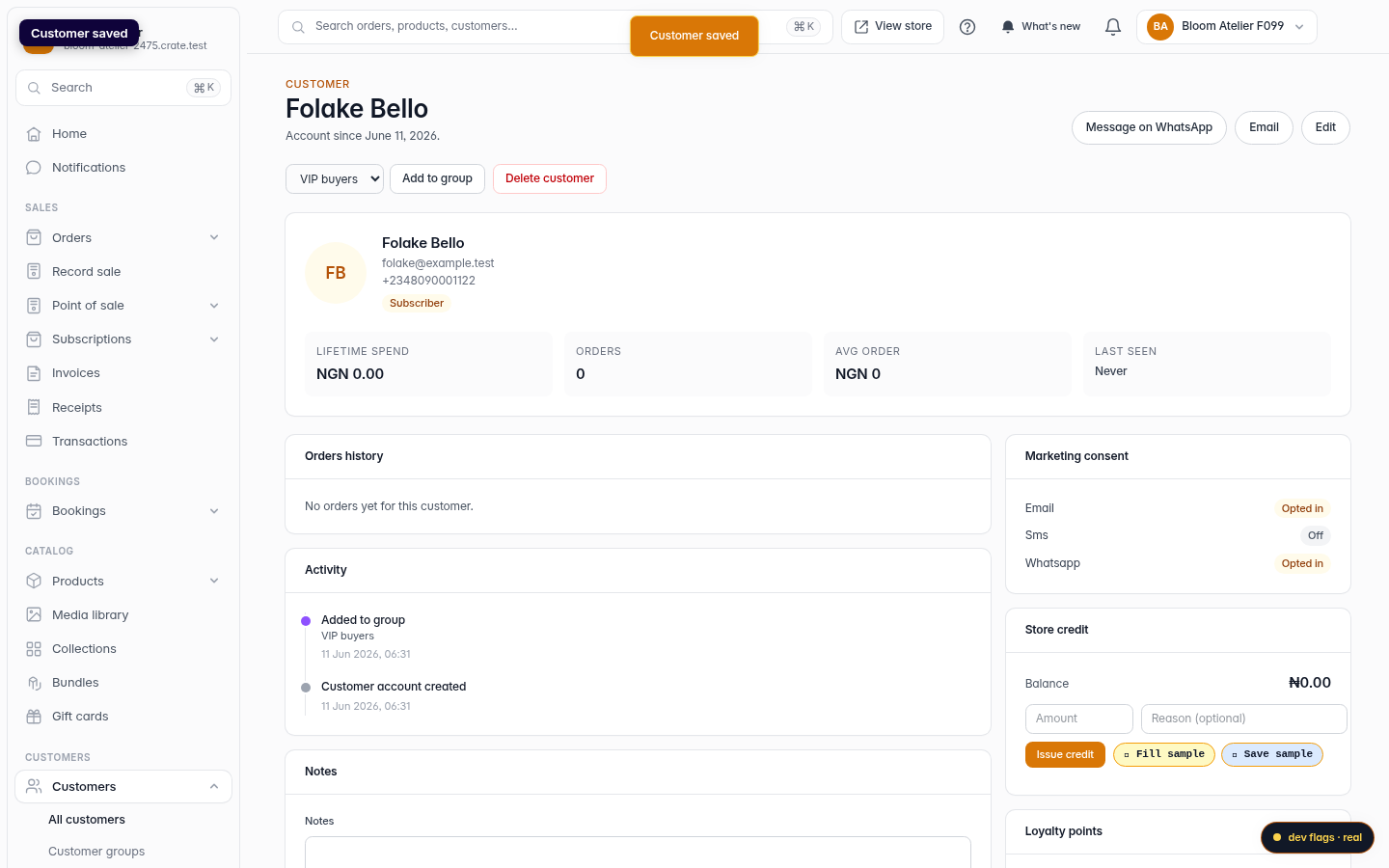
When you save, Crate creates the customer and lands you on their profile. Their orders, lifetime value and last order update automatically as they buy, and you can layer on notes, tags, store credit and group membership at any time.
-
1
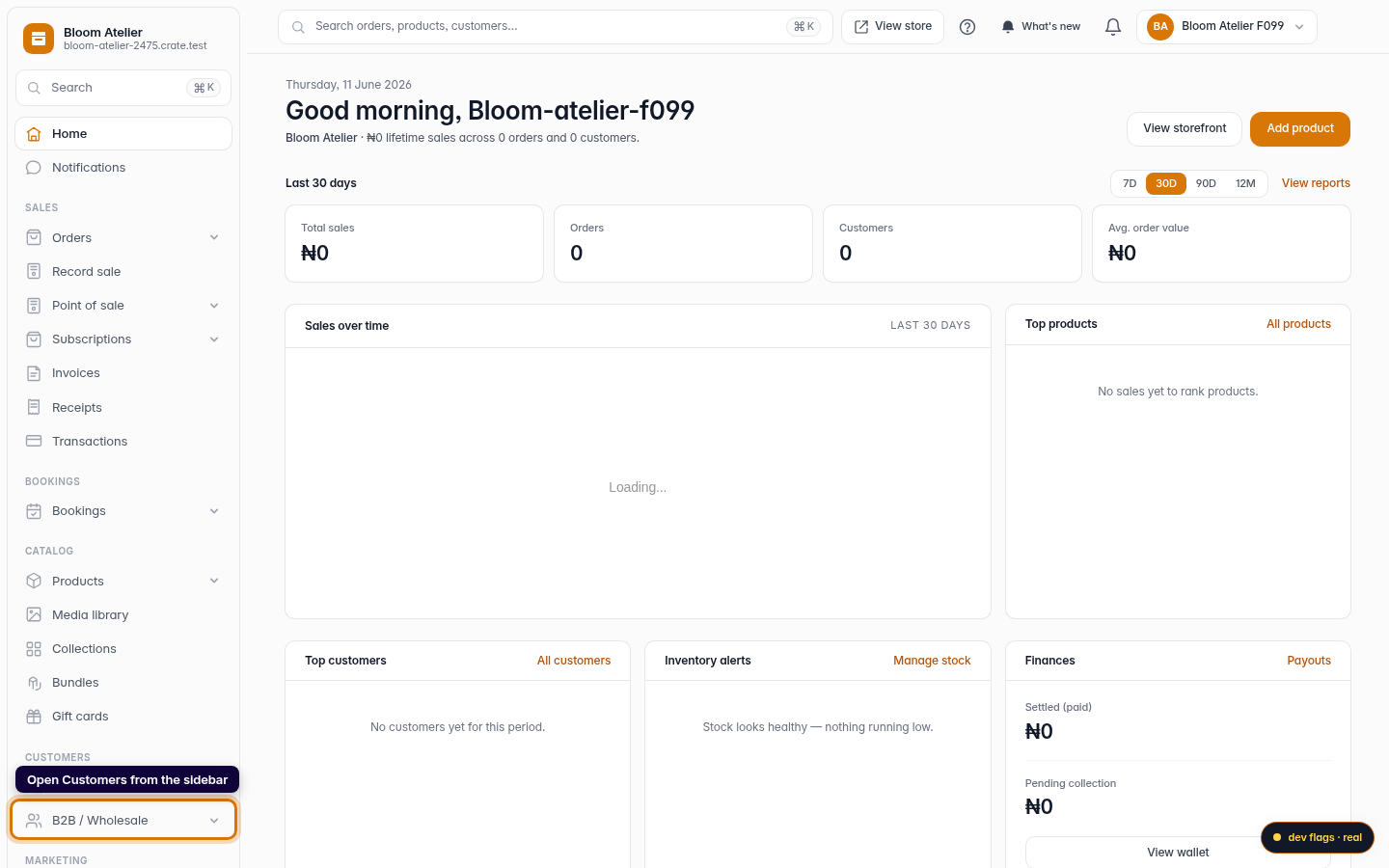
Open Customers
On the dashboard's left sidebar, click Customers to open your customer list.
Web -
2
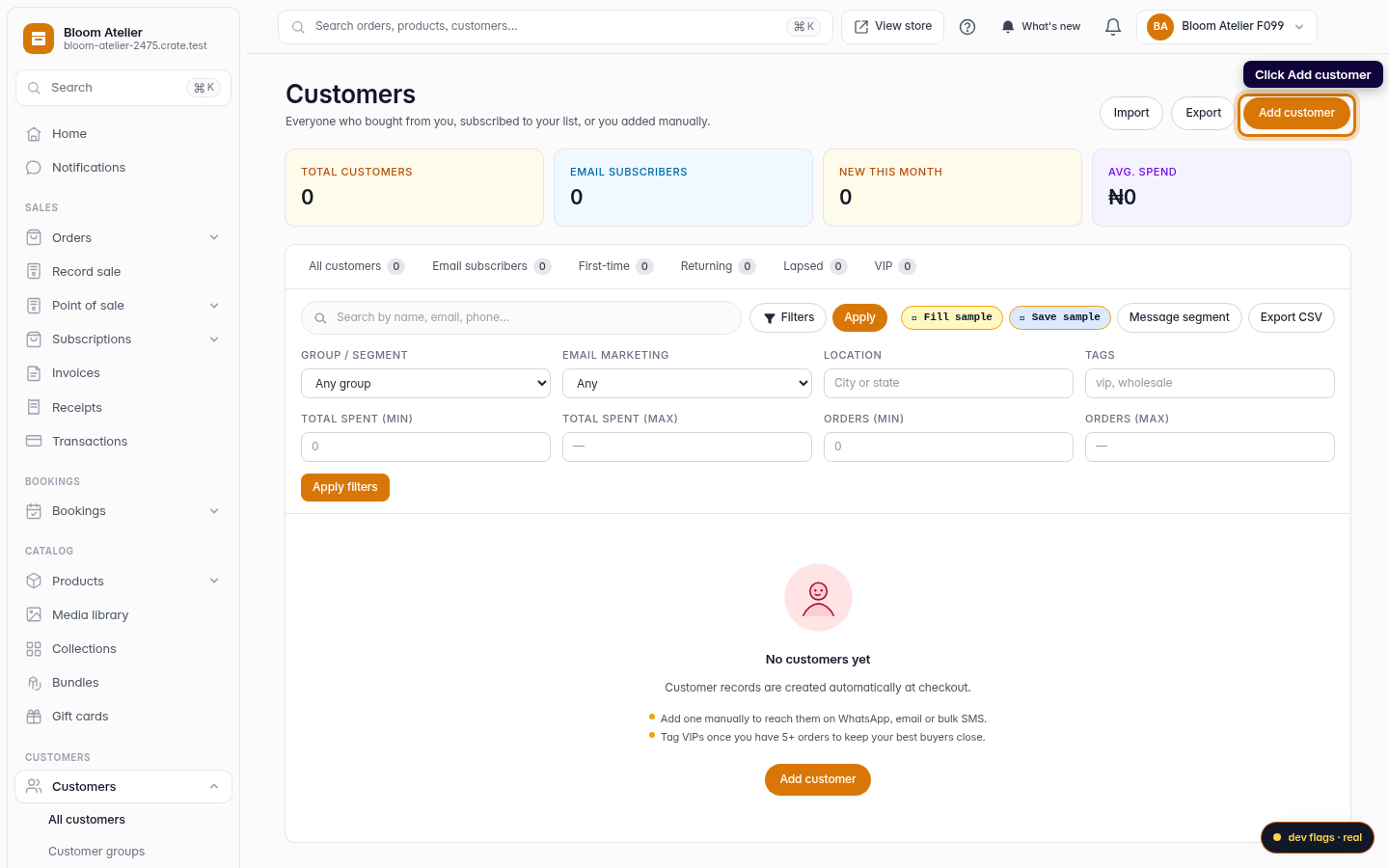
Click Add customer
At the top-right of the Customers page, click Add customer to open the new-customer form.
Web -
3
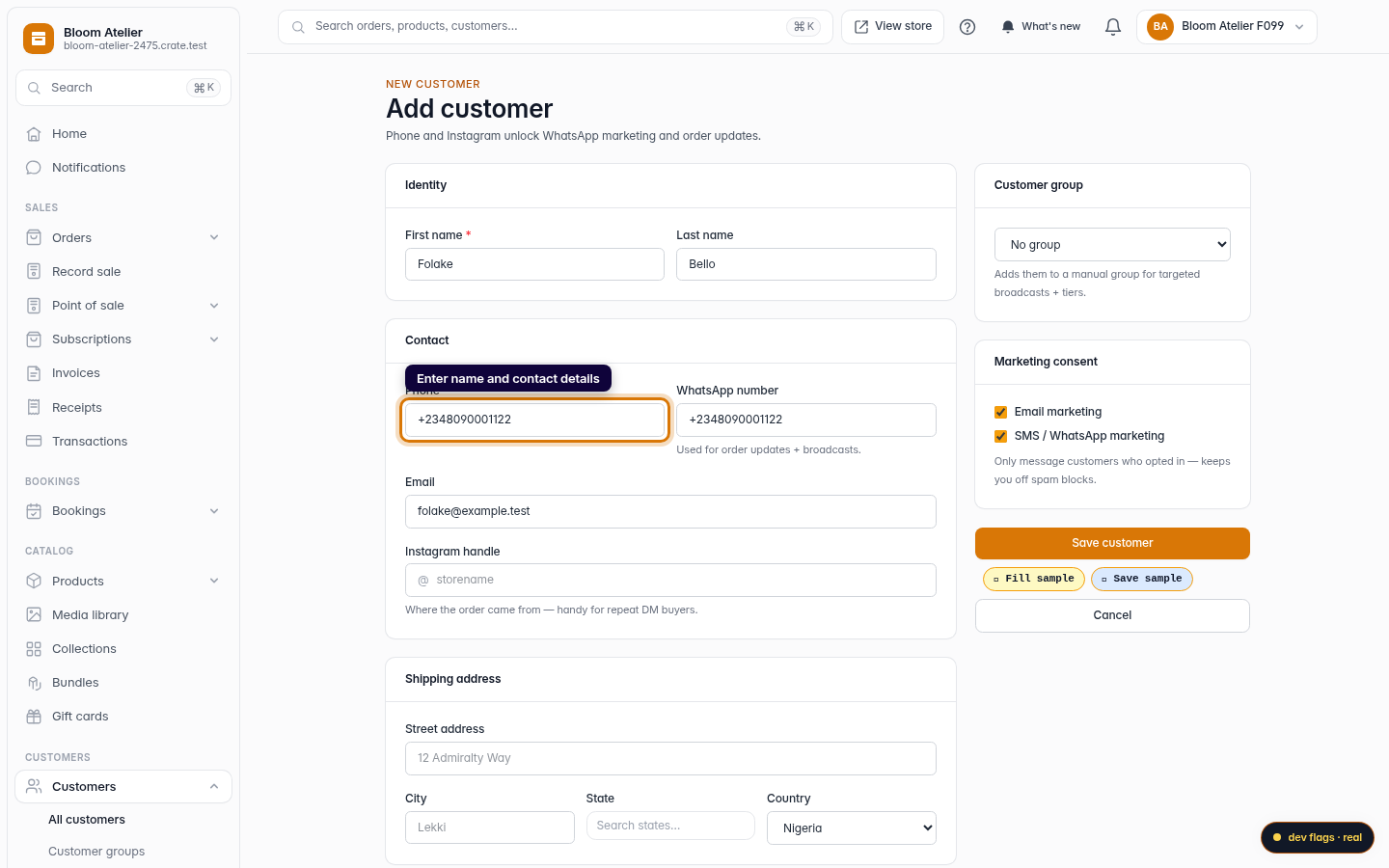
Enter their name and contact details
Fill in the first name (required), then their phone, WhatsApp number and email. Phone and WhatsApp power the one-tap message shortcuts on the customer list; email enables receipts and email campaigns.
Web -
4
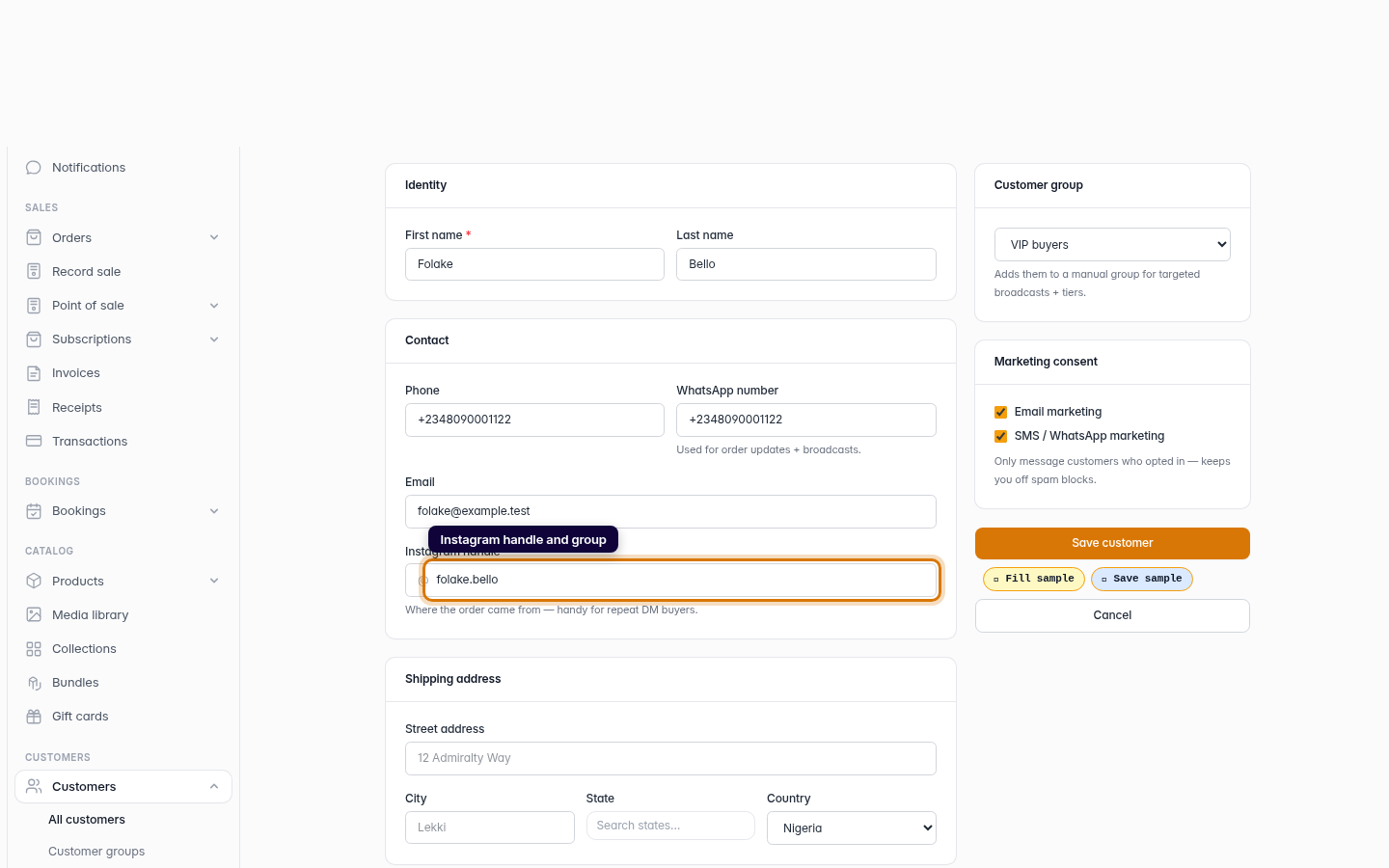
Add the Instagram handle and a customer group
Optionally record the Instagram handle the buyer came from, and pick a customer group in the sidebar to enrol them in a segment for targeted broadcasts. Leave the group blank if you don't have one yet.
Web -
5
Add the shipping address
Enter the shipping address — street, city, state and country — so it's ready to attach to their next order. This section is optional and can be filled in later.
Web -
6
Save the customer
Click Save customer. Crate creates the record and opens the customer's profile, where their orders and activity will accumulate.
Web