Renew your subscription
Crate renews your plan automatically, but you can top up early any time. Renew before your billing date to keep your custom domain, staff accounts and premium tools running without a single interruption.
Keeping your subscription current is what keeps your store premium — your custom domain, automated shipping, staff accounts and analytics all depend on an active plan. You almost never have to think about it, but it's worth knowing how renewal works.
Automatic renewal
Crate renews for you. When your billing period ends, we charge the card on file and extend your plan for another term — no reminders to chase, nothing to click. Just make sure the card stays funded and current ahead of your charge date.
The grace period
If a renewal charge fails — an expired card, or not enough funds — your store doesn't shut off straight away. It enters a 3-day grace period. During those three days your dashboard and billing page clearly flag that your plan has lapsed, and Crate retries the charge each day so a quick top-up resolves it.
Note: The grace period starts the moment your plan expires. If you renew within it, your next charge date stays the same — you don't lose the days you've already paid for.
If you don't renew in time
If the grace period passes without a successful charge, your store is downgraded to the free plan. That means you lose premium benefits, your custom domain reverts to your free Crate web address, and staff accounts are switched off until you re-subscribe. Renewing early — straight from the Renew page — is the simplest way to never reach that point.
-
1
Open your billing
From your dashboard, go to Settings → Billing to see your current plan, your next charge date and how many days are left in the period.
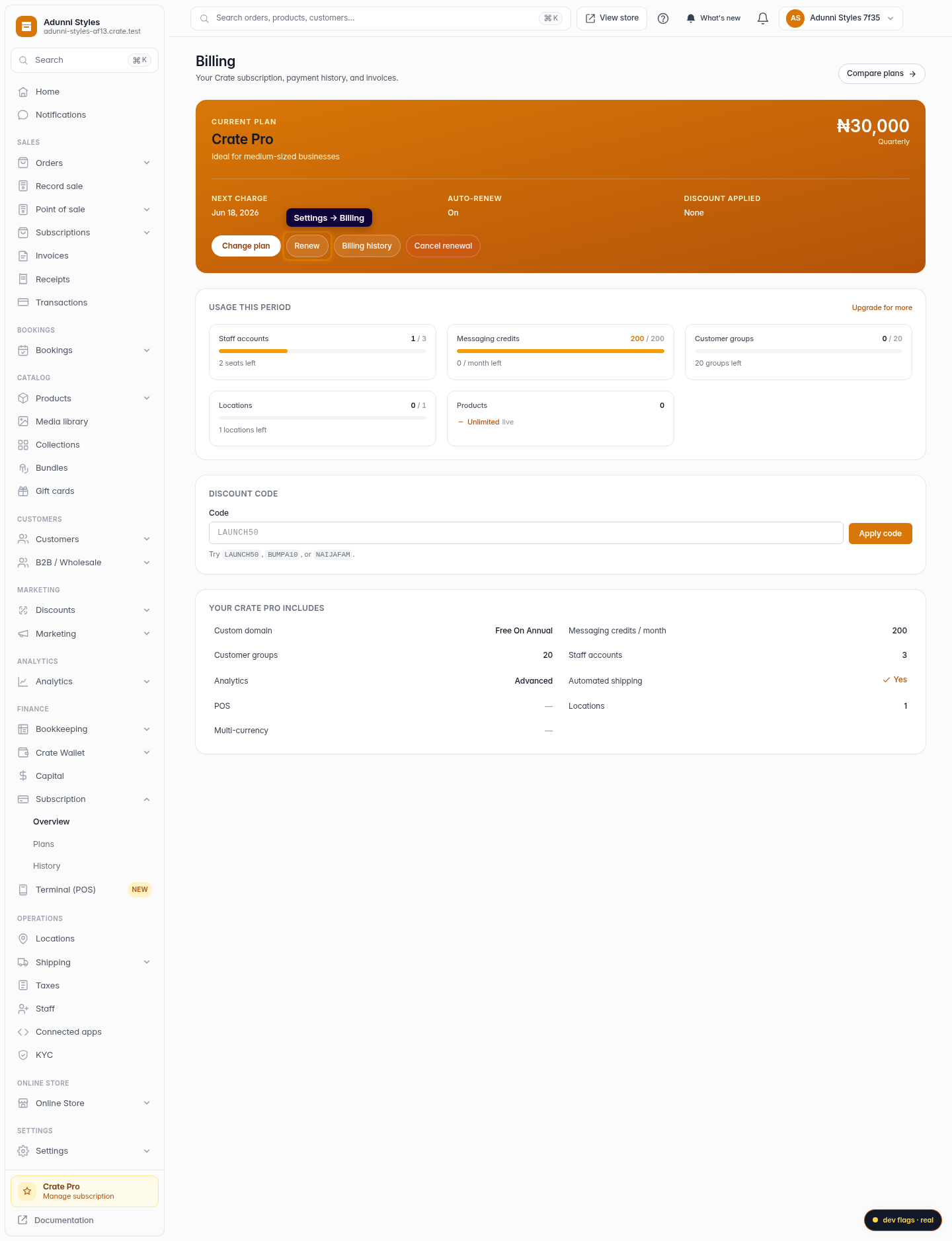
Web 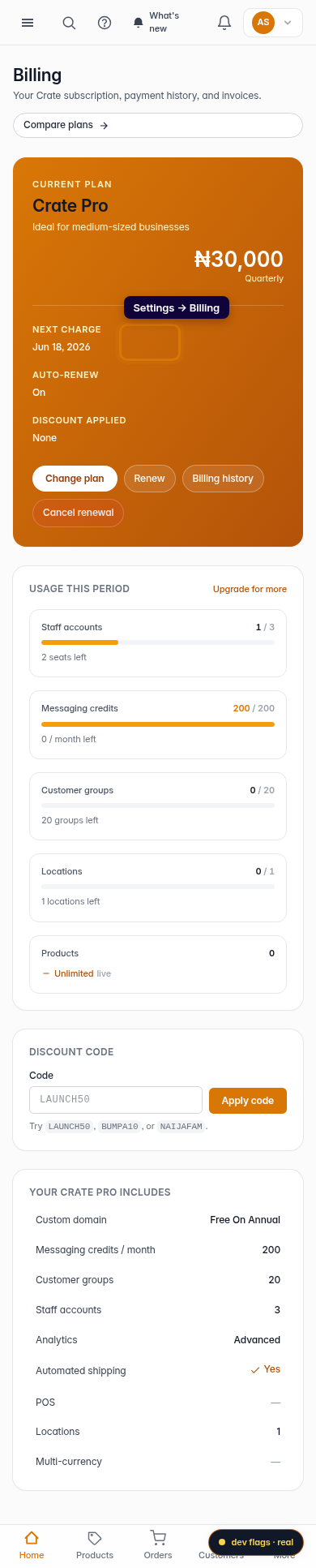
Mobile -
2
Go to Renew
Open the Renew page. Crate shows your current plan, billing period and the exact amount for the next term, VAT included.
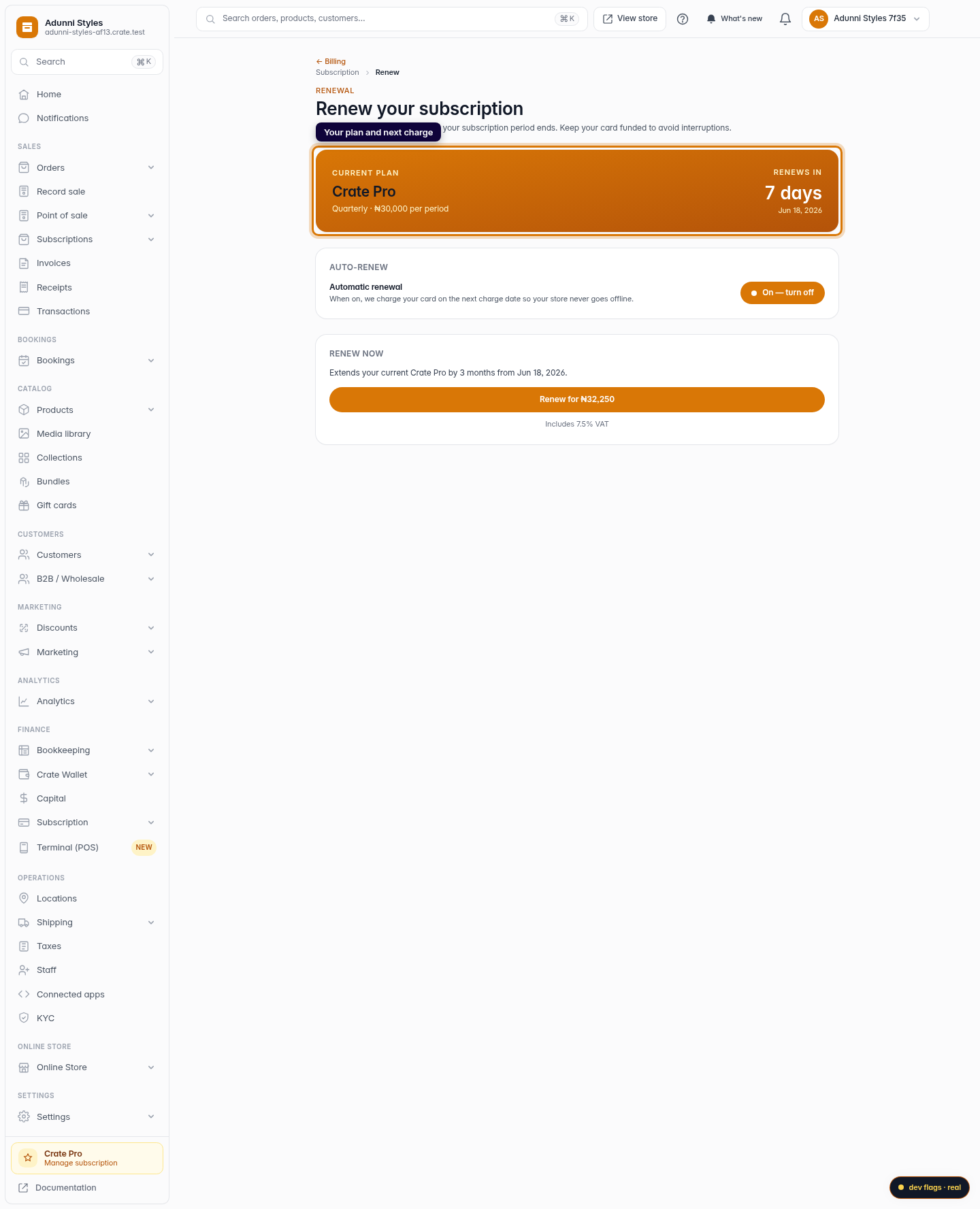
Web 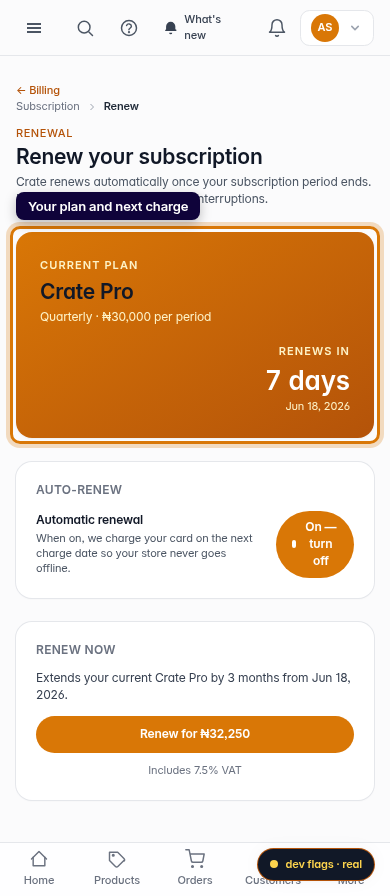
Mobile -
3
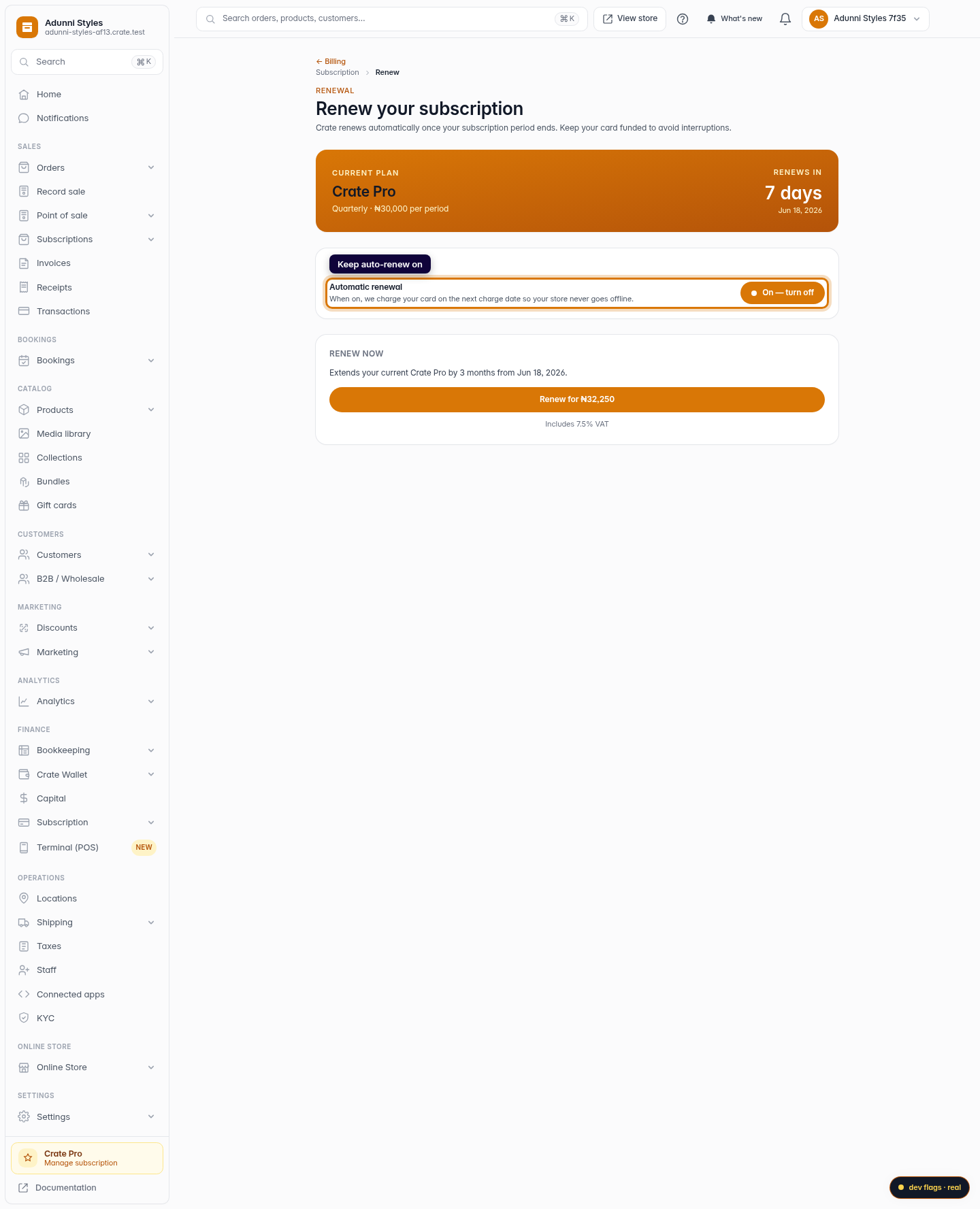
Confirm auto-renew (optional)
Keep Automatic renewal switched on so Crate charges your card on the next charge date and your store never drops offline. You can toggle it off if you'd rather renew by hand.
Web -
4
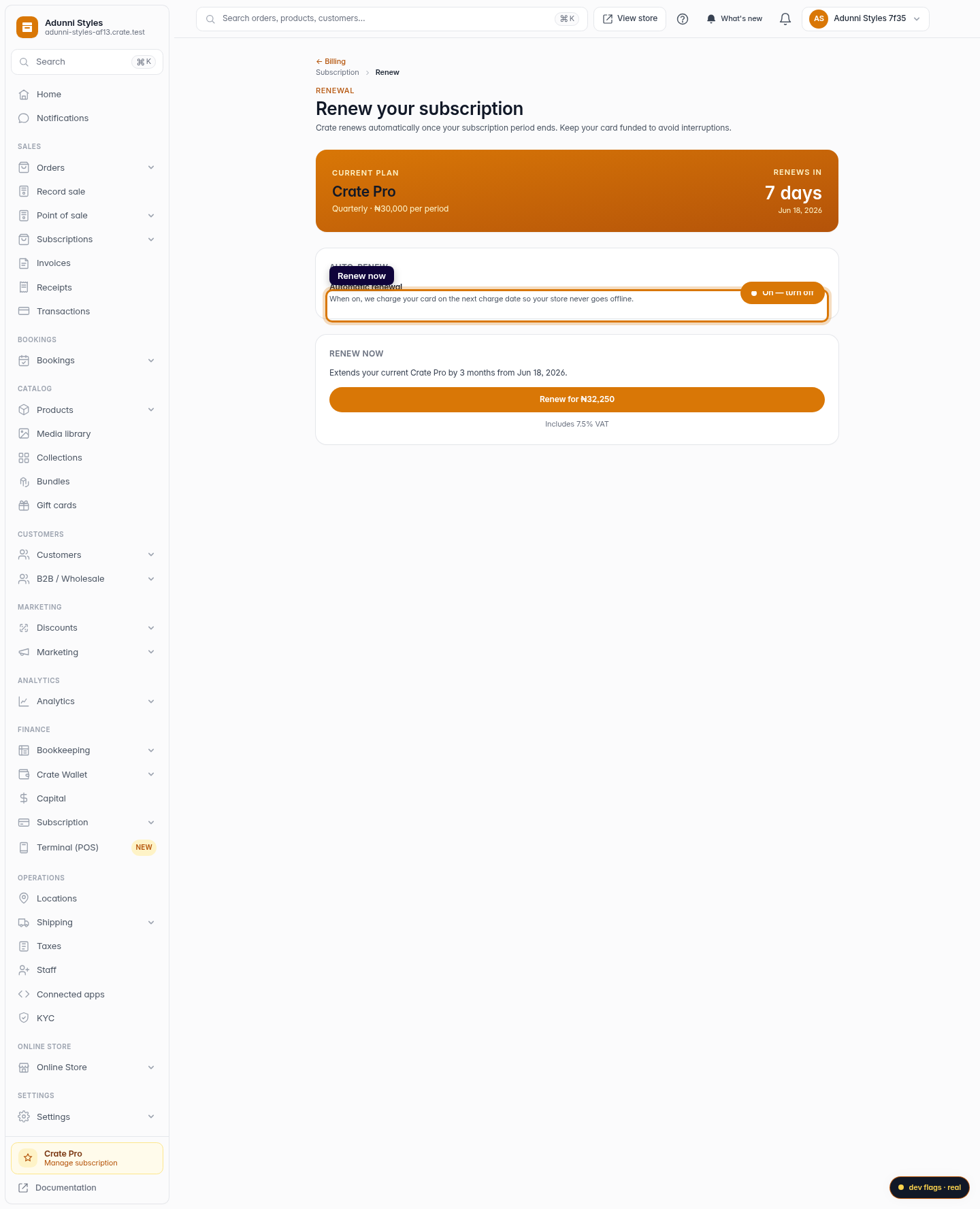
Renew now
Click Renew to extend your plan immediately from your current expiry date. Crate confirms the new term and you're set.
Web 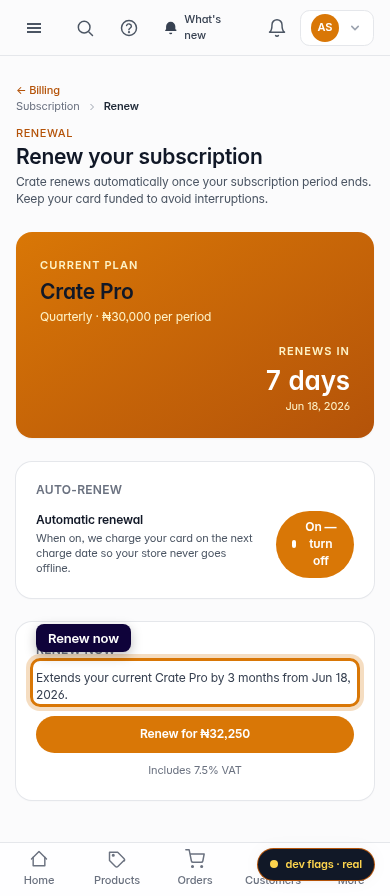
Mobile