Upgrade your current plan
Move up a tier any time — from quarterly to annual, or Starter to Pro — without waiting for your current period to end. Crate credits the unused days you've already paid for, so you only pay the difference.
Outgrowing your plan is a good problem. When you need more — more staff seats, the POS, multi-currency, or simply a longer billing period — you can upgrade without waiting for your current subscription to run out.
Switch any time
Upgrades are instant and flexible. You can move from a quarterly plan to a biannual or annual one, or step up from Starter to Pro or Growth, whenever it suits you. There's no "wait until renewal" — the new plan takes effect the moment you confirm.
You only pay the difference
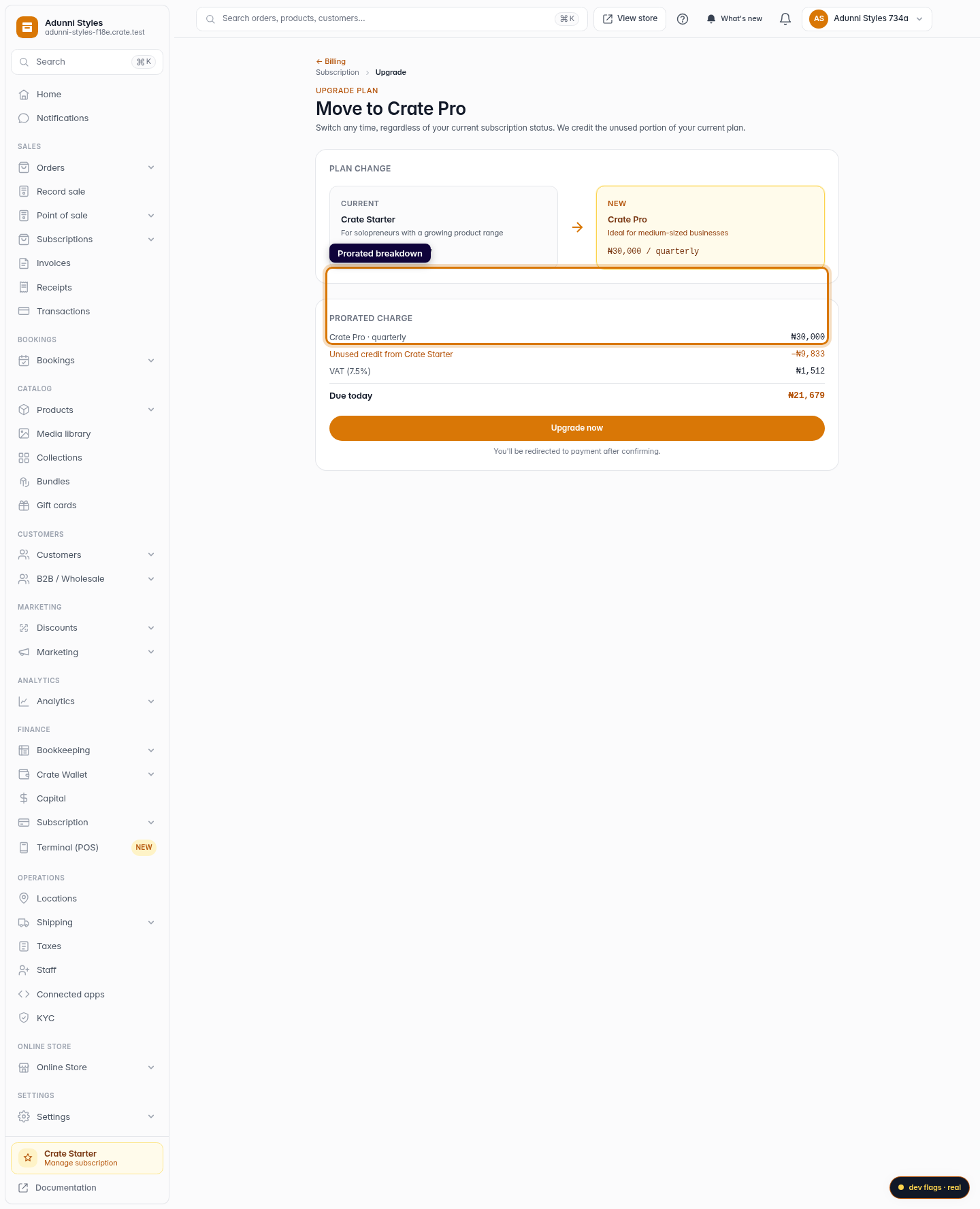
Crate doesn't make you pay twice. When you upgrade, we credit the unused portion of what you've already paid on your current plan and put it toward the new one. The upgrade screen breaks this down line by line — new plan price, your prorated credit, VAT, and the amount due today — so there are no surprises.
Note: Upgrading changes your plan immediately; downgrading or cancelling takes effect at the end of your current period instead, so you keep everything you've paid for until then.
After you upgrade
As soon as you confirm, your store moves to the new tier and its features unlock straight away — extra staff seats, automated shipping, the POS or multi-currency, depending on where you upgraded to. Your next charge date and amount update to reflect the new plan.
-
1
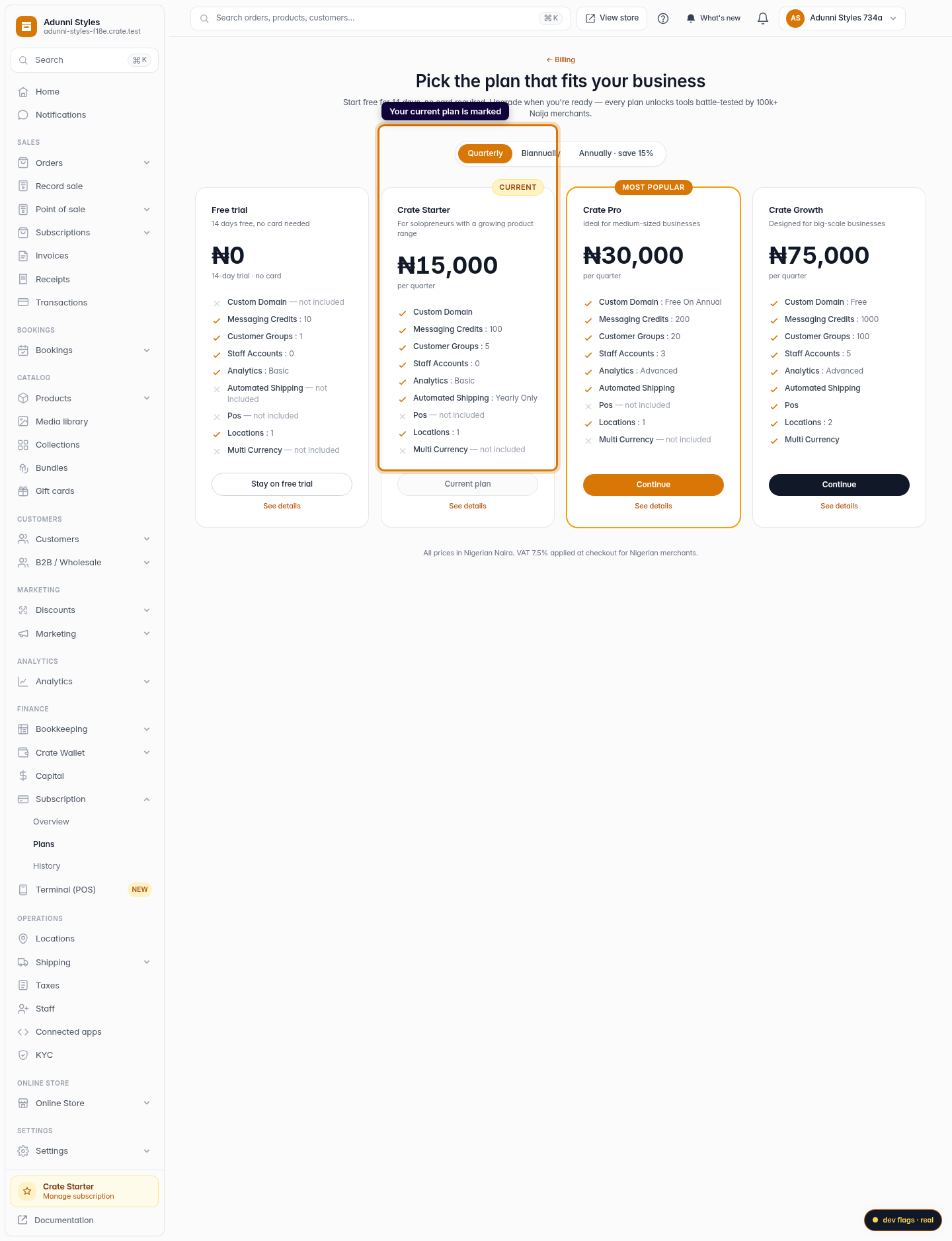
Open Compare plans
From your dashboard, go to Settings → Billing → Compare plans. Your current plan is marked, so you can see at a glance what each higher tier adds.
Web 
Mobile -
2
Review the upgrade
Open the upgrade page for the plan you want. Crate shows your current plan beside the new one, with a clear prorated breakdown — the new price, the credit for your unused days, VAT, and exactly what's due today.
Web 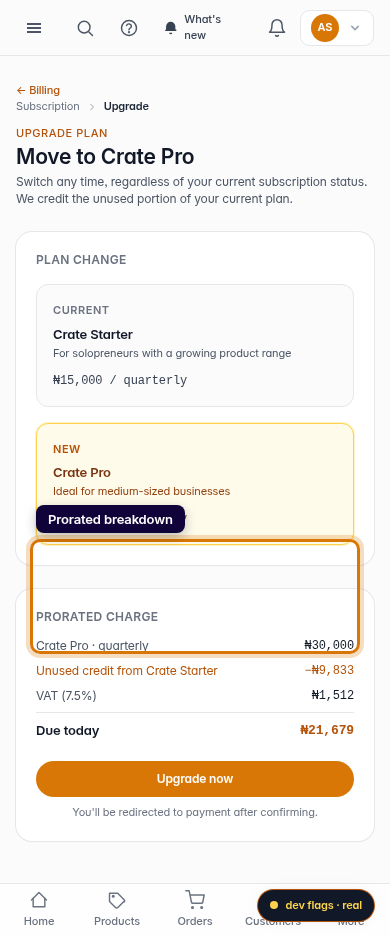
Mobile -
3
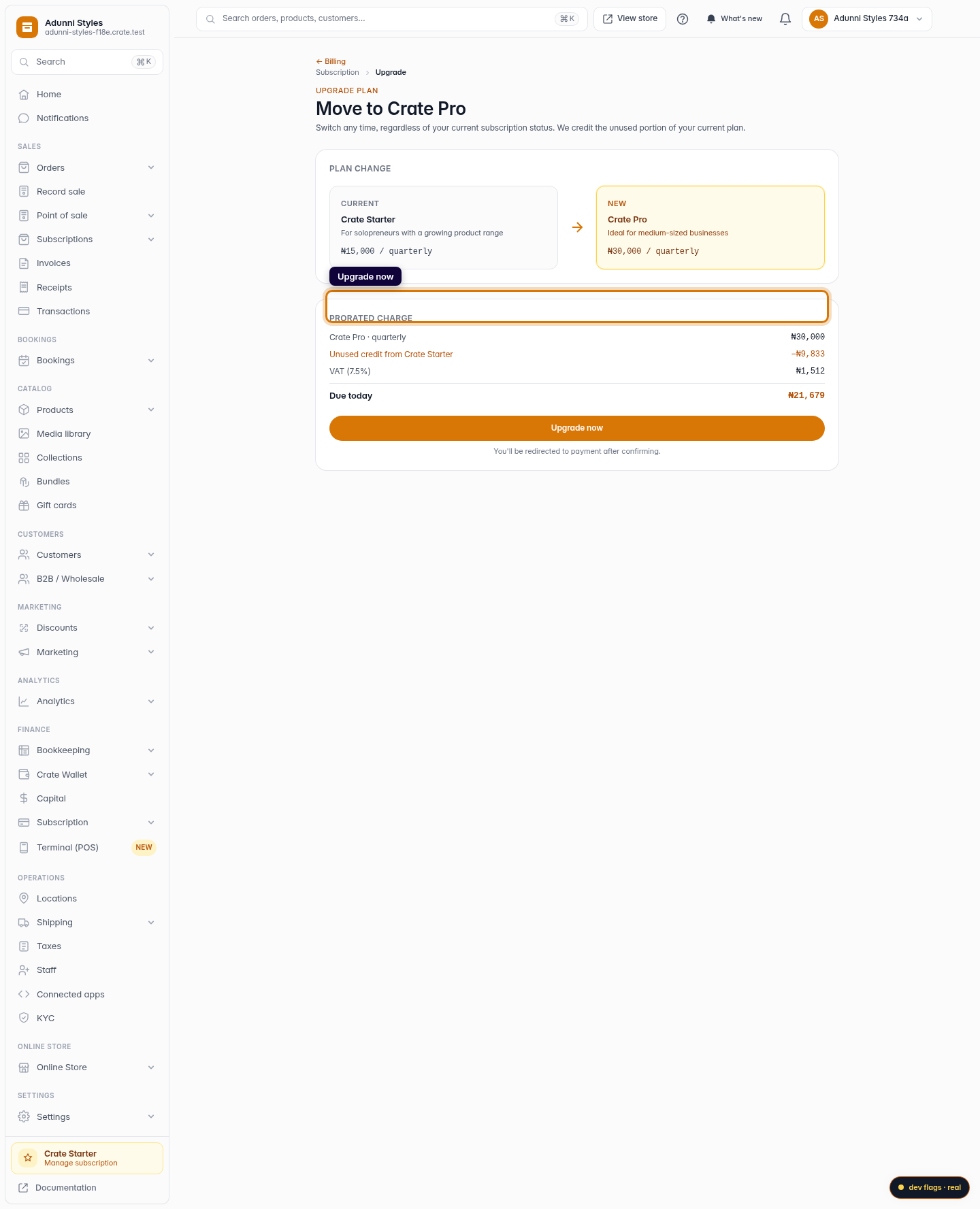
Upgrade now
Click Upgrade now. Crate switches you to the new plan immediately and confirms the change — your new tier's features are available right away.
Web 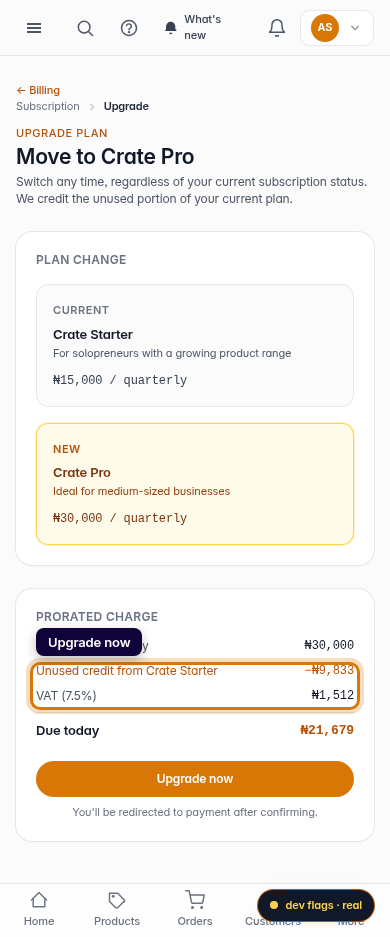
Mobile