Edit a DNS record
Need to change where your domain points or update a verification record? Edit any DNS record on your custom domain from Crate — pick the record, change the value, and save.
DNS records are the routing rules that tell the internet where your domain points. Most of the time you set them once and forget them — but occasionally you need to change one: a new mail provider, an updated tracking string, or a value you typed wrong the first time.
Crate lets you edit any record on a connected custom domain without leaving the dashboard.
Handle A and CNAME records with care
Your A and CNAME records are what actually route shoppers to your store. Changing them carelessly can take your site offline, so only touch them if you're certain of the new value. For most edits — verification strings, email records — you'll be working with TXT or MX records, which are safe to update.
Crate manages the A/CNAME records that point your domain at your store automatically. If you ever need to repoint them, double-check the new value against the connection instructions first.
After you save
The edit is queued immediately. Because DNS is cached around the world, the change can take anywhere from a few minutes to 48 hours to be visible everywhere — a lower TTL on the record speeds that up. You can keep editing or add new records from the same DNS list.
-
1
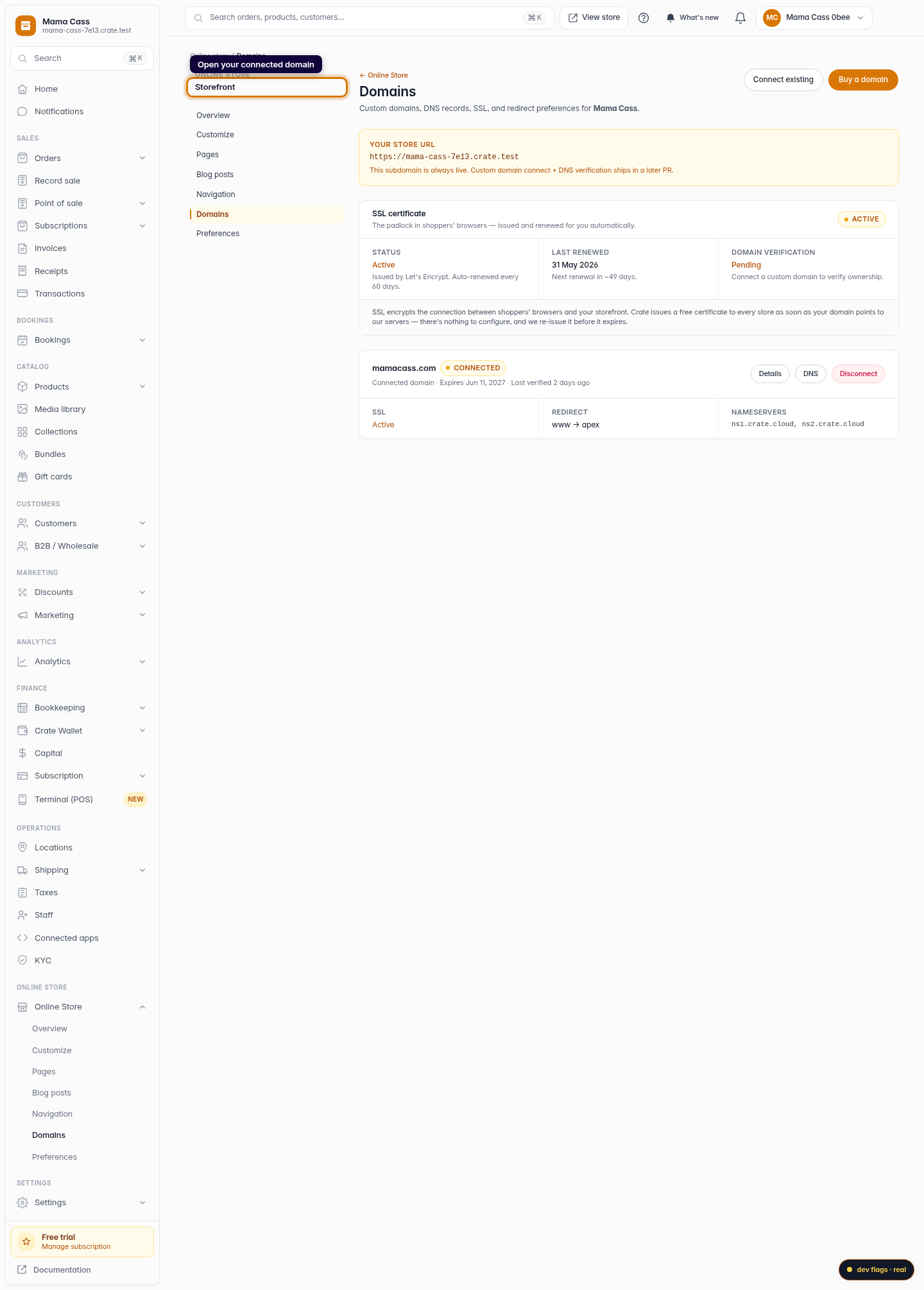
Open Domains
From your Crate dashboard, go to Storefront → Domains and open the custom domain whose records you want to change.
Web 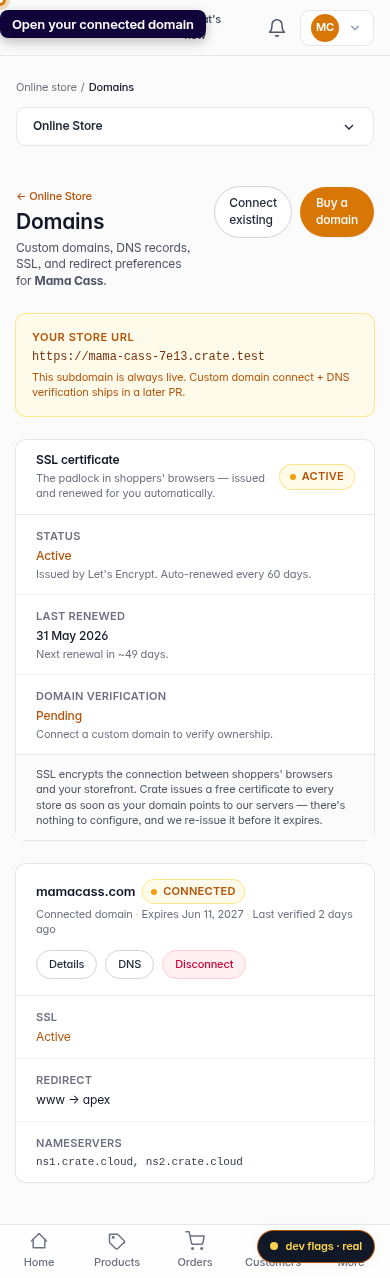
Mobile -
2
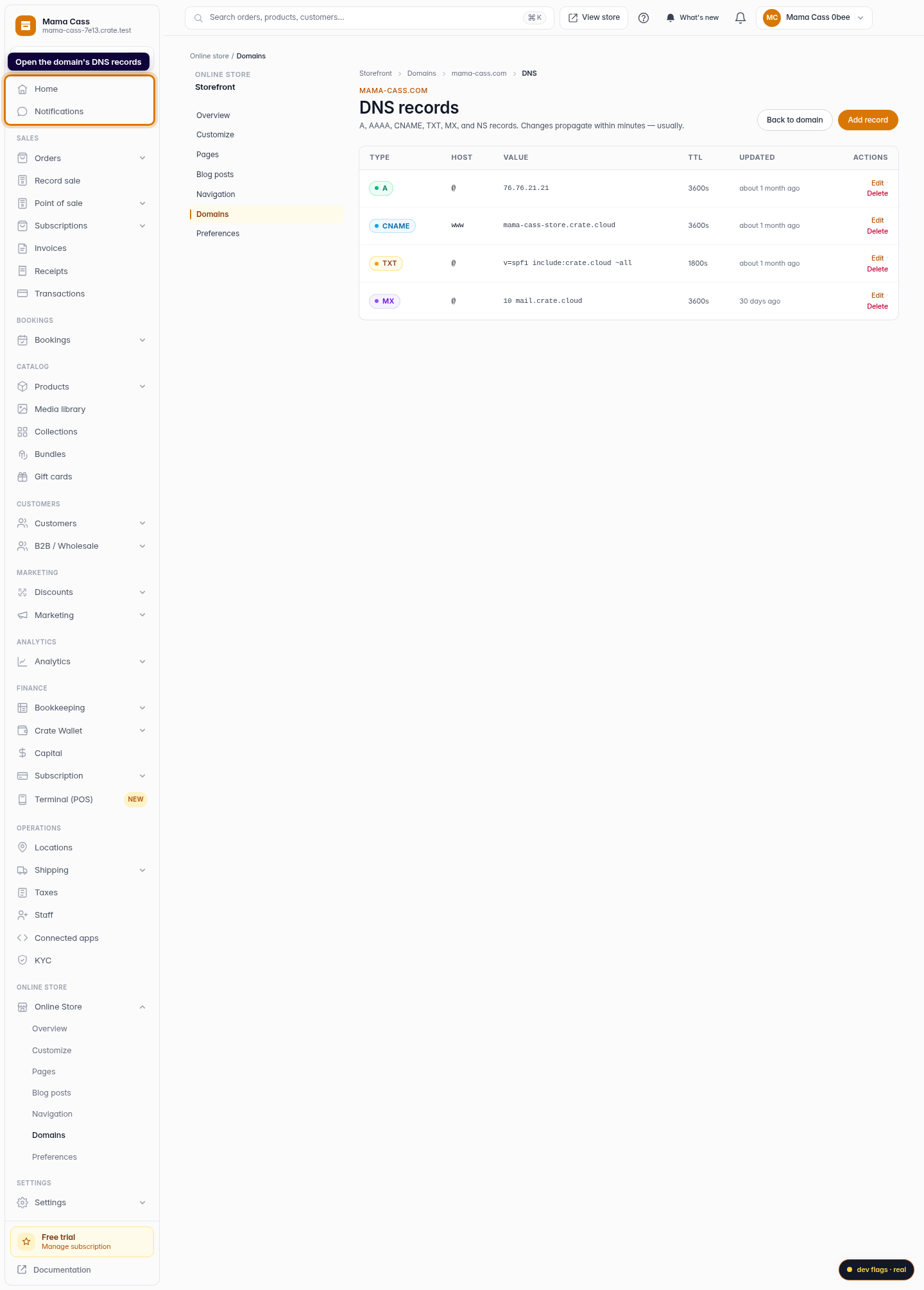
Open the DNS records list
On the domain's page, open its DNS records. You'll see every record on the domain — A, CNAME, TXT, MX and more — with its host, value and TTL.
Web 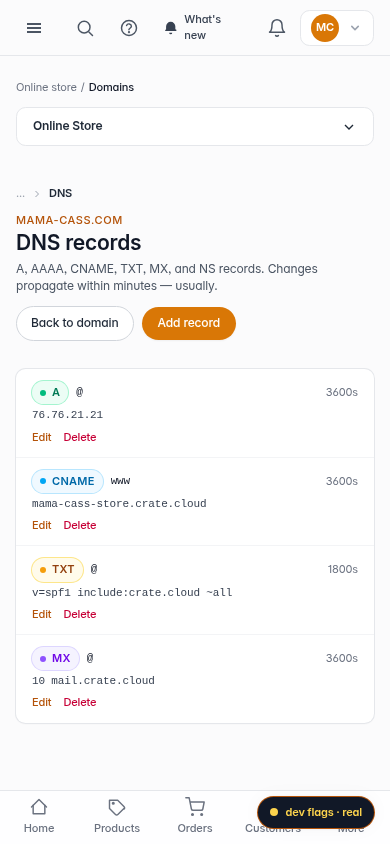
Mobile -
3
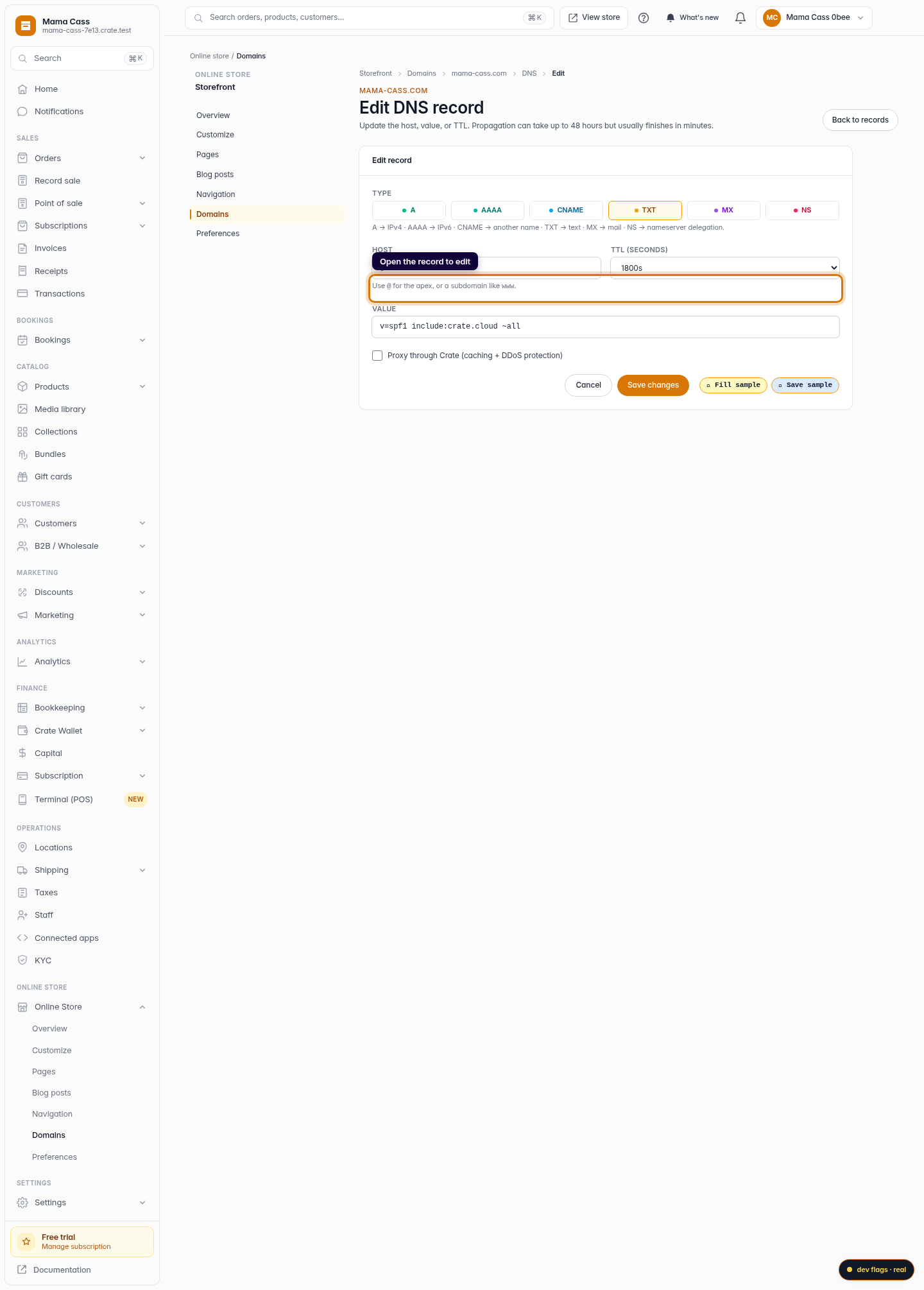
Edit a record
Find the record you want to change and click Edit. A common reason is updating a TXT value — for example a Facebook Pixel or email-verification string.
Web -
4
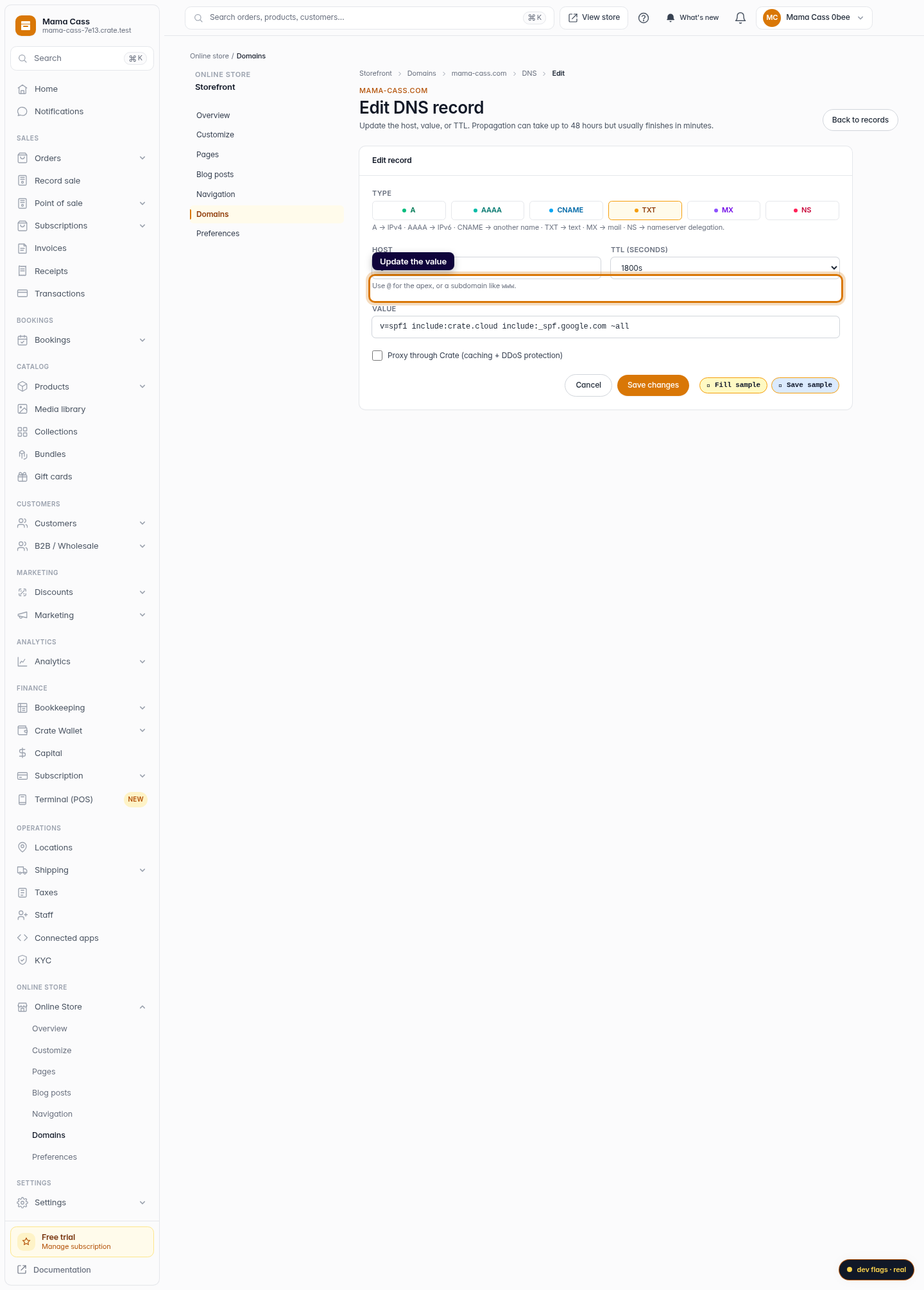
Make your changes
Update the host, value, or TTL as needed. Lower TTLs propagate faster; higher TTLs are cached longer. Leave the type as-is unless you really mean to change it.
Web 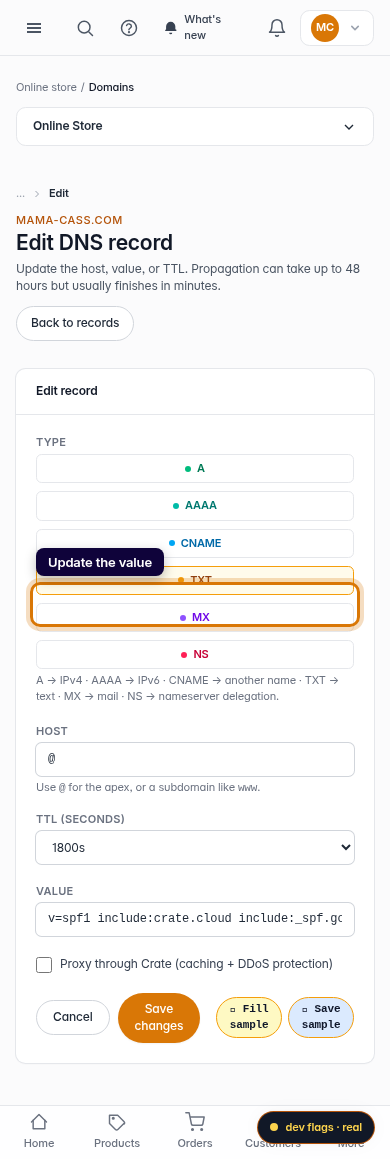
Mobile -
5
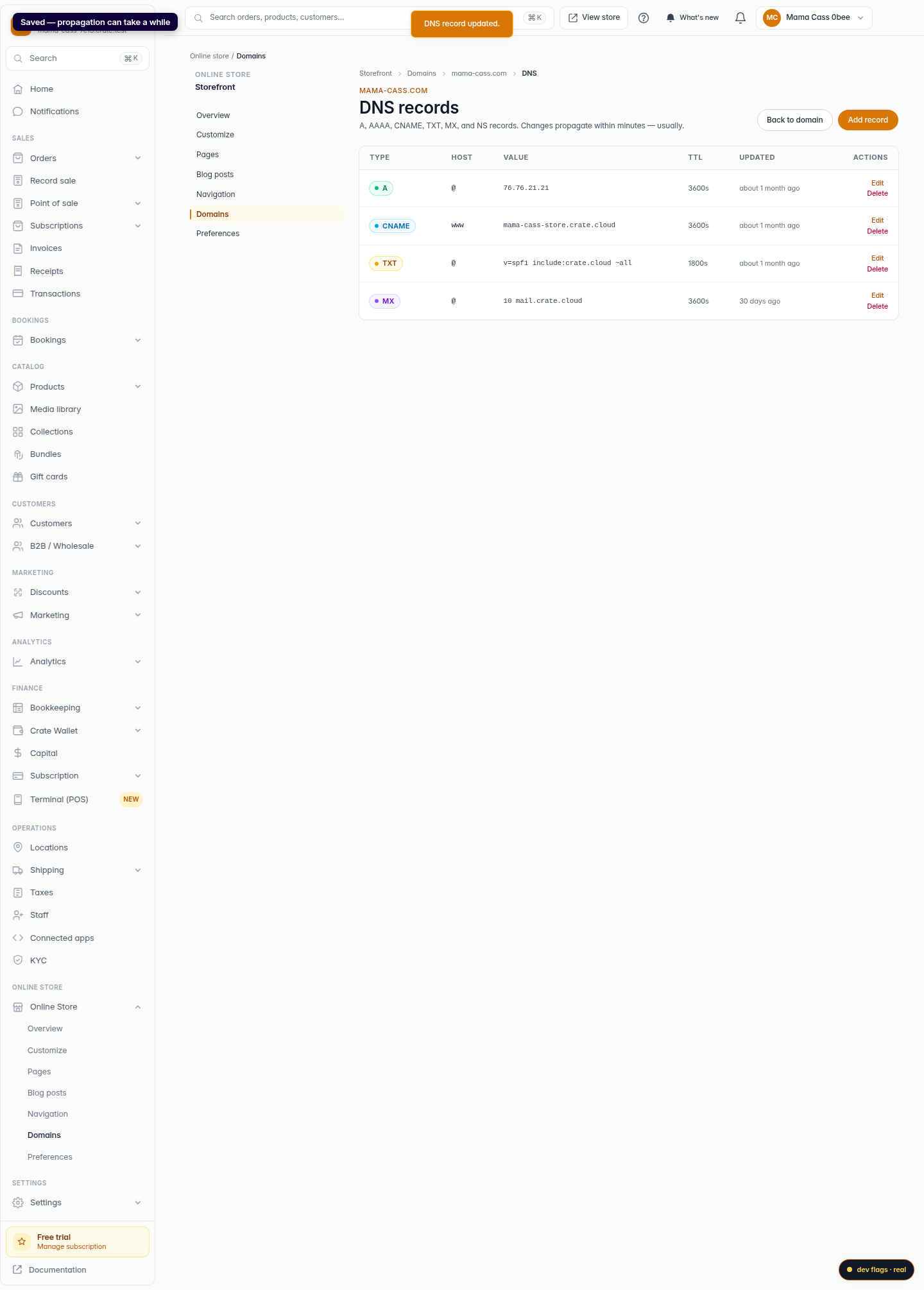
Save
Click Save changes. Crate queues the update; propagation usually finishes within minutes but can take up to 48 hours to reach everywhere.
Web