Understanding your SSL certificate
An SSL certificate is what puts the padlock in your shoppers' browsers and encrypts every connection to your store. On Crate it's issued and renewed automatically — there's nothing for you to buy or configure.
A Secure Sockets Layer (SSL) certificate authenticates your store's identity and encrypts the connection between a shopper's browser and your storefront. It's what turns http into https and shows the closed padlock in the address bar — proof to buyers that their details are safe and that they're really on your store, not an impostor's.
You don't have to do anything
Every Crate store gets a free SSL certificate, issued by Let's Encrypt and renewed automatically every 60 days. As soon as your domain points to Crate's servers, the certificate is issued — there's nothing to buy, install, or renew by hand.
Confirming your store is secure
You can check your SSL status two ways:
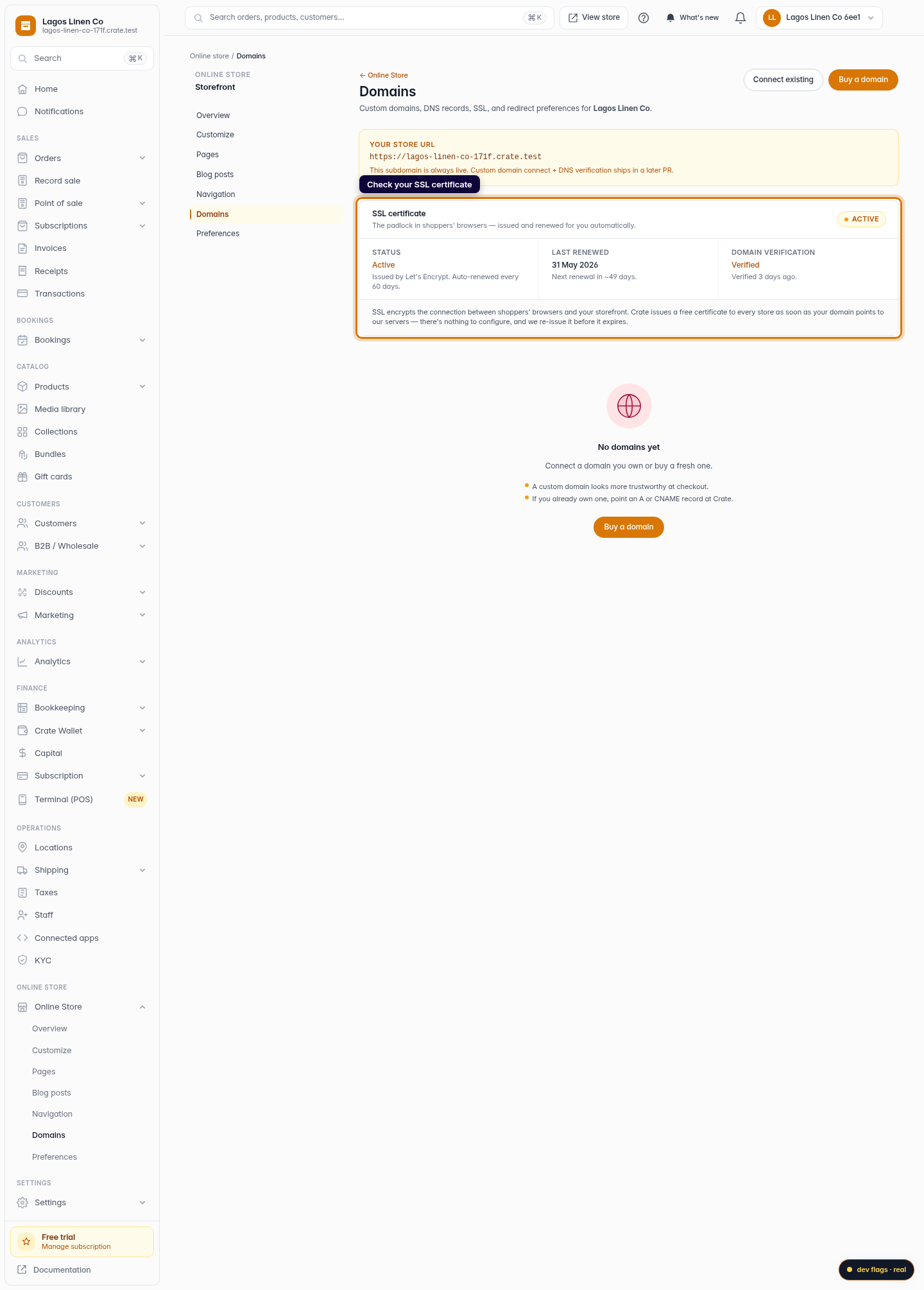
- In your dashboard — open Online Store → Domains and look at the SSL certificate card. An Active badge means everything's in order.
- In any browser — visit your storefront and look for the padlock icon next to a URL that begins with
https://. Click the padlock to view the certificate details.
Connecting a custom domain? Crate verifies ownership and issues SSL for it automatically once your DNS records point to us — the same free, auto-renewing certificate, now on your own domain.
If something looks off
If your storefront ever shows a "not secure" warning, it's almost always because a custom domain's DNS records aren't pointing to Crate yet. Double-check the A and CNAME records on the Domains page; once they resolve to us, the certificate issues within minutes. Still stuck? Reach out to Crate support and we'll take a look.
-
1
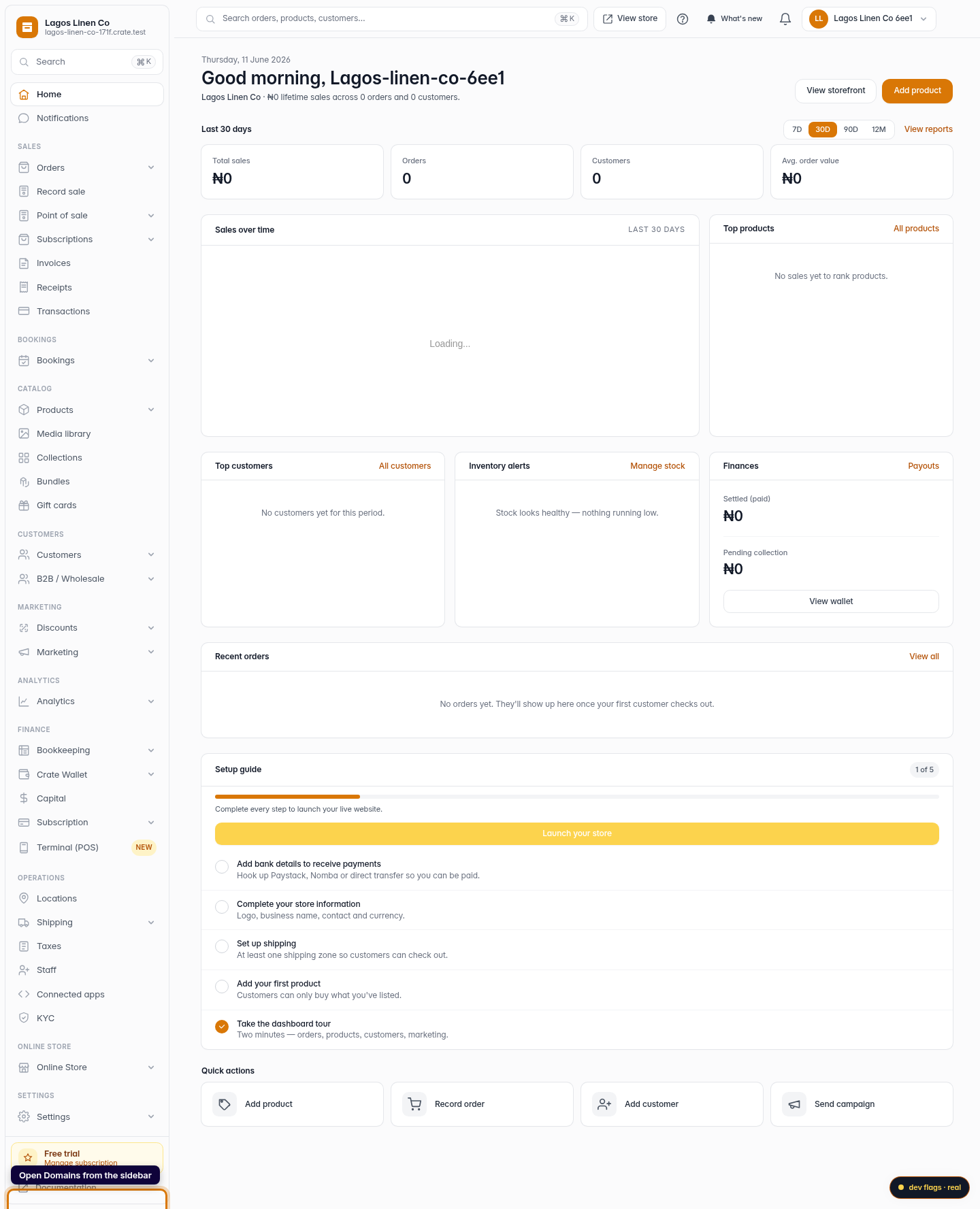
Open Domains
From your Crate dashboard, go to Online Store → Domains. This page shows your storefront URL, any custom domains, and your SSL status.
Web -
2
Check your SSL certificate
The SSL certificate card shows an Active badge when your store is secured. Crate issues a free Let's Encrypt certificate to every store automatically.
Web -
3
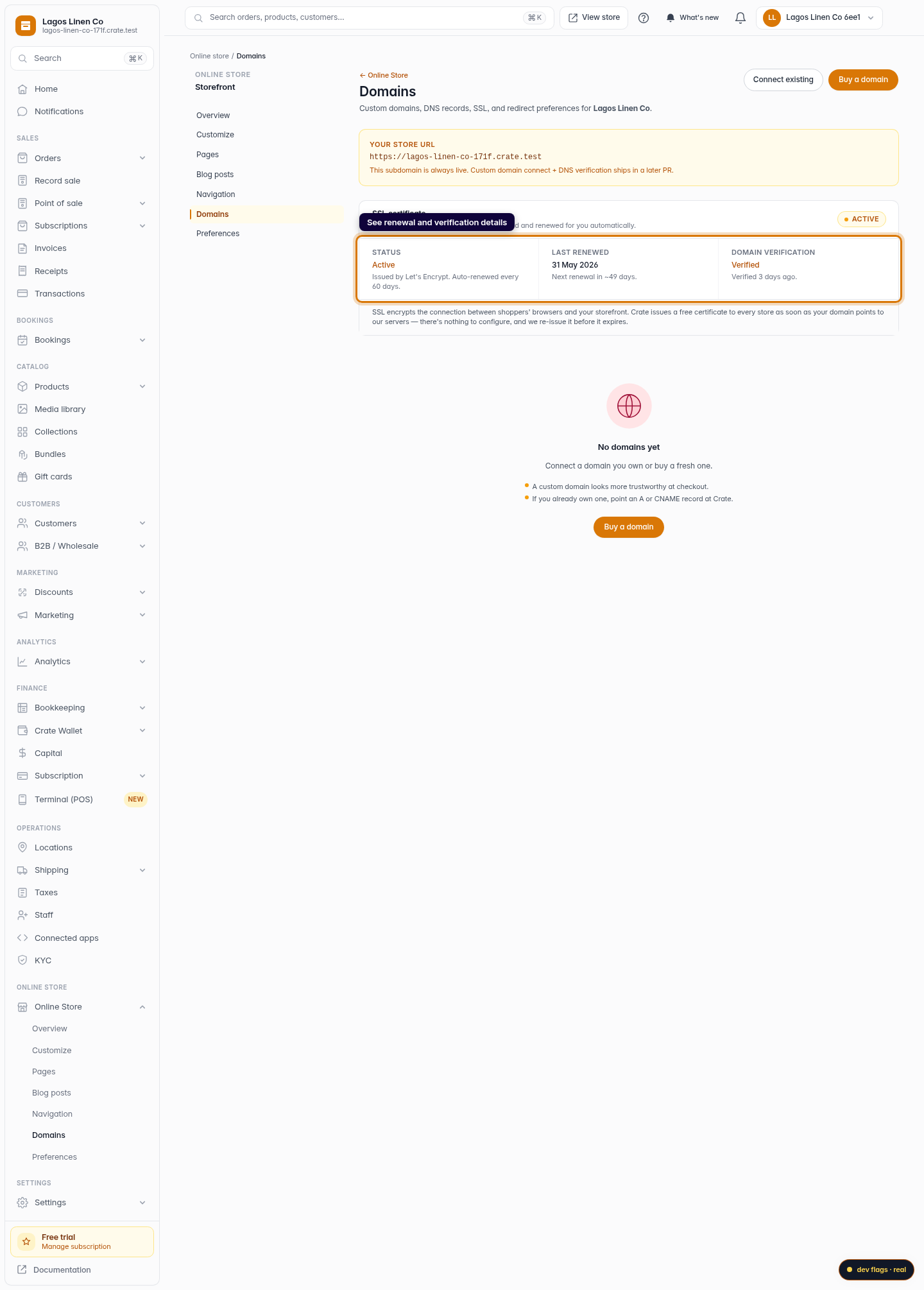
See renewal and verification details
The card breaks down your certificate's status, when it was last renewed, and your domain verification — so you can confirm at a glance that shoppers are protected.
Web