Update your bank account to receive payments
Your payouts land in the bank account you have on file with Crate. Add or change it from Payments → Bank account — pick your bank, enter your account number, and confirm with a one-time code for security.
To get paid, Crate needs a bank account on file. It's where every payout from your sales is settled, so it's worth getting right. Adding or updating it takes a minute, and a one-time code keeps anyone but you from redirecting your money.
Before you start: complete KYC
You'll need to finish KYC (Know Your Customer) verification before you can add a bank account — it's how Crate confirms the account belongs to you.
- Tier 1 lets you add a personal bank account whose name matches your profile.
- Tier 2 also lets you add a business bank account in your business's name.
If you haven't verified yet, Crate will point you to KYC when you try to save. Finish it once and you're set.
Why the one-time code
Because your bank account is where your money lands, Crate verifies every change with a 6-digit code sent to your store email. It's a simple safeguard: even if someone got into your account, they couldn't quietly point your payouts somewhere else.
The account name is resolved straight from your bank — if it doesn't match what you expect, re-check the account number before confirming. A wrong number sends money to the wrong place.
Changing it later
You can update your bank account any time from the same page. Each change goes through the same quick code confirmation, so your payout destination is always protected.
-
1
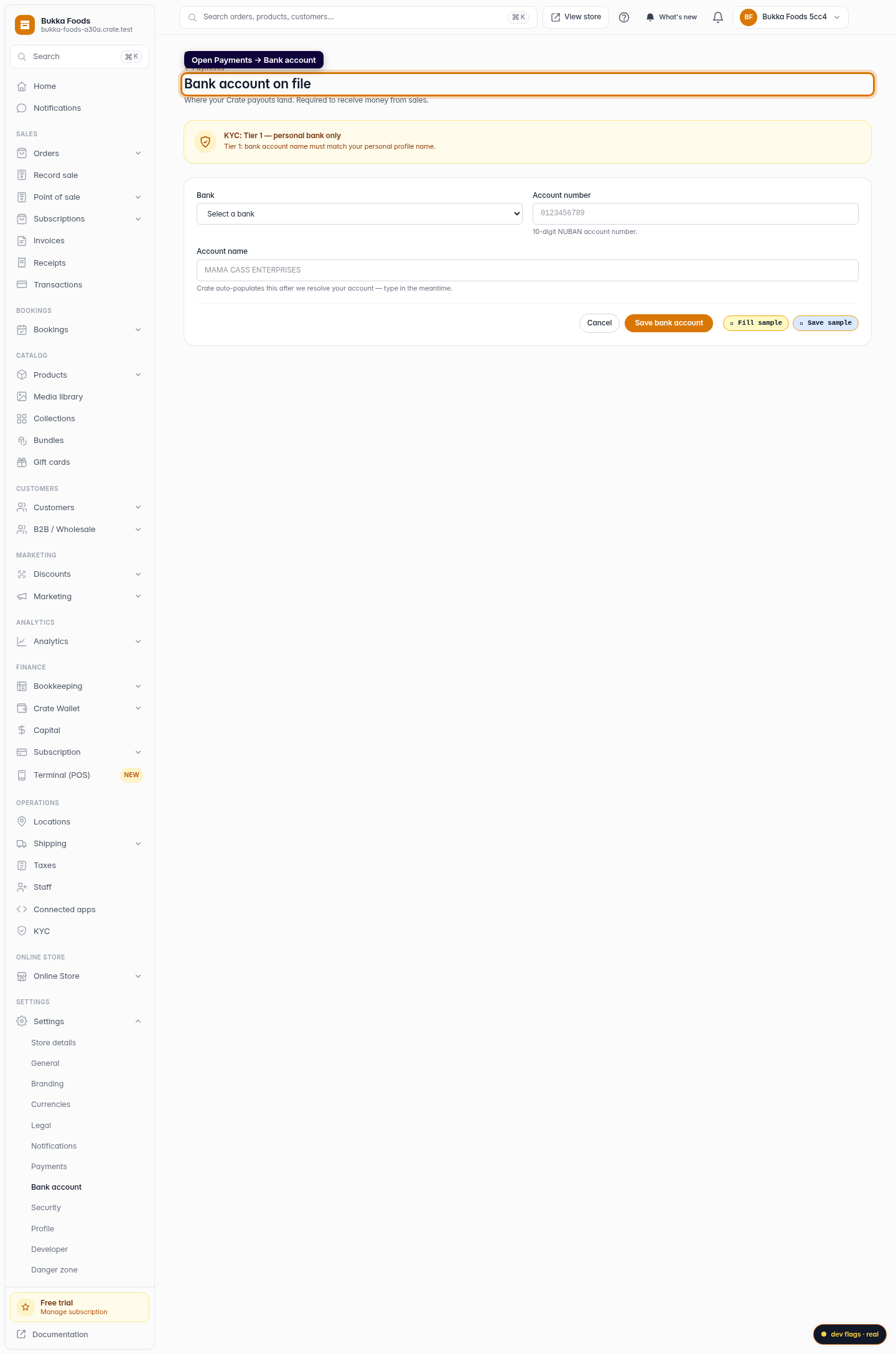
Open your bank account settings
From your Crate dashboard, go to Payments → Bank account. This is where you set the account your sales are paid out to.
Web -
2
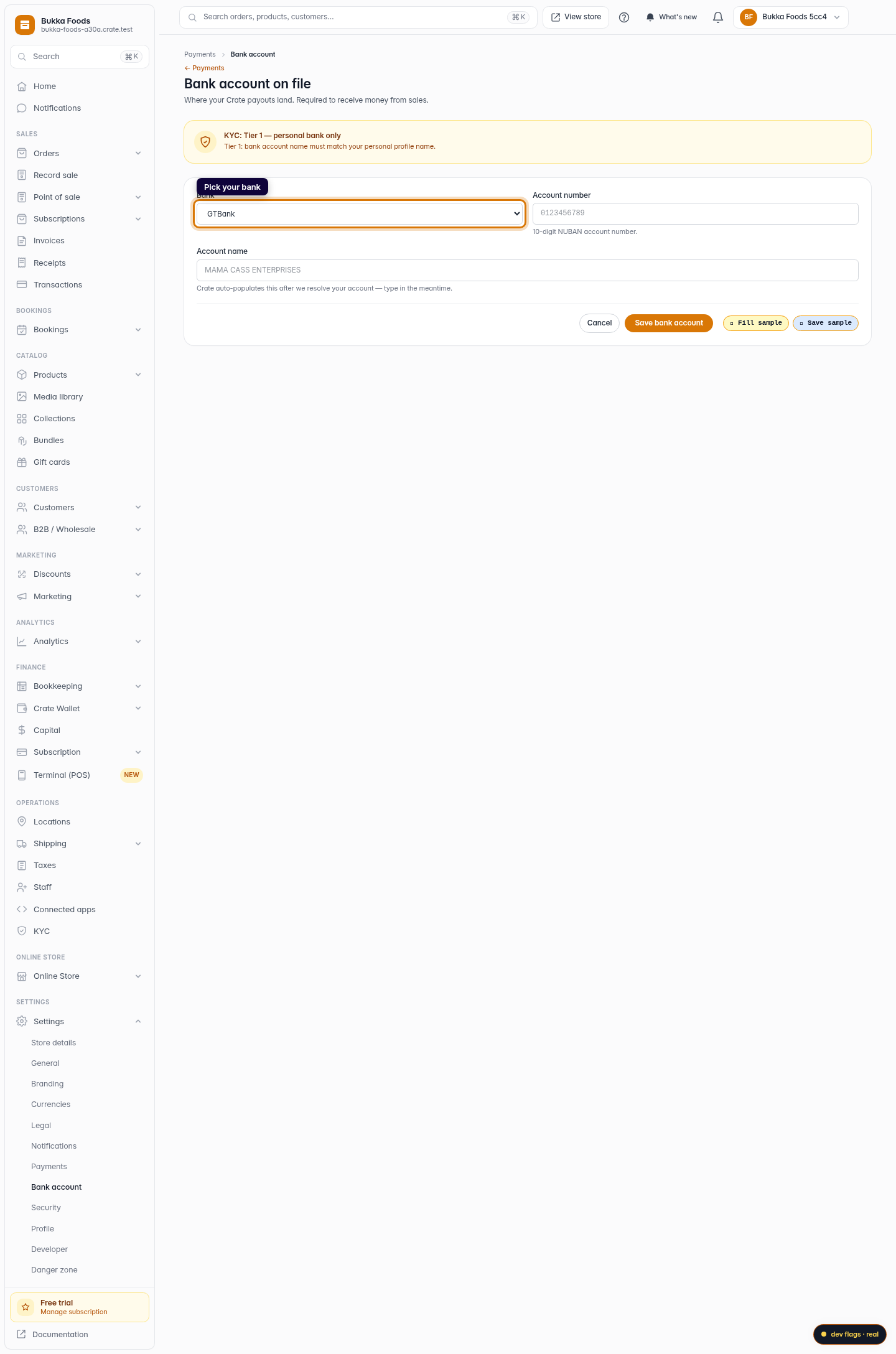
Pick your bank
Choose your bank from the dropdown. Crate supports every major Nigerian bank and fintech.
Web -
3
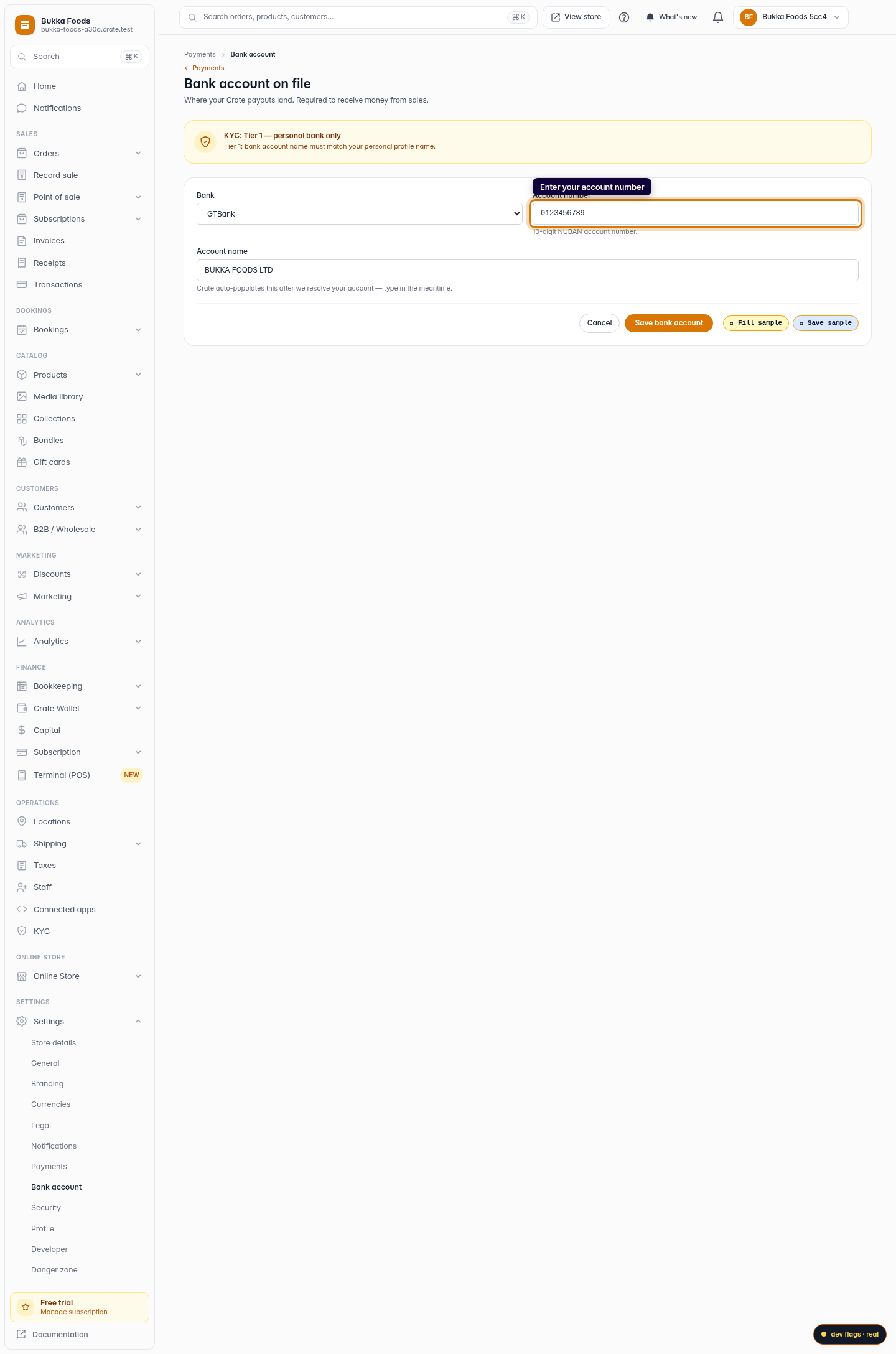
Enter your account number
Type your 10-digit NUBAN account number. Crate resolves it and fills in your account name automatically, so you can double-check it's correct before saving.
Web -
4
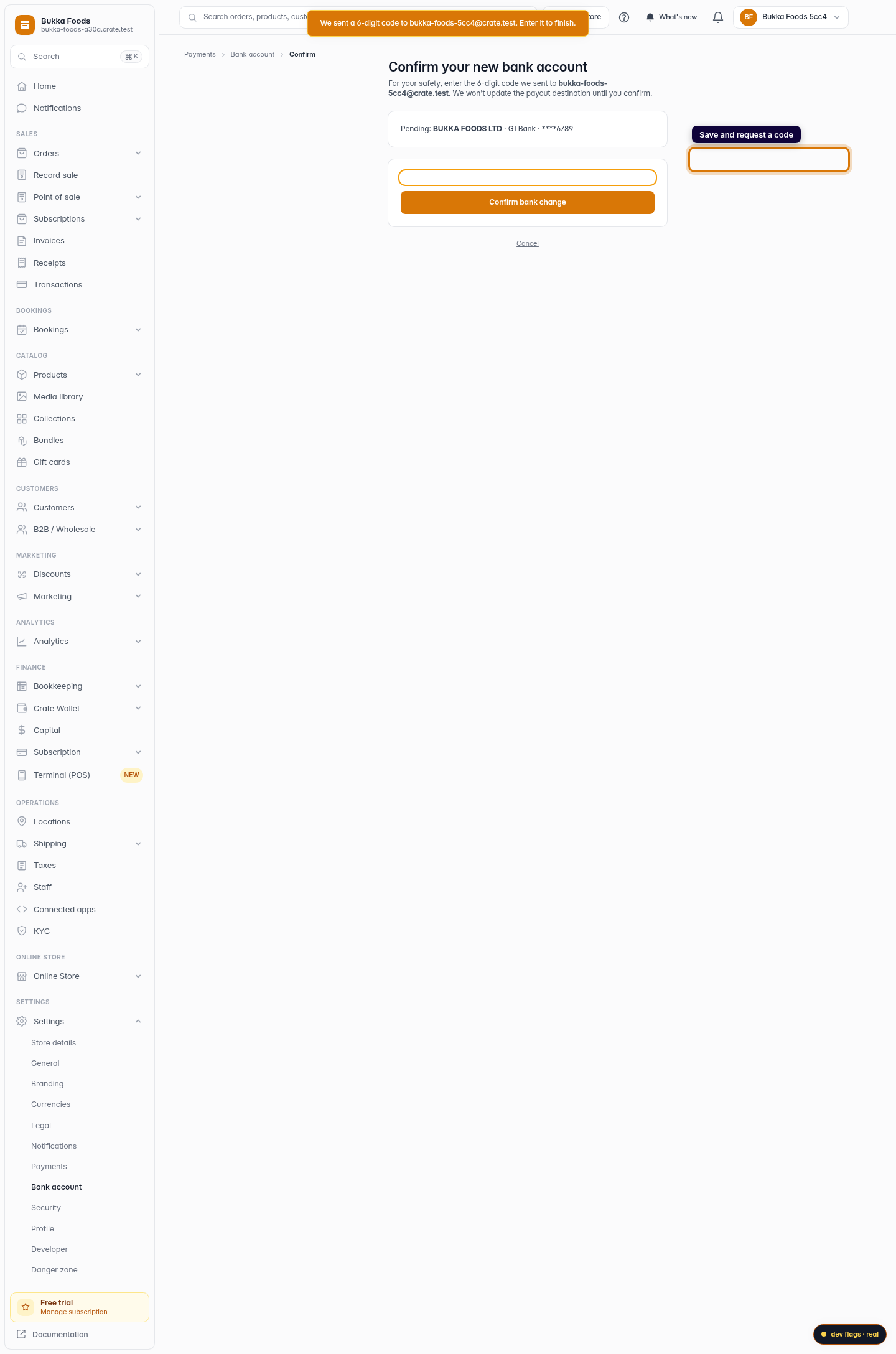
Save and request a code
Click Save bank account. For your protection, Crate emails a 6-digit code to your store email before changing where your money goes.
Web -
5
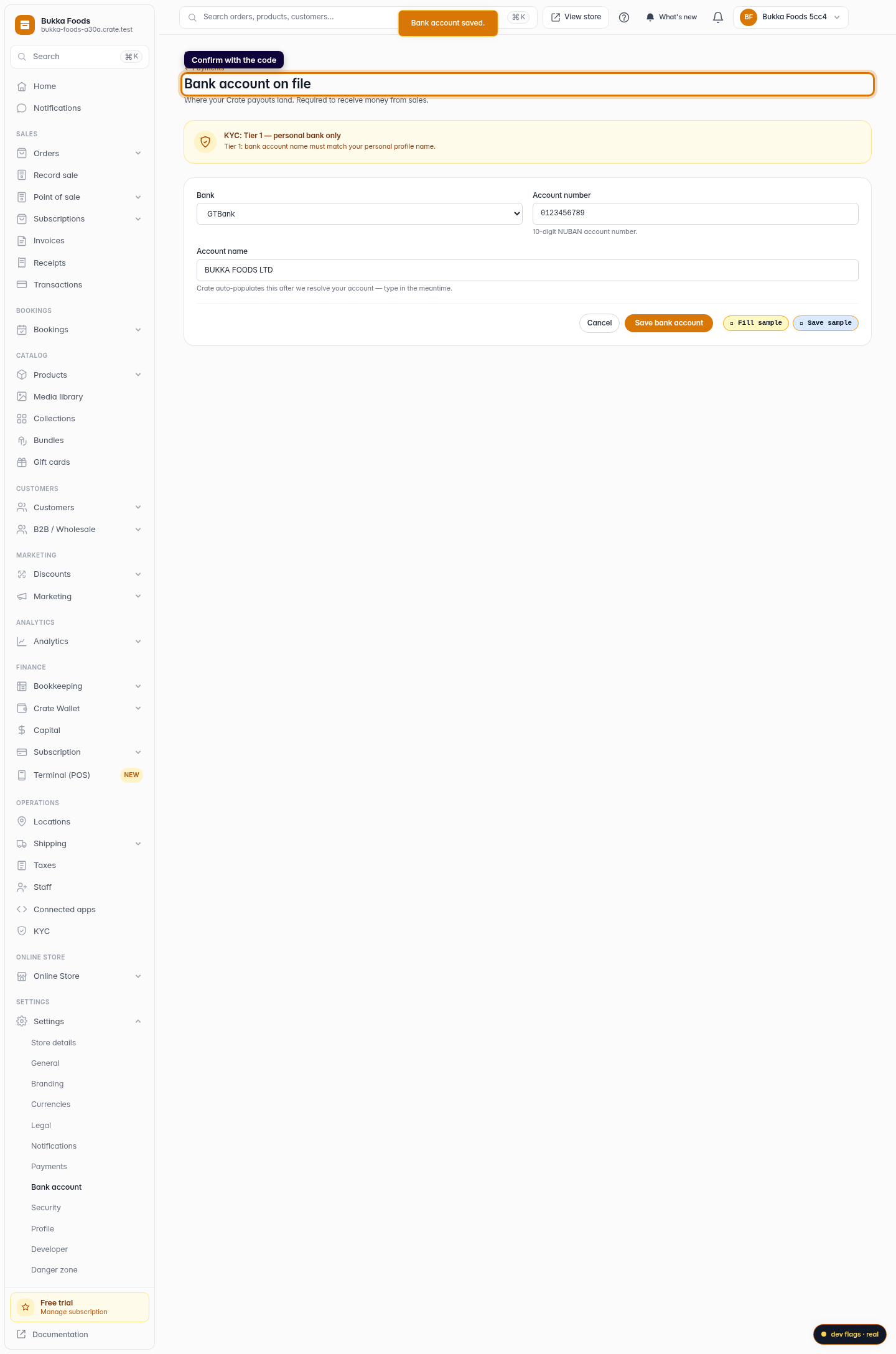
Confirm with the code
Enter the 6-digit code on the confirmation screen and click Confirm bank change. Crate saves the account with a Bank account saved message.
Web