Integrate a domain you already own
Bought your domain elsewhere? Integrate it with Crate by pointing two DNS records at us. Your store starts answering on your own web address, and SSL switches on automatically.
If you already have a domain for your business, you can integrate it with Crate instead of registering a new one. Integrating points your existing web address at your Crate store, so when shoppers type yourshop.com they land on your storefront.
One thing to know up front: integrating a domain doesn't migrate your old website — none of its pages, content or design come across. It only routes the address to Crate. If you want to keep your current website running as-is, integrate a subdomain instead.
Keep your current site? Point a subdomain
Say your main website lives at yourshop.com and you'd like to keep it. Create a subdomain such as shop.yourshop.com at your registrar and point that at Crate. Your main site stays untouched, and the subdomain sends shoppers to your Crate store.
The two records that do the work
Integration comes down to two DNS records you add at your registrar:
| Record | Host | Points at |
| --- | --- | --- |
| A | @ (apex) | 76.76.21.21 |
| CNAME | www | cname.crate.cloud |
The A record routes your bare domain; the CNAME routes the www version. Add both and visitors reach your store either way they type it.
SSL is handled for you. As soon as the domain verifies, Crate issues and renews its HTTPS certificate automatically — there's nothing to buy or configure.
After you connect
Crate watches for your records and verifies ownership in the background. The domain reads pending verification until your DNS resolves — usually within an hour, though registrars can take up to 48 hours to fully propagate. When it does, the domain flips to connected, SSL goes active, and your store answers on your own web address. Need to adjust where it points later? Edit its DNS records from the domain's own page.
-
1
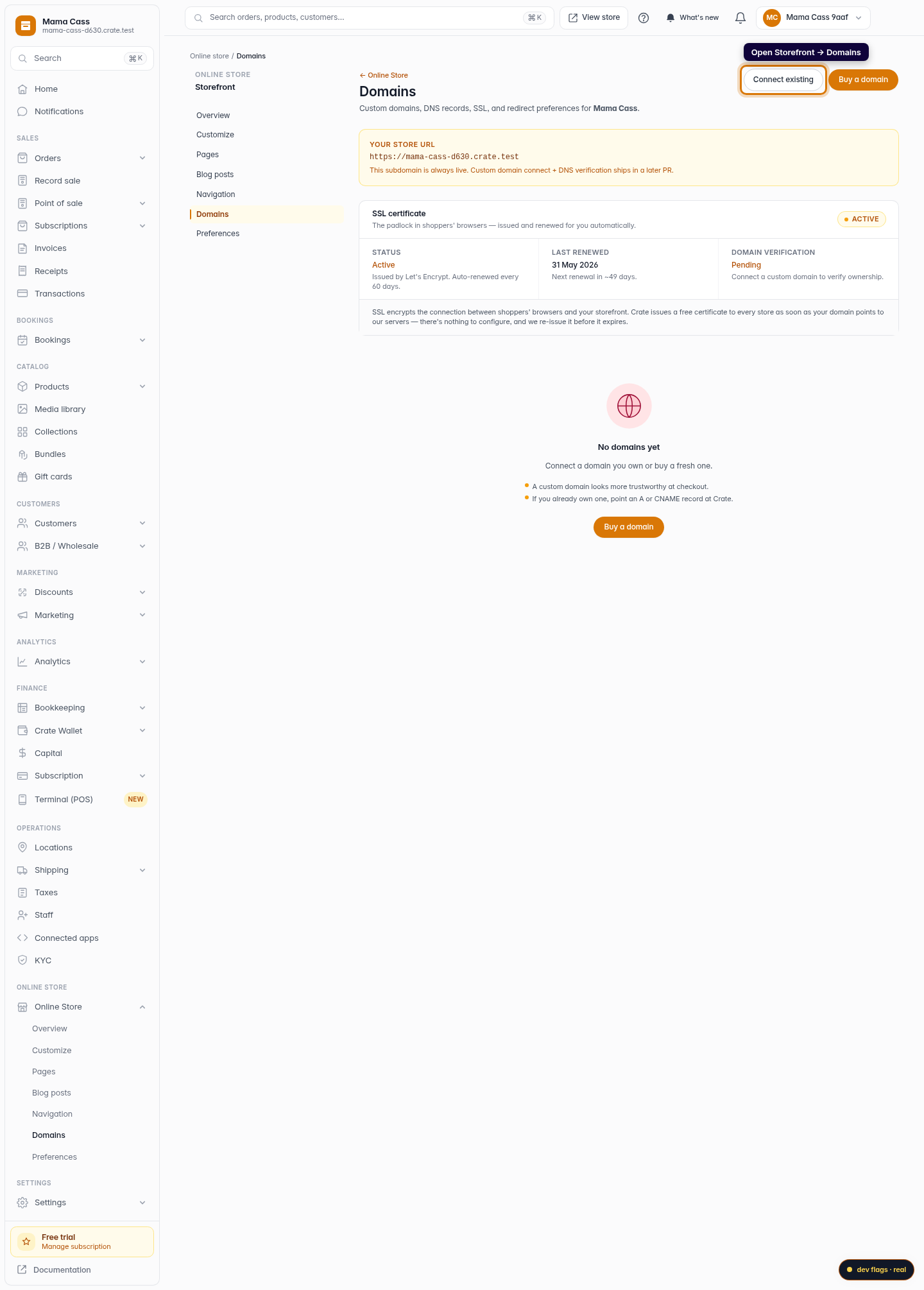
Open Domains
From your Crate dashboard, go to Storefront → Domains. Every web address tied to your store — your free Crate subdomain and any custom domains — lives here.
Web 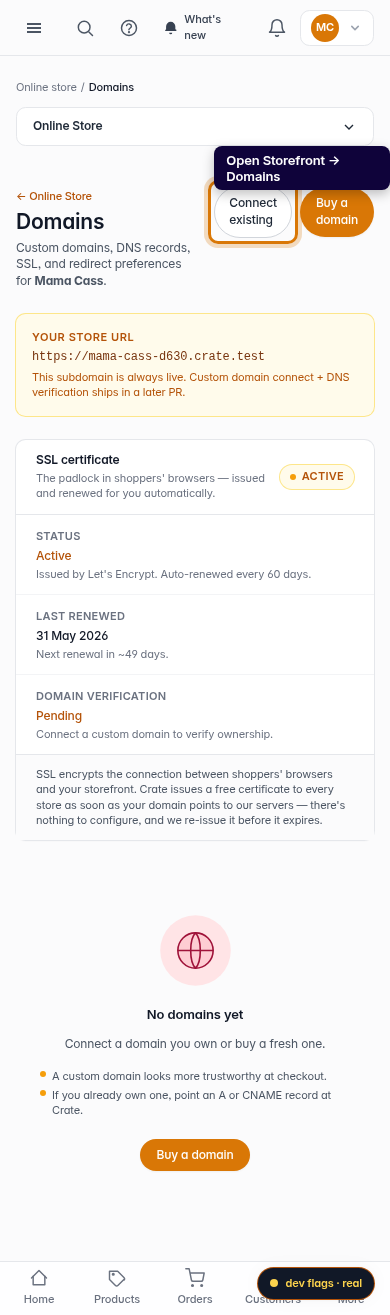
Mobile -
2
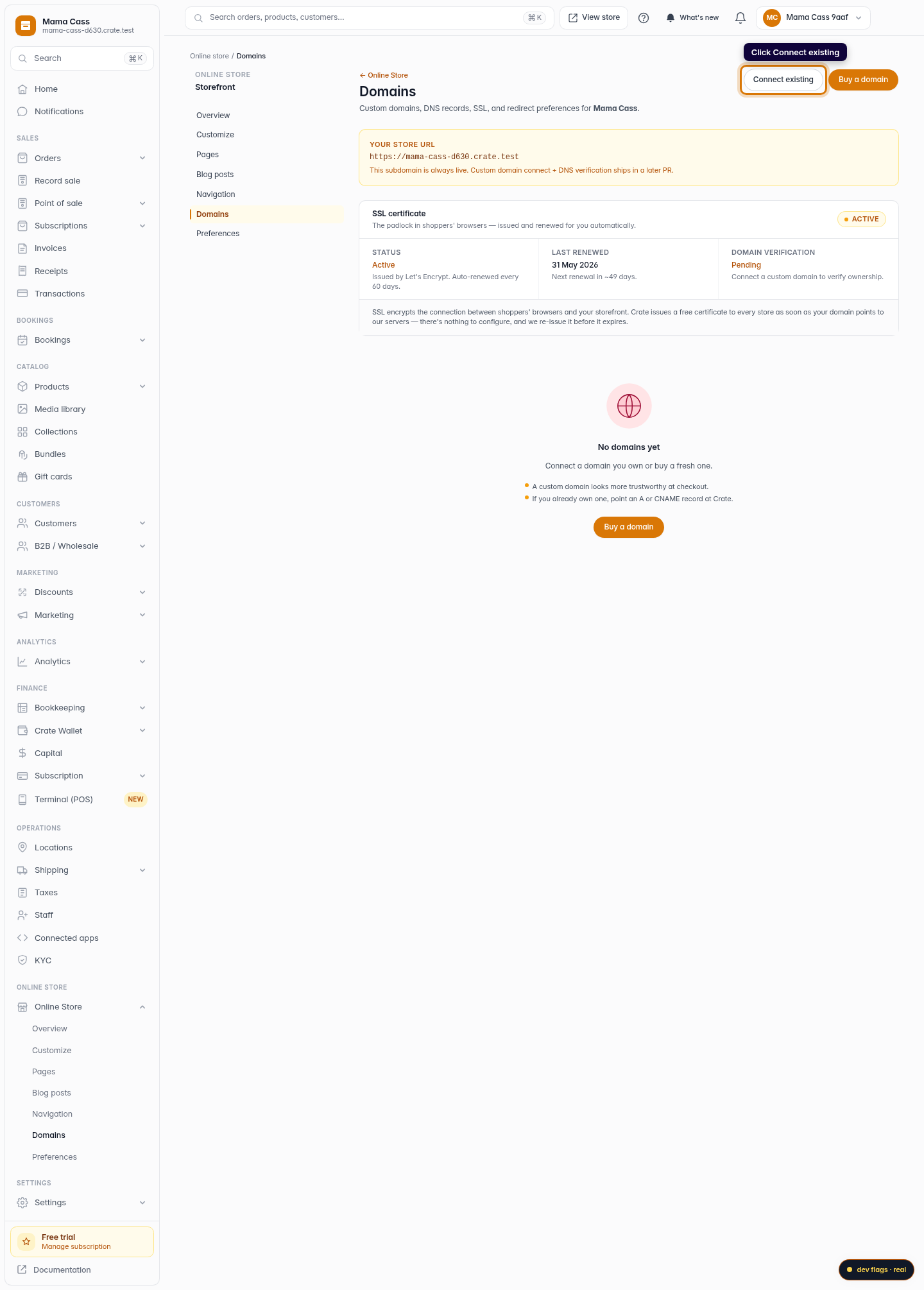
Choose Connect existing
Click Connect existing. Use this when you already own a domain at a registrar like Whogohost, Namecheap, GoDaddy or Cloudflare — you don't need to buy a new one.
Web -
3
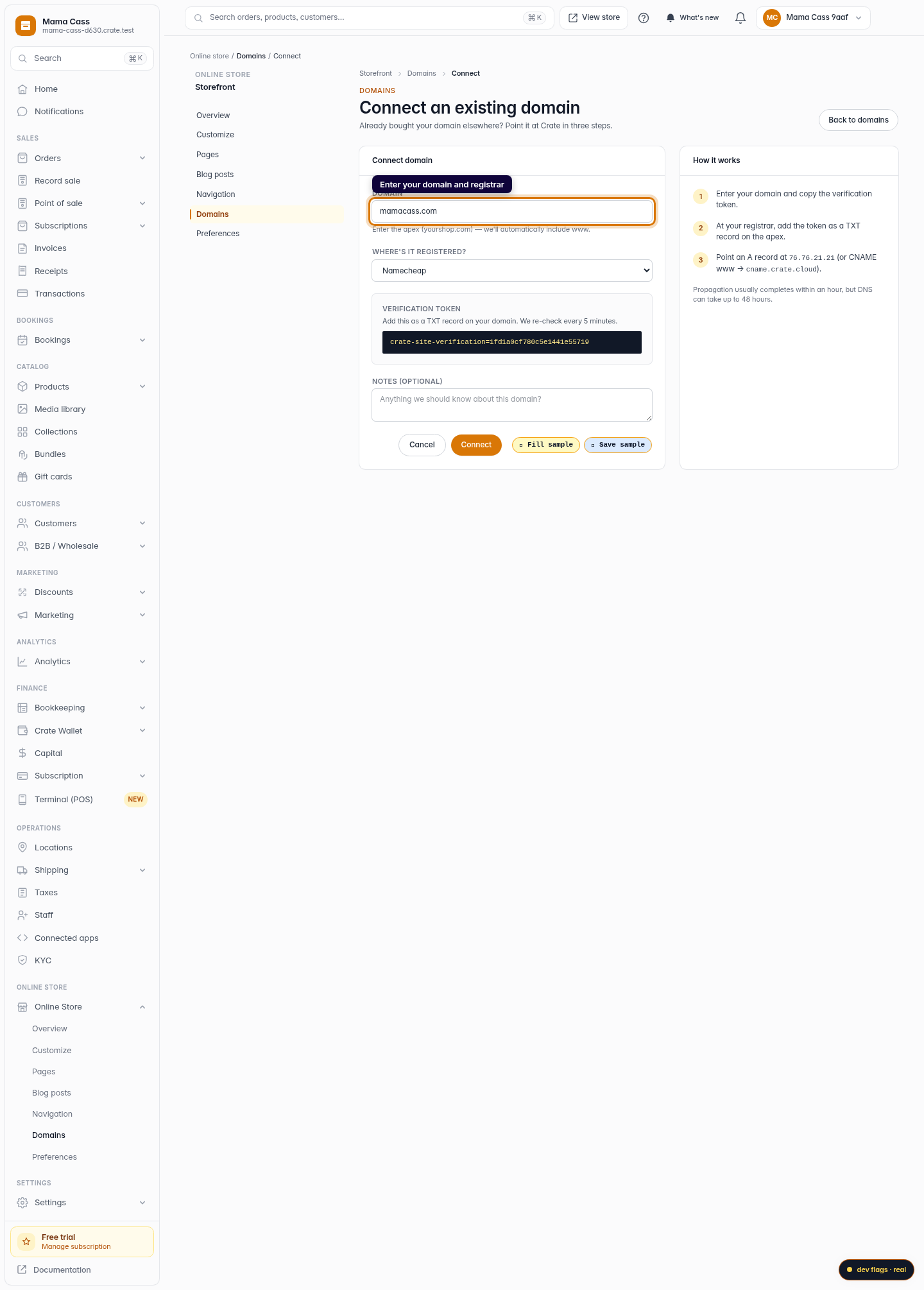
Enter the domain and its registrar
Type the apex of your domain — for example yourshop.com. Leave off www; Crate adds it for you. Select the registrar you bought it from so the instructions match the dashboard you'll be working in.
Web 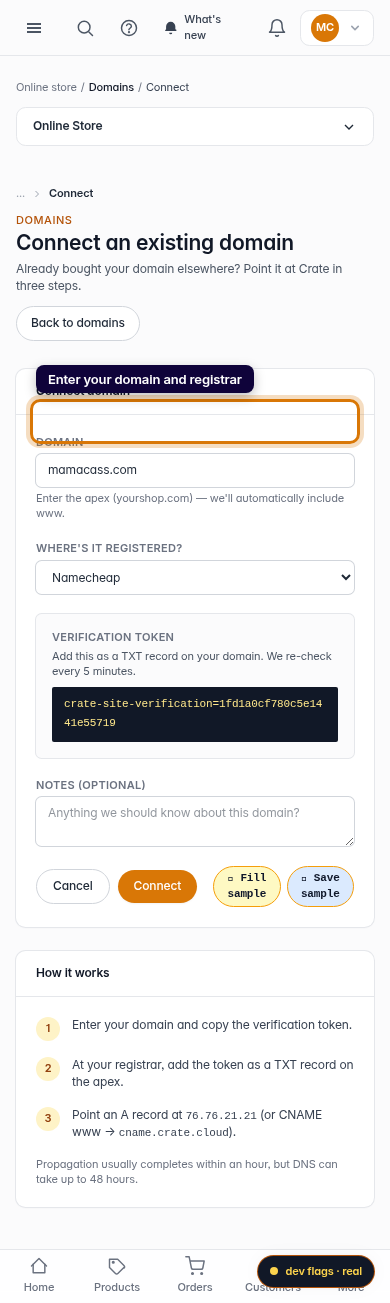
Mobile -
4
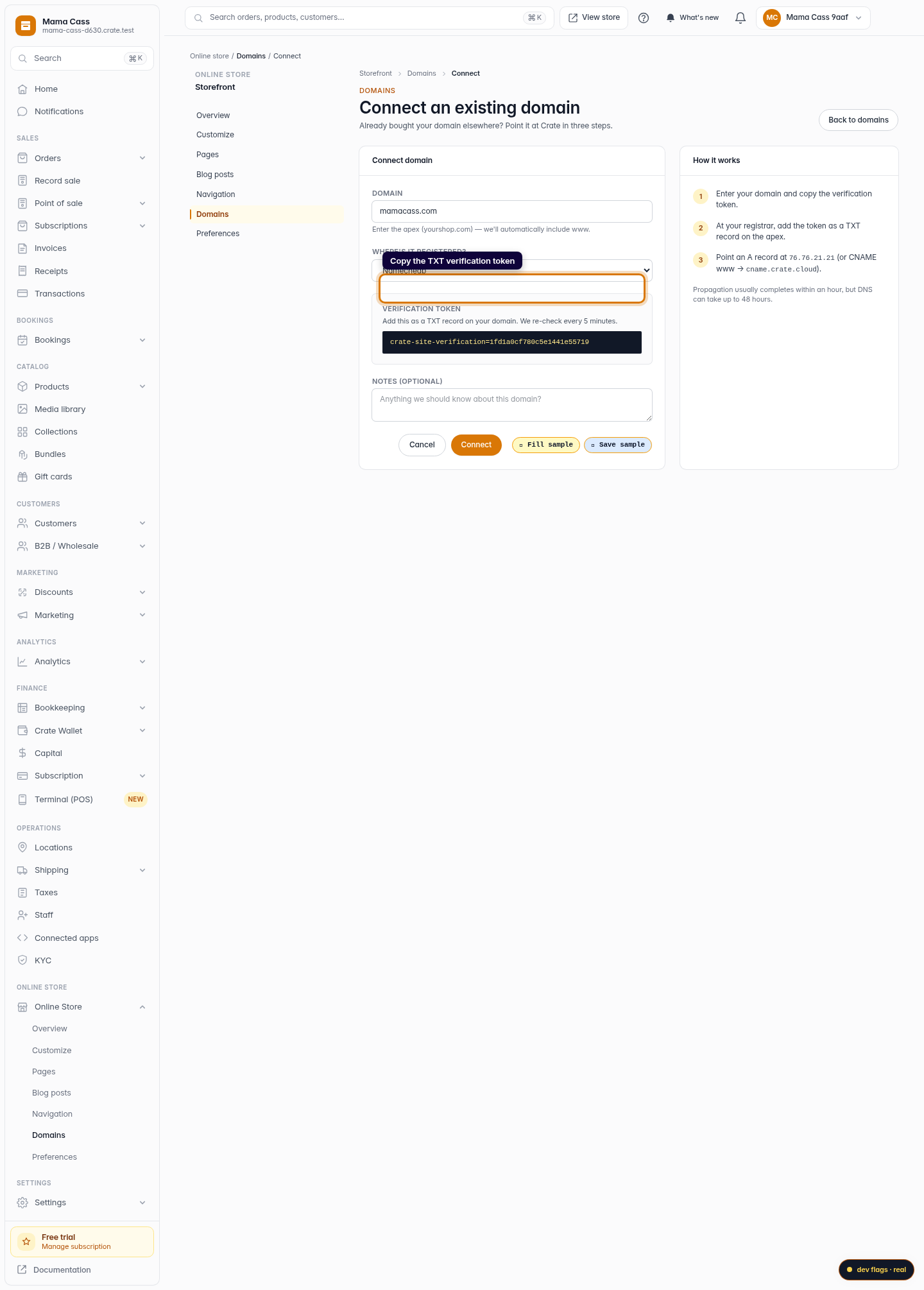
Copy the verification token
Crate shows a one-time verification token. Copy it and add it as a TXT record on your domain at your registrar. This is how Crate confirms the domain is really yours. We re-check every 5 minutes until it appears.
Web -
5
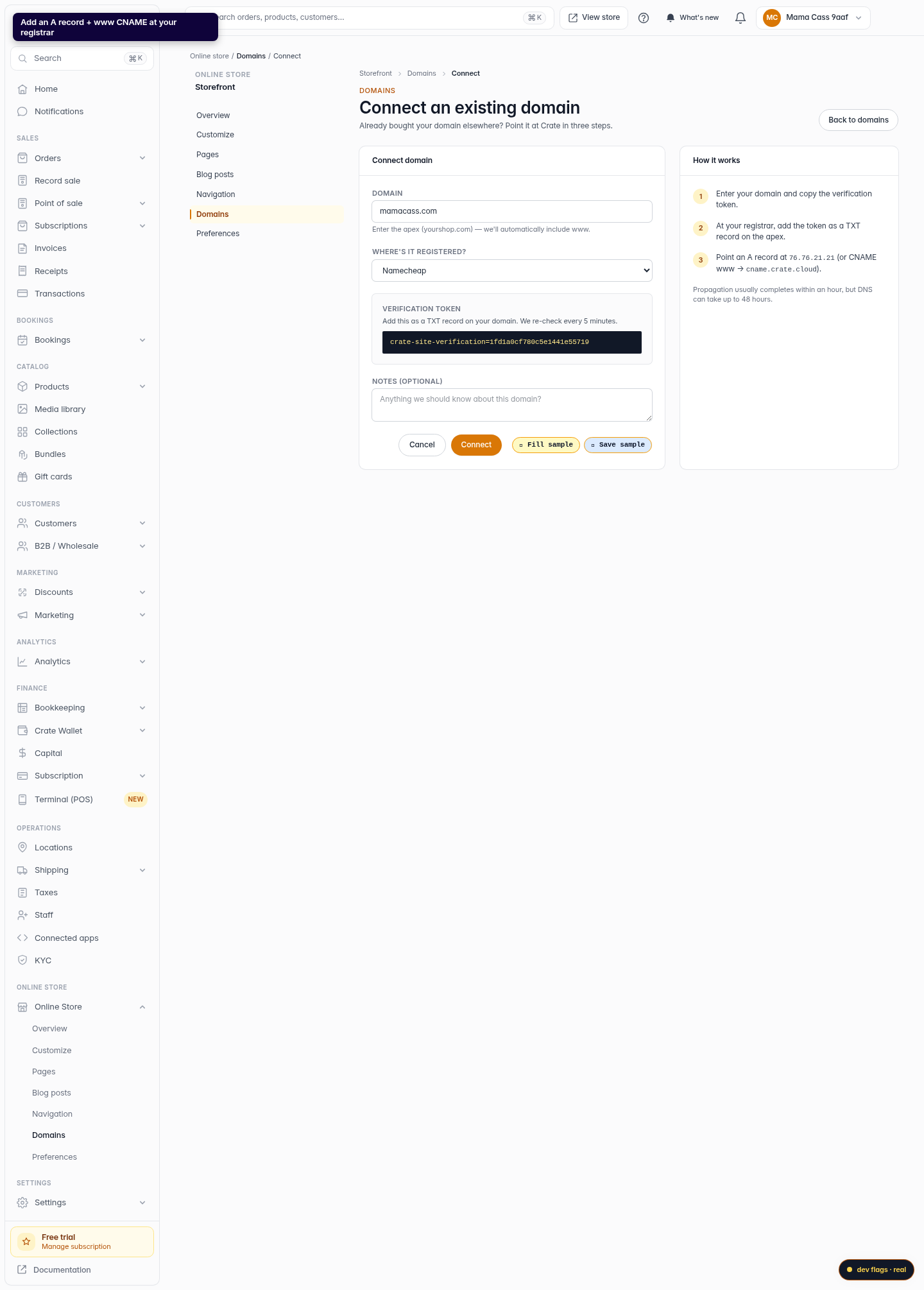
Point your DNS records at Crate
Still at your registrar, add the two routing records:
- an A record on the apex (host
@) pointing at76.76.21.21 - a CNAME record for
wwwpointing atcname.crate.cloud
Leave the TTL on its automatic setting. These records are what actually send visitors to your Crate store.
Web - an A record on the apex (host
-
6
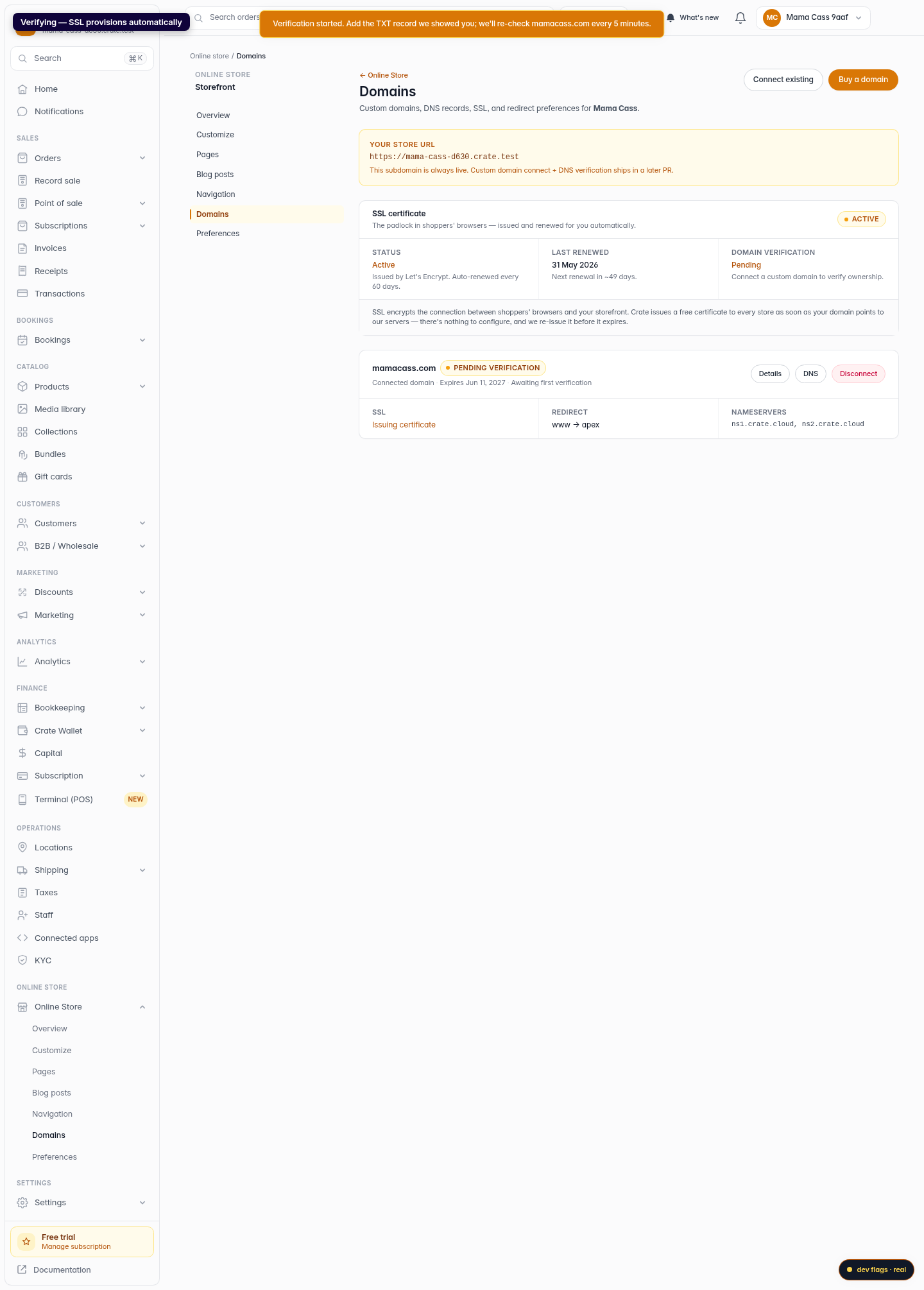
Finish the connection
Click Connect. Crate begins verifying the domain and provisioning its SSL certificate in the background. While DNS propagates the domain shows as pending verification; once it resolves it flips to connected and your store is live on your own address.
Web 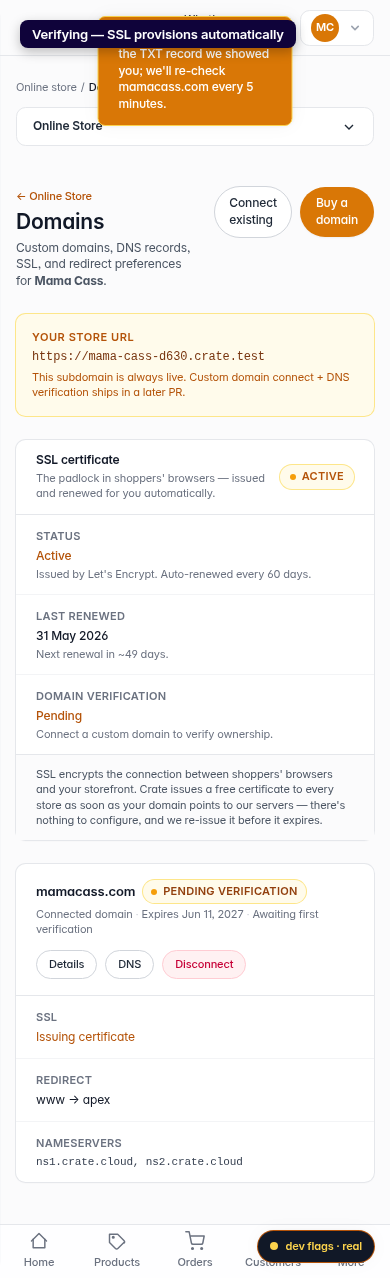
Mobile