Set up your Crate Wallet
Your Crate Wallet holds your sales revenue so you can withdraw to your bank or top up to pay for Crate services. Set a 4-digit PIN to unlock moving money in and out.
Your Crate Wallet is the home for your money inside Crate. It holds your sales revenue, lets you withdraw to your bank, and lets you top up to pay for things like ads, shipping and other Crate services — all without leaving the dashboard.
Activate it in one step
There's nothing to apply for. Open Crate Wallet and the balance card is already there. The one thing you need to do before moving money is set a 4-digit PIN — Crate prompts you the first time you visit.
Why the PIN matters
The PIN guards every withdrawal. Choose four digits you'll remember but that aren't easy to guess, and keep them private. If you ever forget it, you can reset the PIN — Crate confirms your account password and emails you a one-time code before letting you set a new one.
What you can do next
- View your full ledger — every top-up, payout and fee, in order.
- Top up your wallet to fund ads, shipping labels and Crate services.
- Withdraw your balance to your linked bank account.
Tip: Keep an eye on Recent activity on the wallet home — it's the quickest way to confirm a top-up landed or a payout went through.
-
1
Open your wallet
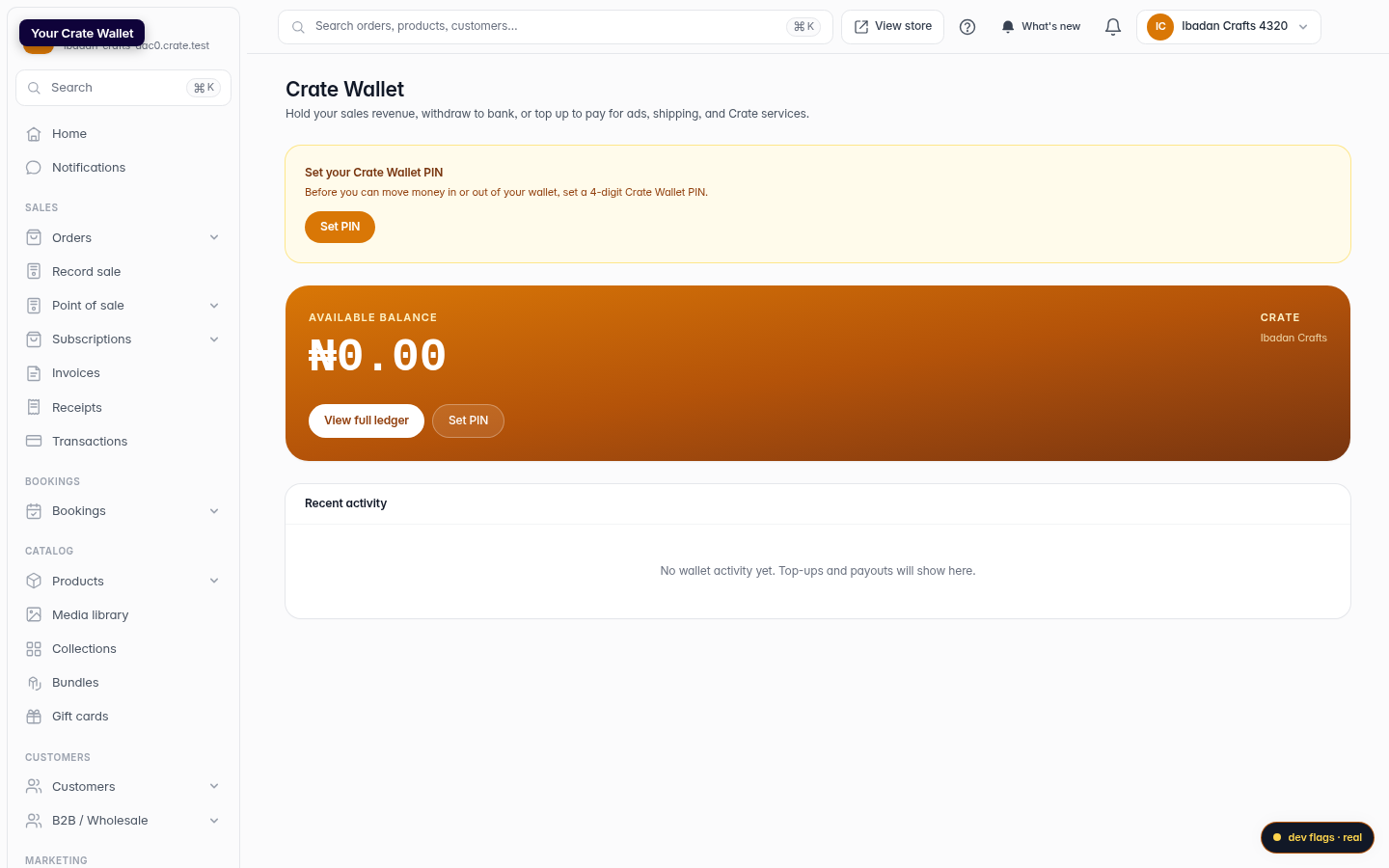
From your Crate dashboard, open Crate Wallet. You'll see your available balance and recent activity on one screen.
Web 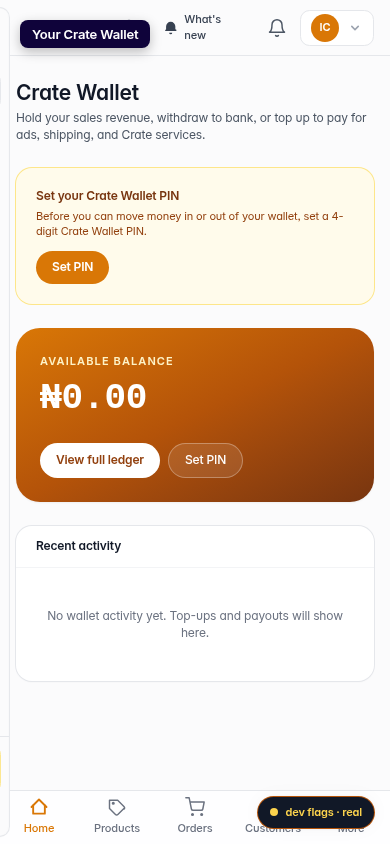
Mobile -
2
Set your wallet PIN
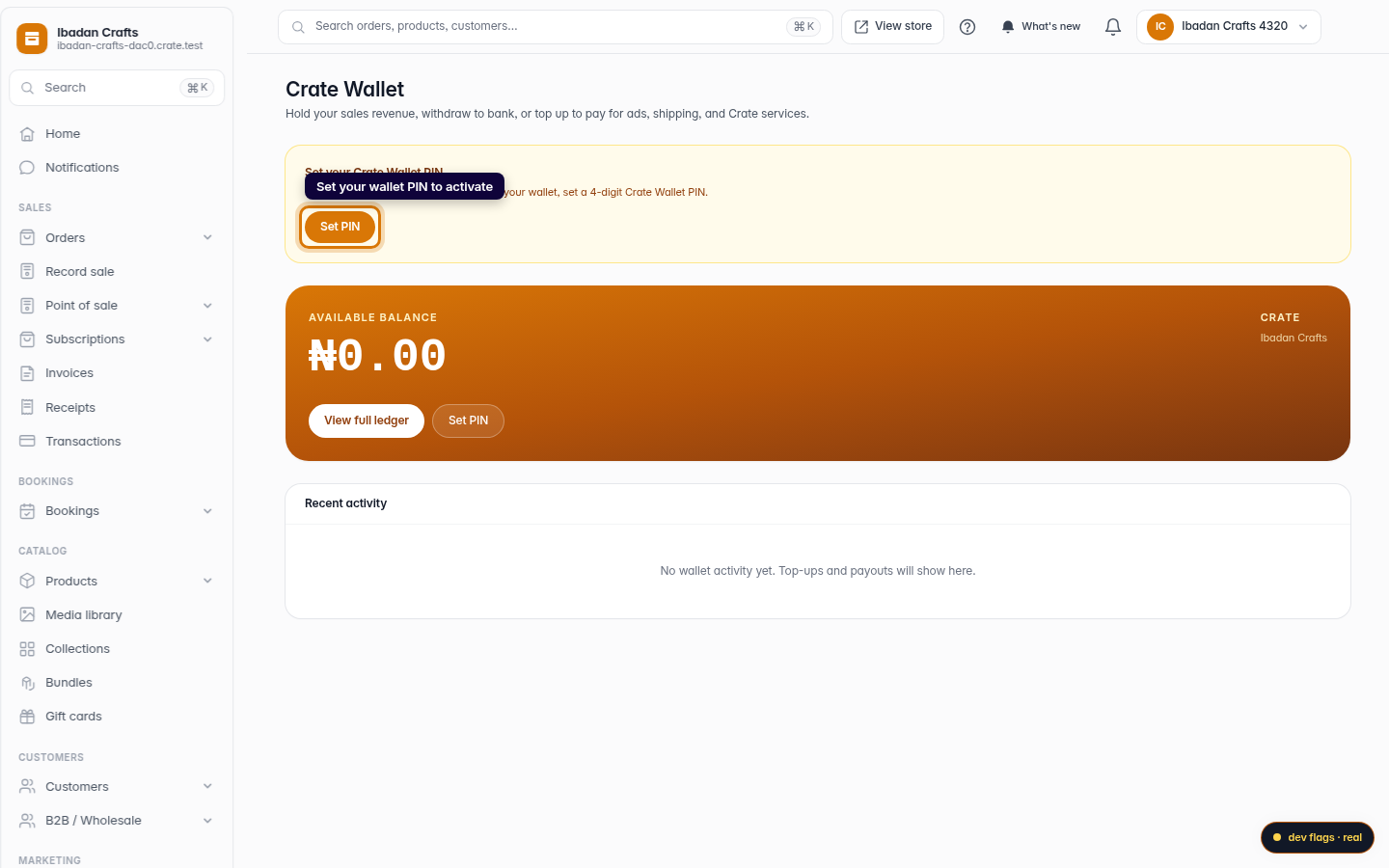
A new wallet prompts you to set a 4-digit PIN before you can move money. Click Set PIN to begin.
Web -
3
Choose a 4-digit PIN
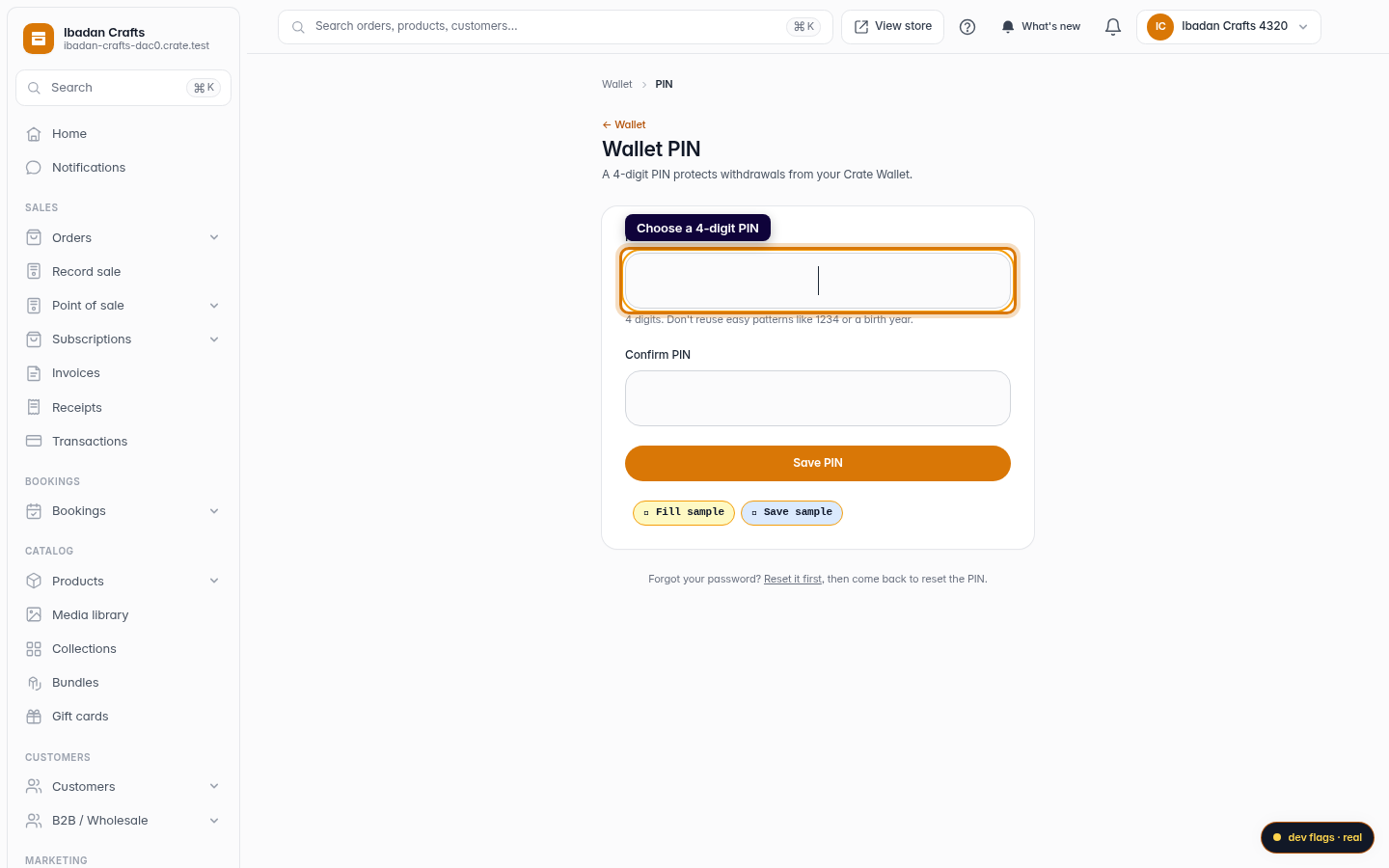
Enter a 4-digit PIN and confirm it. Avoid easy patterns like 1234 or a birth year — this PIN protects every withdrawal.
Web -
4
Your wallet is ready
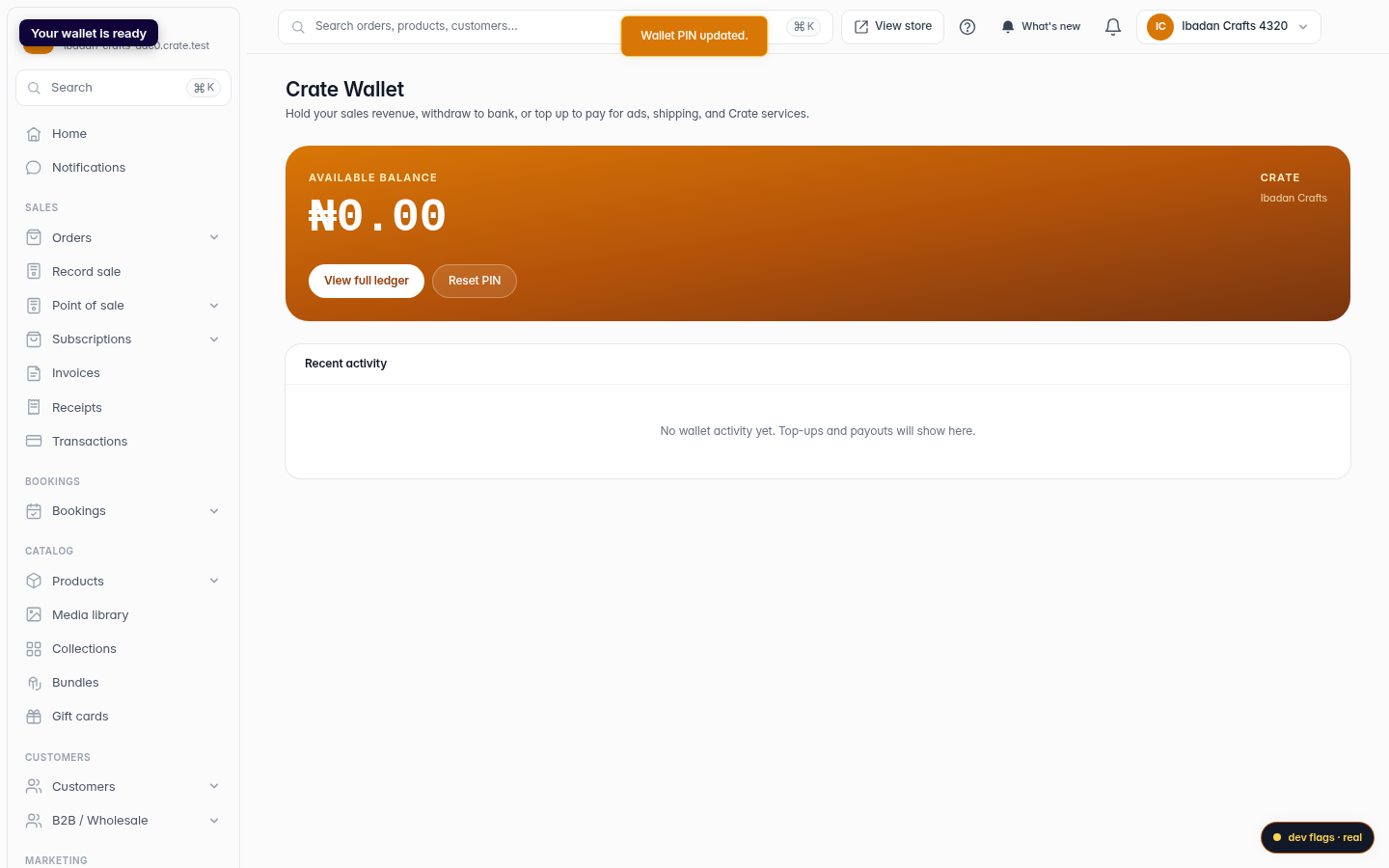
Save the PIN and you're set. Your wallet is now active — top up, withdraw to your bank, and watch your balance and ledger update in real time.
Web 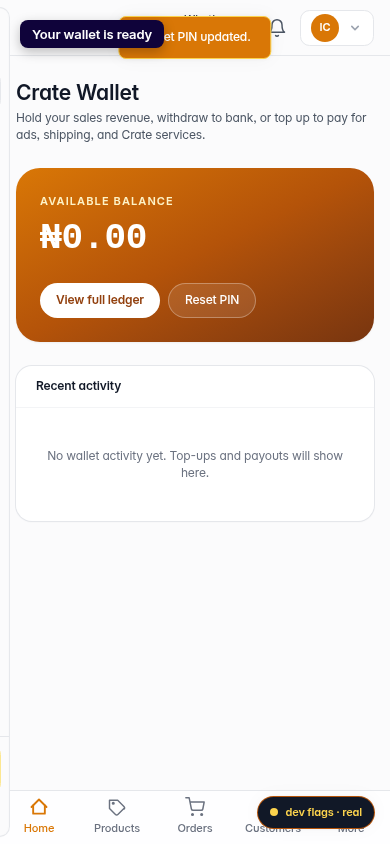
Mobile