Log in to your Terminal portal
Sign in to your Crate Terminal account with a one-tap magic link — enter the email tied to your store and we send a link that takes you straight in, no password to remember.
Your Crate Terminal portal is where you check transactions, settlements and staff alerts. Signing in is deliberately simple: there's no password to forget. You enter your email and we send you a one-time magic link that drops you straight into your account.
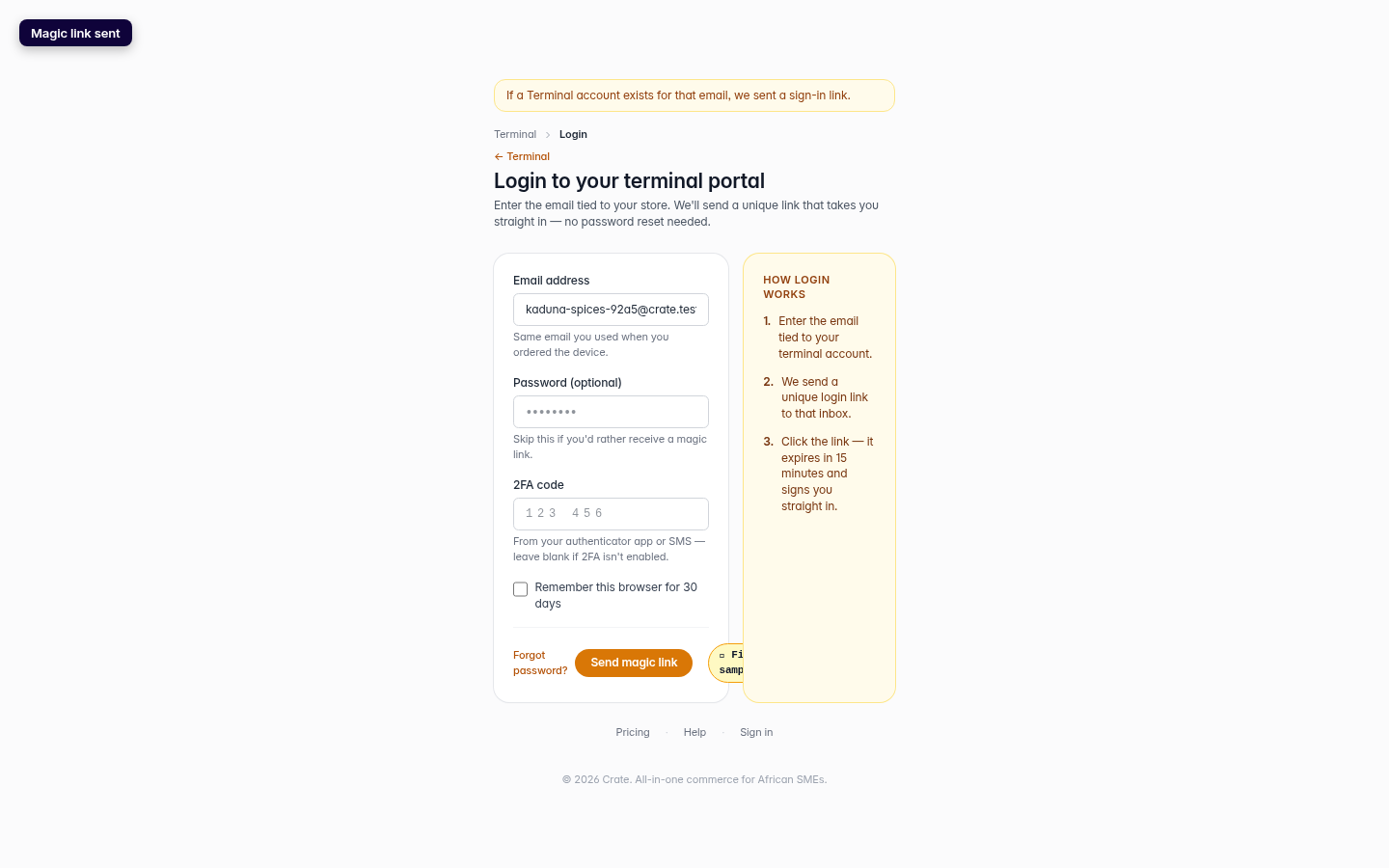
How the magic link works
- Enter the email address attached to your store.
- We email a unique sign-in link to that inbox.
- Click the link — it expires in 15 minutes and signs you straight in.
That's it. The link is single-use and short-lived, so even if it sits in your inbox it can't be reused by anyone else.
Built to be safe
A few things happen behind the scenes to keep your account secure. We never reveal whether an email has a terminal account — the confirmation message is the same either way, so no one can probe for valid accounts. If you've turned on two-factor authentication, the magic link won't bypass it: you'll be sent to the regular sign-in form to complete your code. And we rate-limit link requests, so a typo loop can't flood your inbox.
Forgot which email you used? It's the same address tied to your store. If you're still stuck, request web access from the Terminal hub and we'll help you reconnect.
-
1
Open Terminal
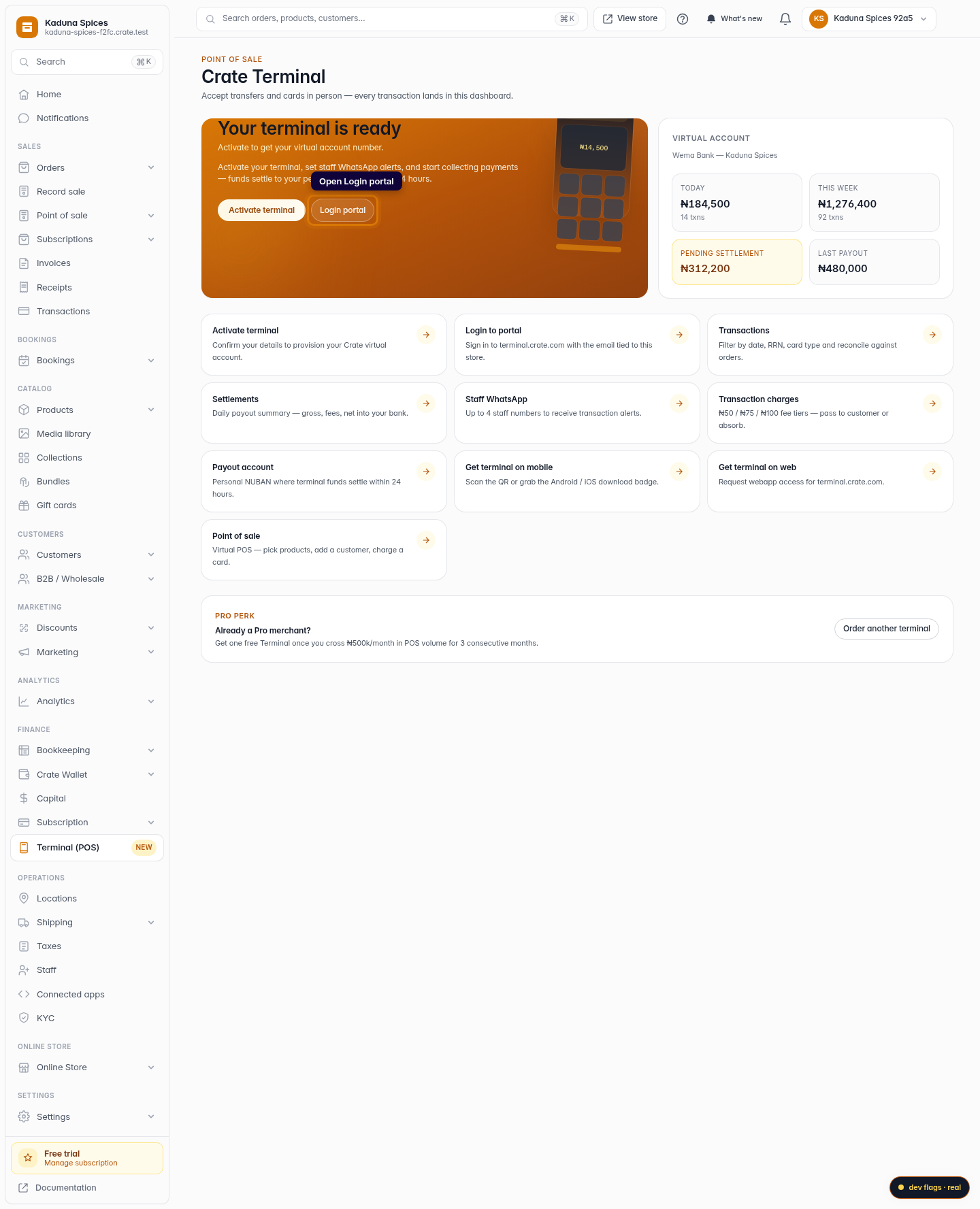
From your dashboard, open Terminal (POS) in the sidebar.
Web 
Mobile -
2
Open the login portal
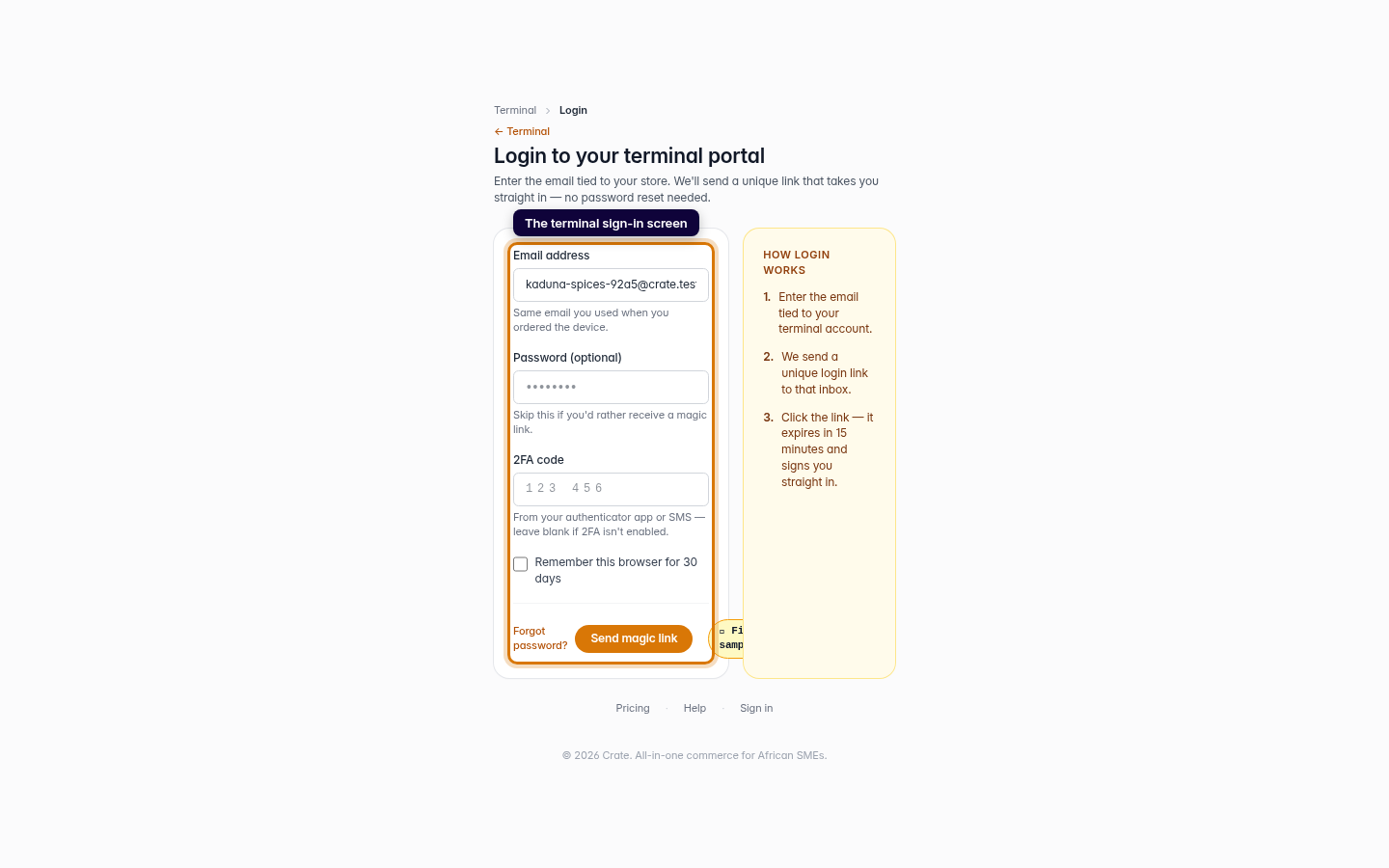
On the Terminal hub, click Login portal to reach the terminal sign-in screen.
Web -
3
Enter your email
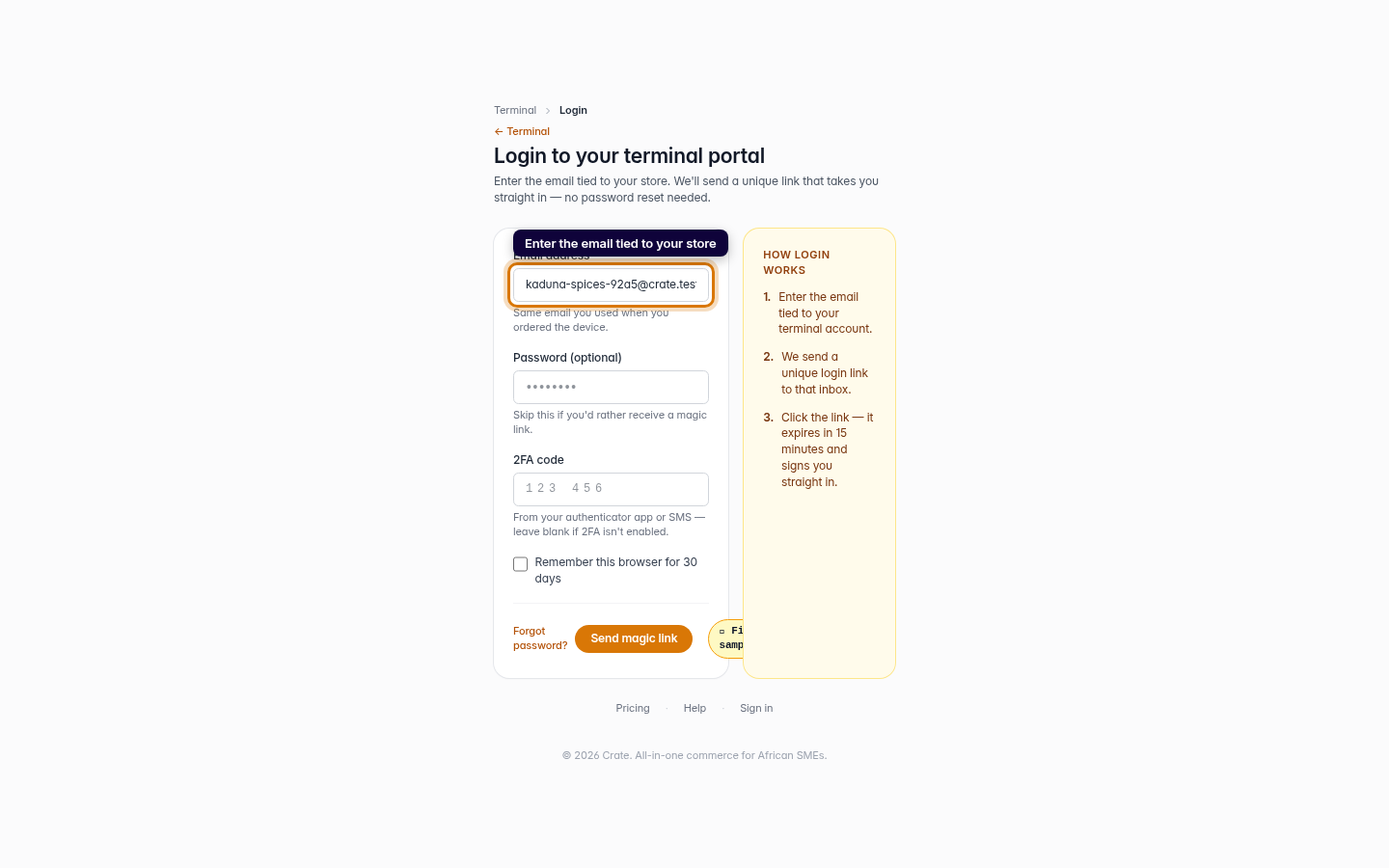
Type the email tied to your store — the same one you used when you ordered your terminal.
Web 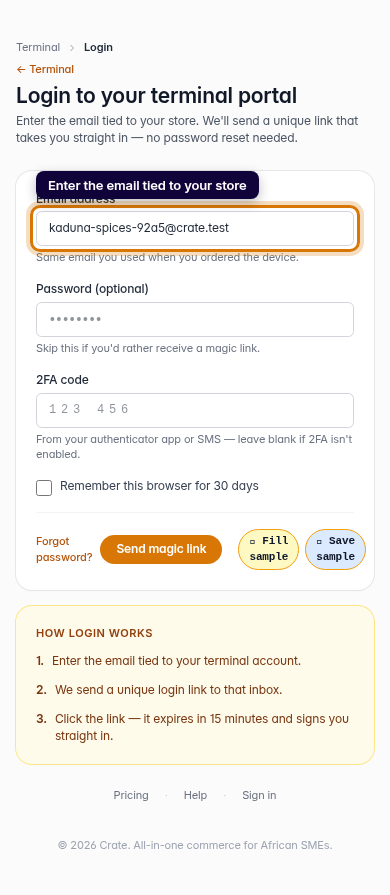
Mobile -
4
Send the magic link
Click Send magic link. We email a unique sign-in link to that inbox — open it and you're straight into your terminal account.
Web 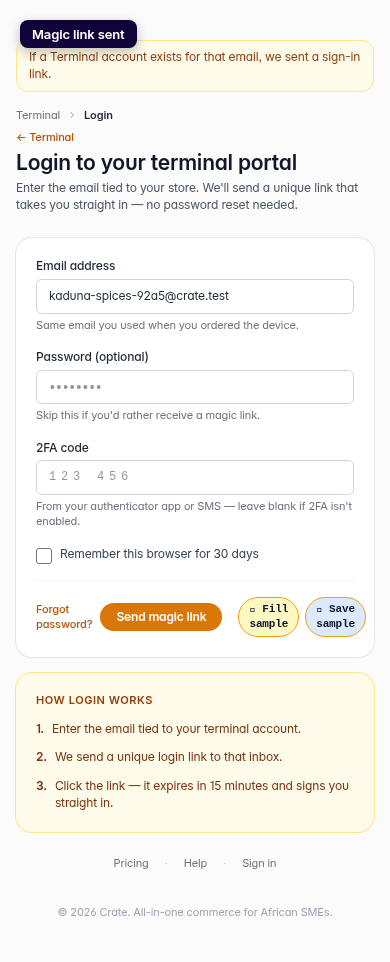
Mobile