Activate your Crate Terminal
Request a Crate Terminal — a virtual account number customers transfer to in person. Tell us where you'll take payments and your expected volume, and we'll provision one and WhatsApp you the details.
Crate Terminal is a virtual account number you share with customers in person. They transfer to it, the payment confirms instantly, and the money lands in your Crate wallet — no card machine, no hardware, no serial number to register.
Activating is a quick request: you tell us about your business, our payments partner provisions an account in your store's name, and we send you the details. This guide walks through that request.
Before you start
You'll need KYC verified to at least Tier 1 before we can provision an account — that's the verified identity our payments partner requires. If you haven't done KYC yet, complete it from your wallet or KYC settings first, then come back here.
Tip: The location and volume you enter aren't locked in forever — they just help us set sensible limits up front. You can always reach out to support to adjust them later.
What happens after you submit
We provision a virtual account number in your store's name and send the account number and bank details to your store's WhatsApp number. Once it arrives, share the number with walk-in customers: every transfer they make credits your wallet instantly, and each transaction shows up under Terminal → Transactions.
-
1
Open Terminal
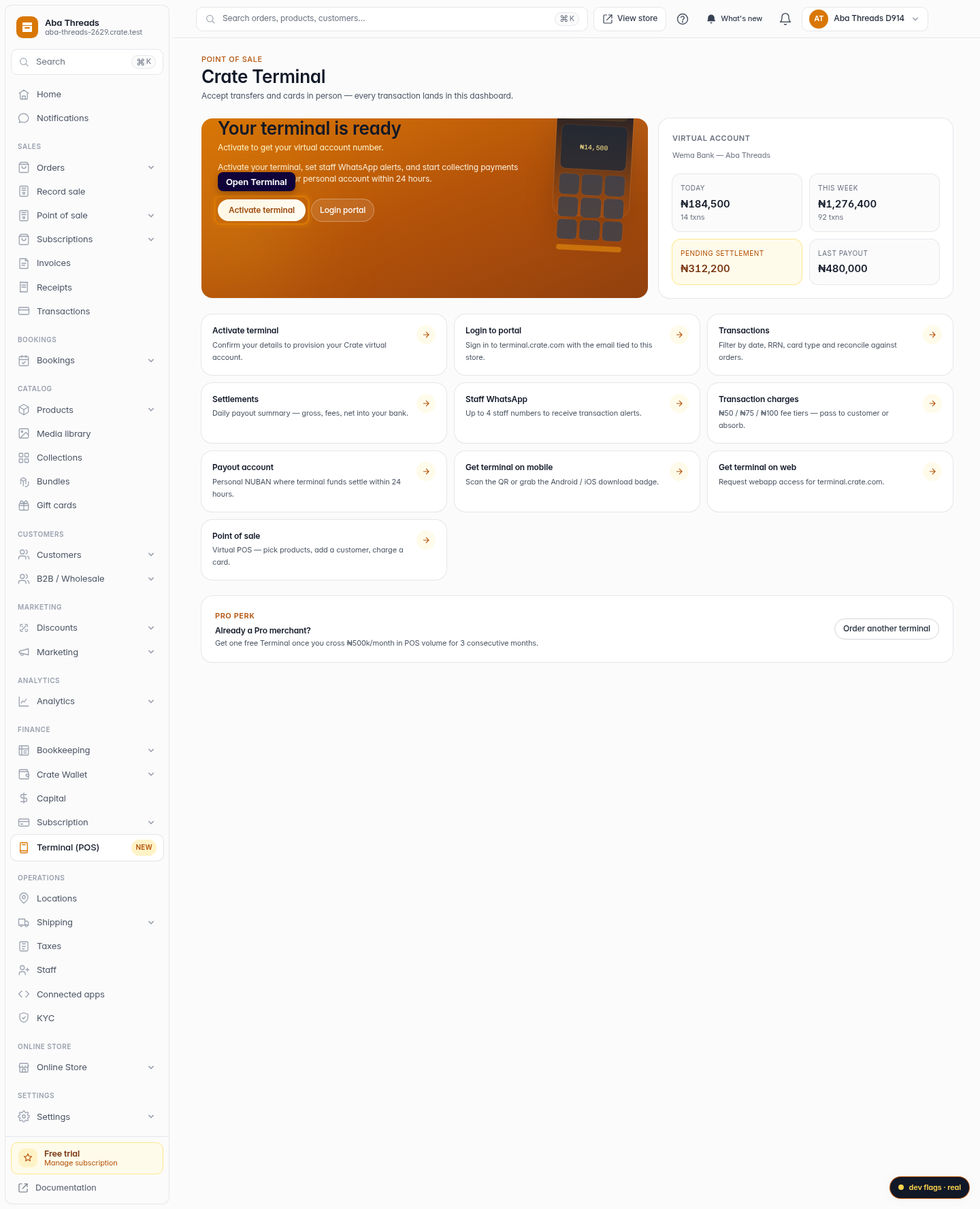
From the dashboard sidebar, open Terminal. The Terminal hub is where you request your account, view transactions, and manage settlements.
Web -
2
Start the request
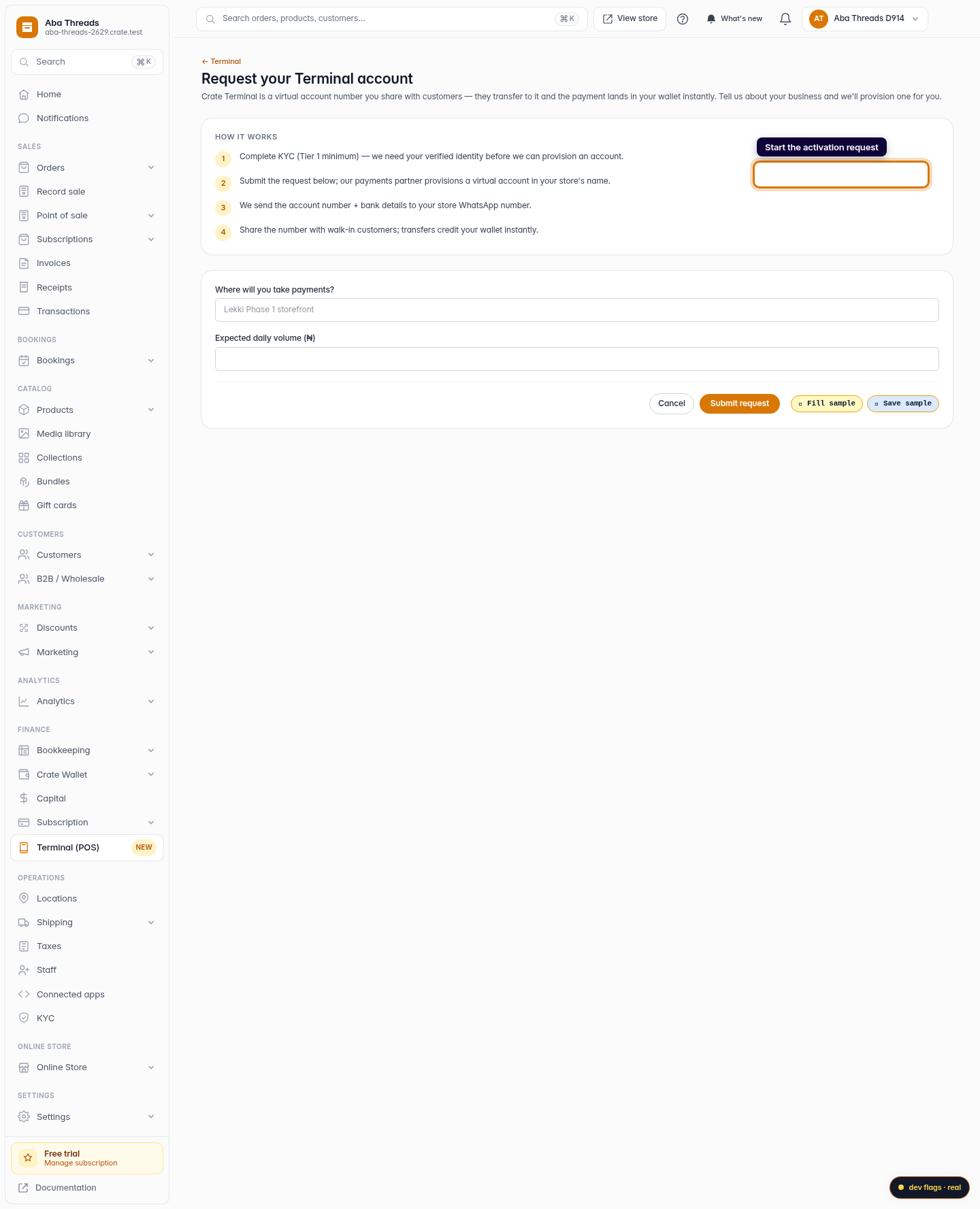
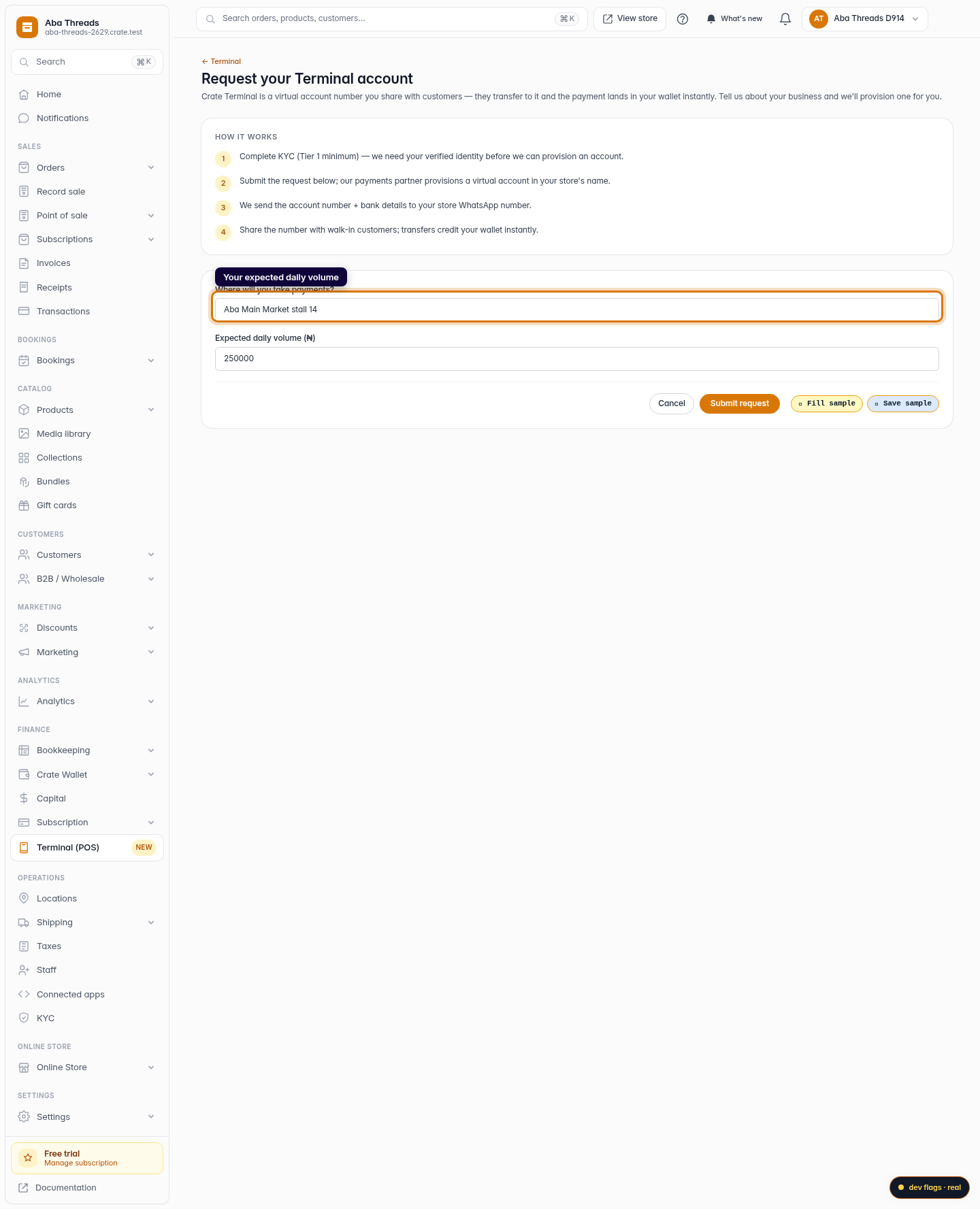
On the Terminal hub, click Activate terminal. Crate explains how it works — you complete KYC, we provision a virtual account, and you share the number with walk-in customers.
Web -
3
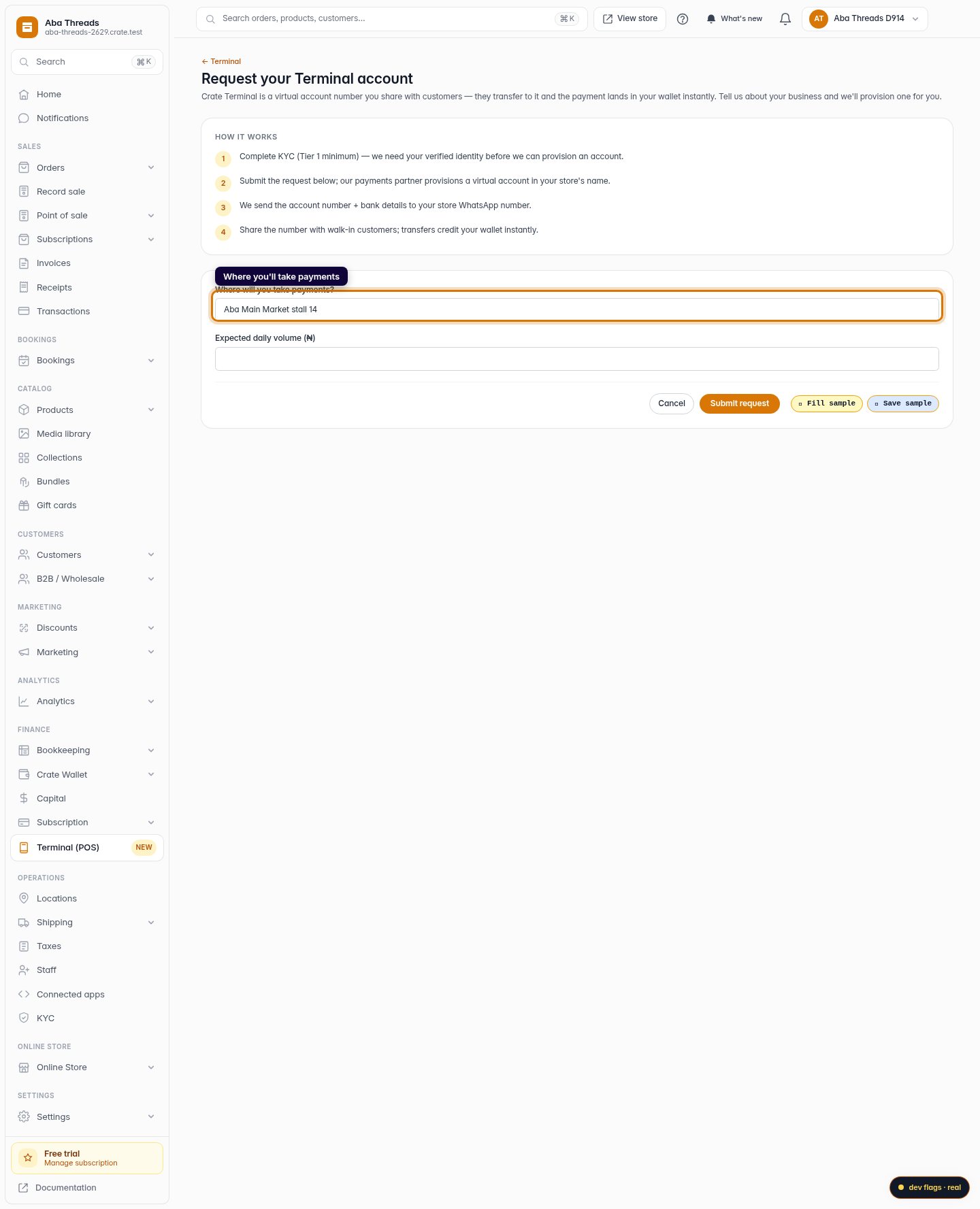
Tell us where you'll take payments
Enter the location where you'll collect payments — your shop name or address — so we set the account up against the right outlet.
Web 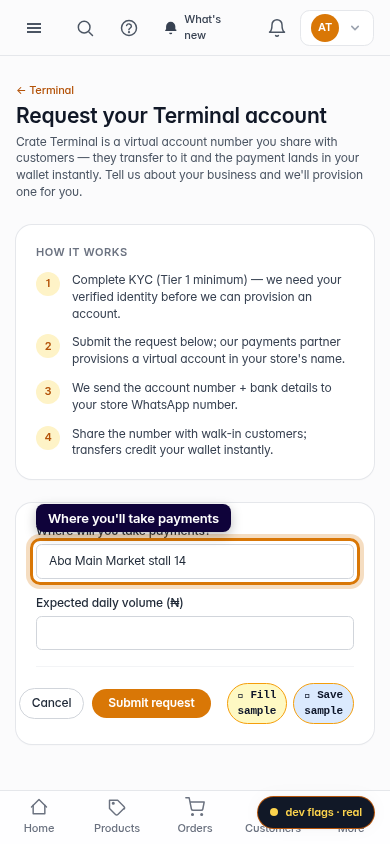
Mobile -
4
Add your expected volume
Enter your expected daily volume in naira. This helps us provision the right limits on your virtual account from day one.
Web -
5
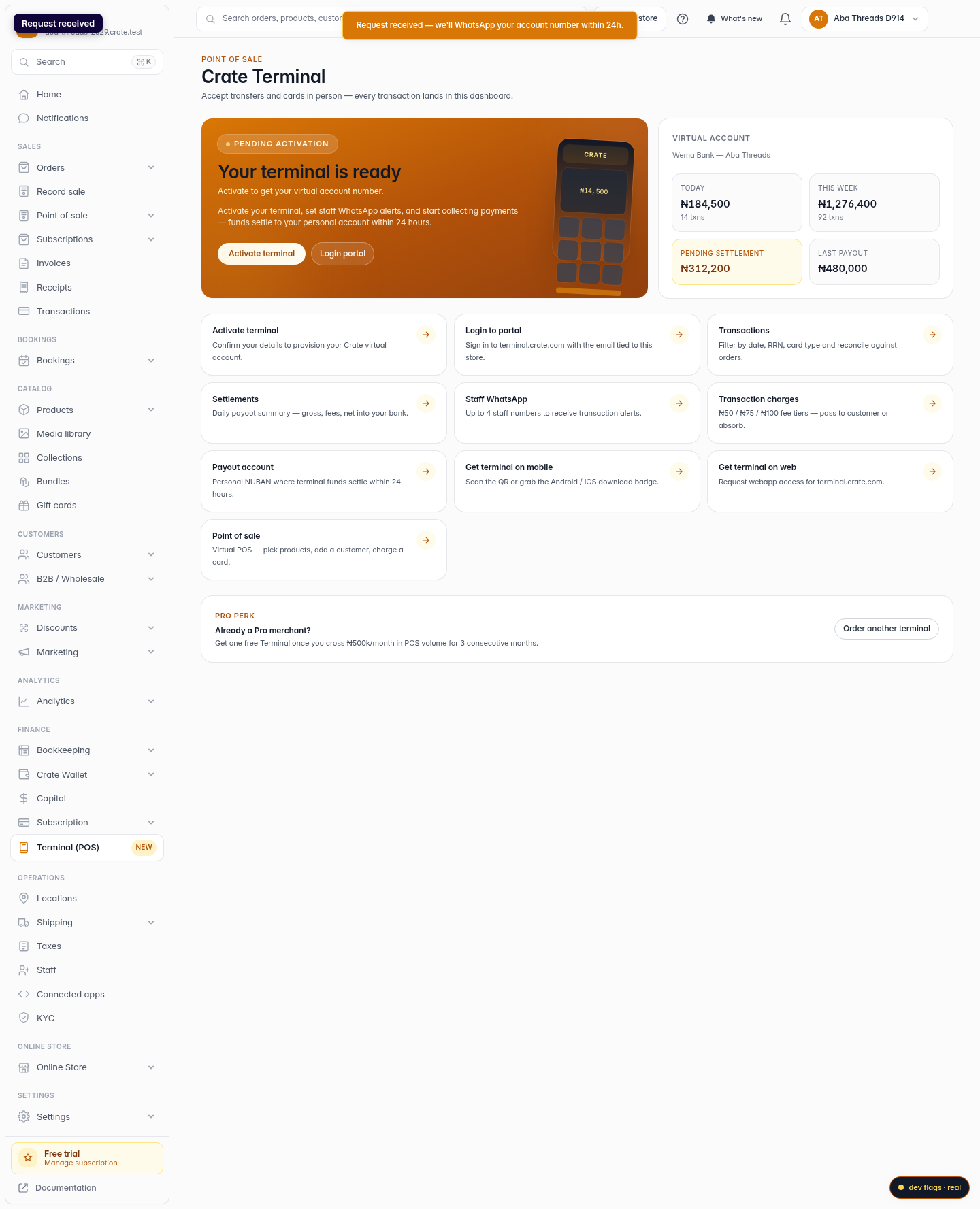
Submit the request
Click Submit request. Crate confirms with Request received — we'll WhatsApp your account number within 24 hours.
Web 
Mobile