Share an order with a customer
Closed a sale in your DMs? Record the order in Crate, then share a prefilled WhatsApp message with a payment and tracking link — so your customer pays without ever opening your website.
When a sale starts in a WhatsApp or Instagram chat, you don't need to send your customer to the website to check out. Record the order in Crate, then share it back to them with a single prefilled message that carries a link to pay and track.
This is the fastest way to close social-media sales: you take the order, Crate generates the link, and your customer pays where the conversation already is.
Before you share
First record the order so it exists in Crate with the customer's name and phone number. Leaving the order unpaid is what lets the shared link collect payment — once they tap it, the customer can confirm their shipping details and pay.
What the customer receives
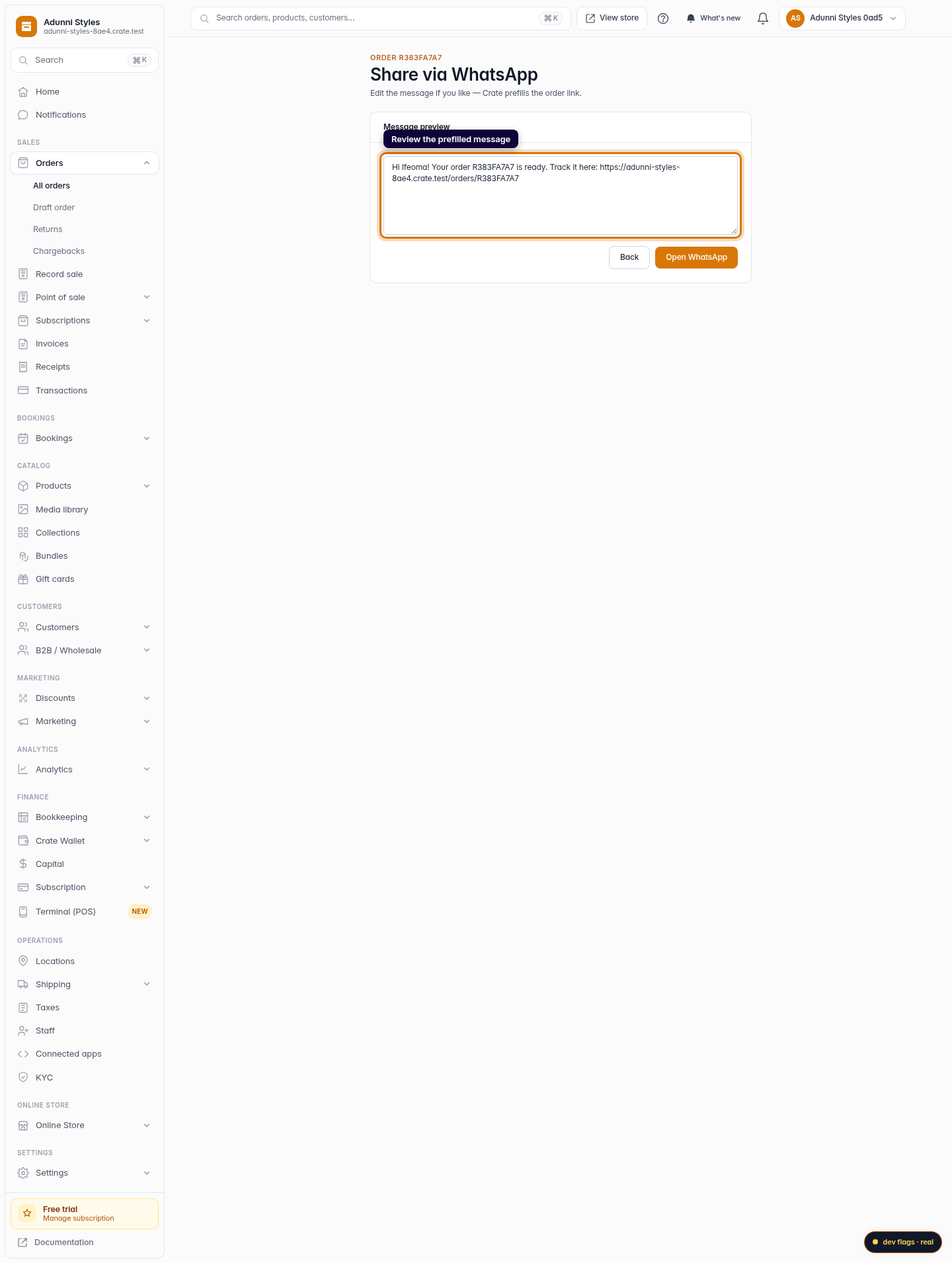
The message Crate prepares includes a friendly greeting, the order number, and a link that opens the order. From there your customer can update their delivery address and pay through your connected gateway. Everything they do flows straight back into the same order in your dashboard.
Tip: The phone number on the order is what Crate uses to open the right WhatsApp chat. A Nigerian number entered as 0801… is converted automatically — no need to add the country code yourself.After you send
Nothing else is required on your end. When the customer pays through the link, the order's payment status updates in Crate just as it would for any online sale, and you'll see it move to Paid in your orders list.
-
1
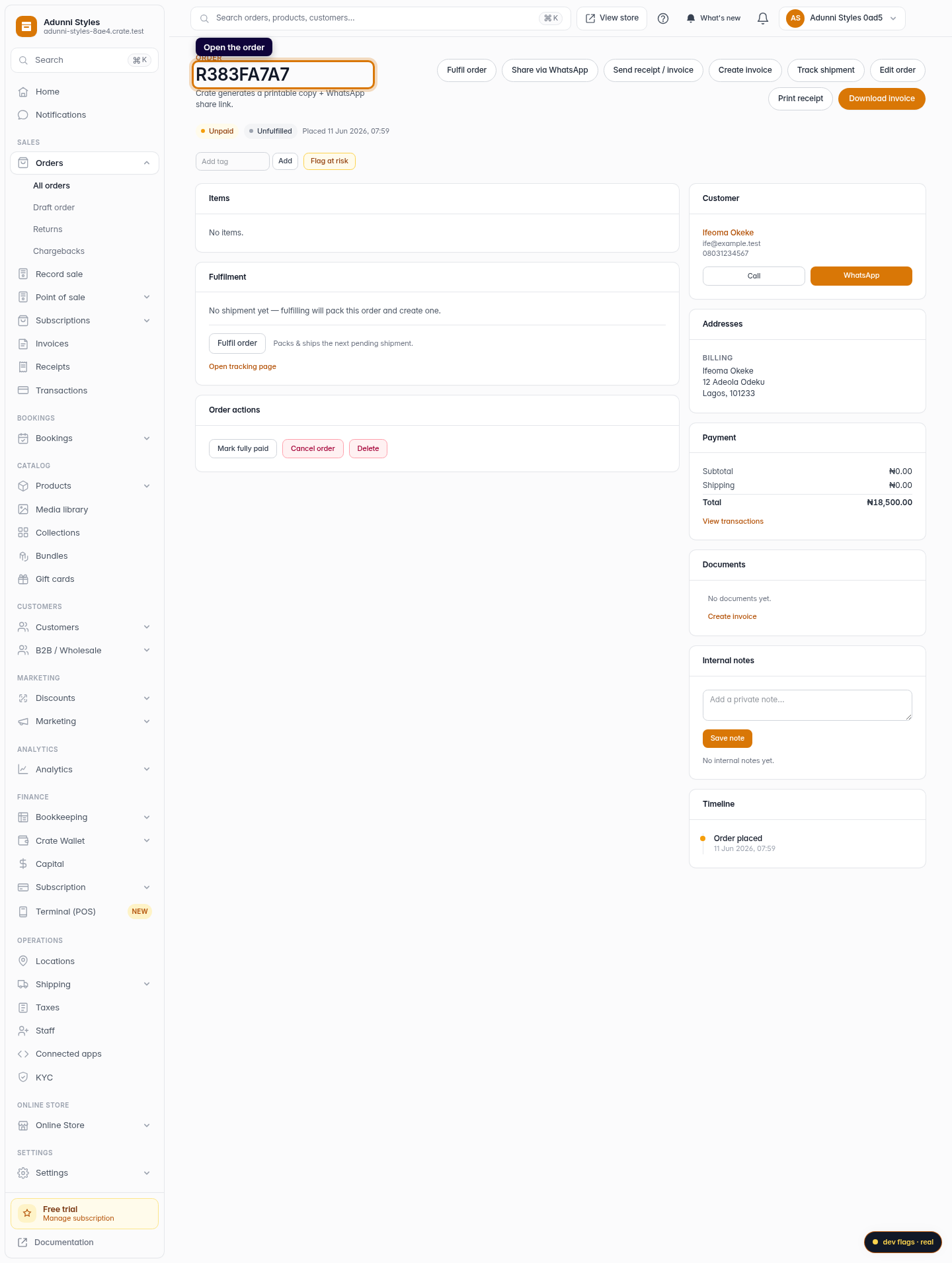
Open the order
From Orders, open the order you want to share. You can share any order — a freshly recorded unpaid one is the most common, so the customer can pay via the link.
Web -
2
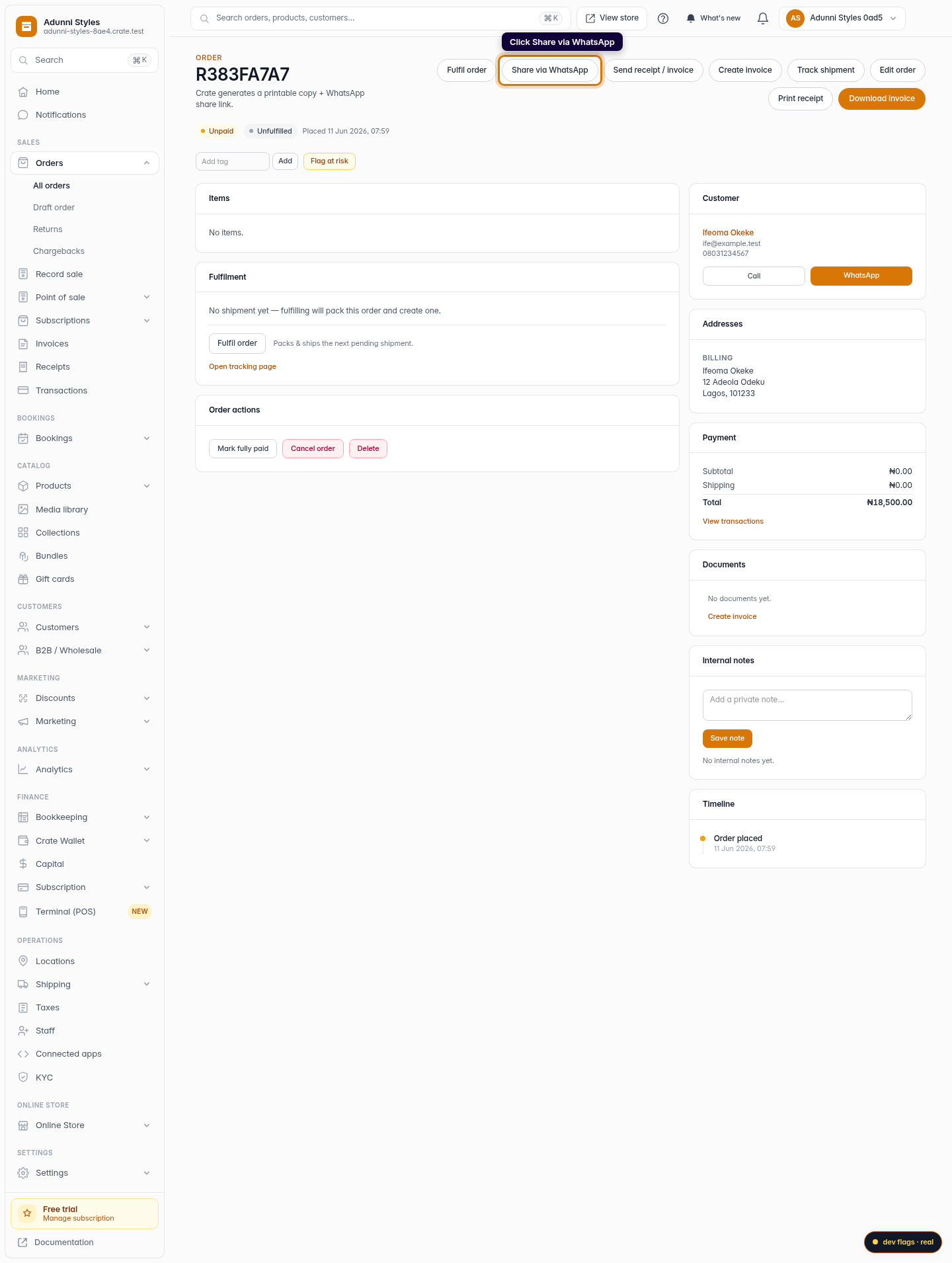
Click Share via WhatsApp
In the order's action row, click Share via WhatsApp. Crate builds a ready-to-send message for this exact order.
Web -
3
Review the prefilled message
Crate drops in a greeting, the order number, and a link to track or pay. Edit the wording if you like — the link stays intact.
Web -
4
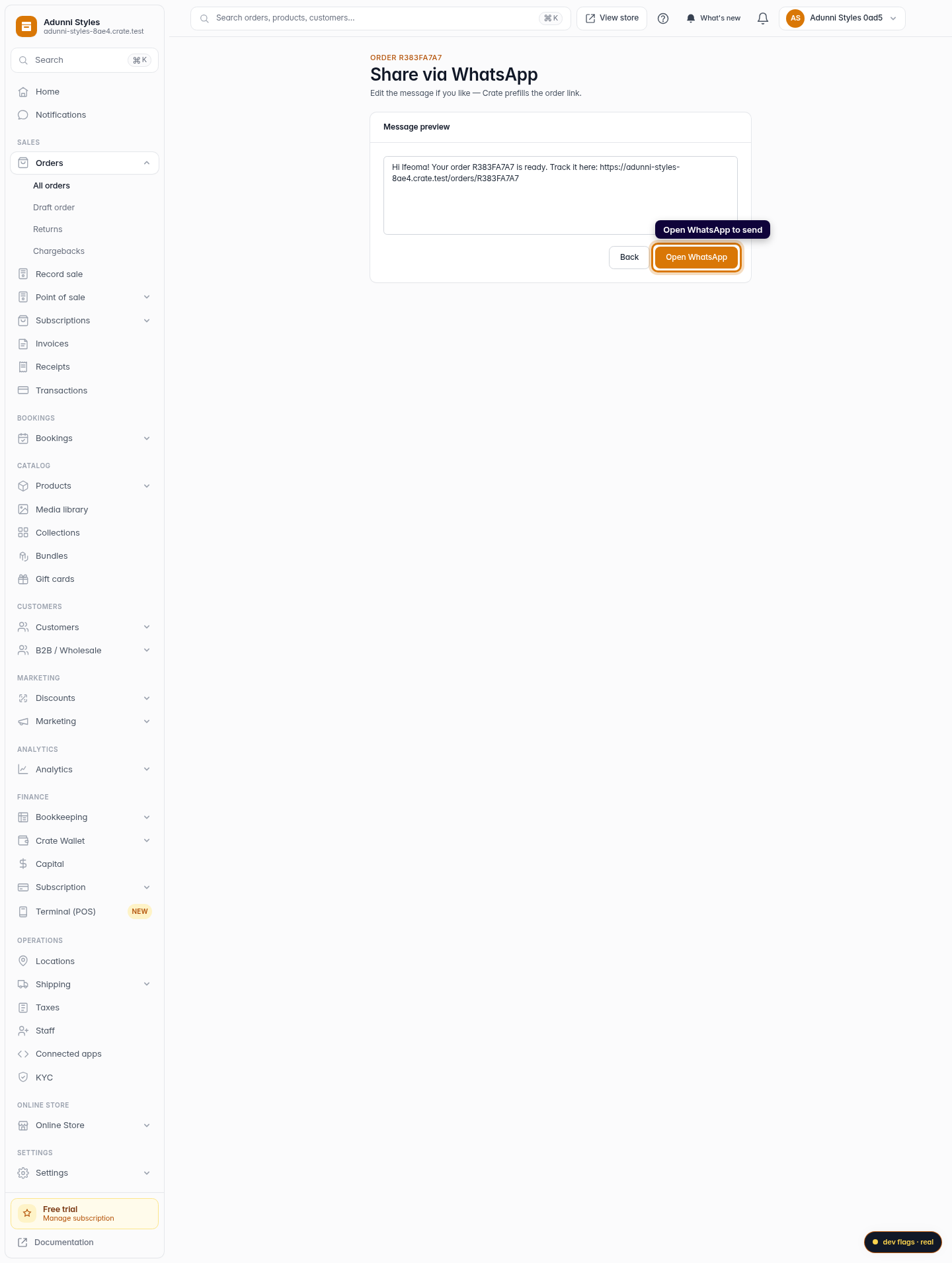
Open WhatsApp to send
Click Open WhatsApp. Your chat with the customer opens with the message ready to go — review it once more, then hit send.
Web