Handle Stripe chargebacks
When an international buyer disputes a Stripe payment, it lands in your Chargebacks queue. Here's how disputes work, what they cost, and how to respond with evidence before the deadline.
International card payments you take through Stripe are governed by Stripe's dispute rules. When an overseas buyer asks their bank to reverse a payment instead of contacting you, that's a chargeback — and it shows up in your Crate Chargebacks queue so you can respond.
What happens when a dispute is filed
- The disputed amount is held back temporarily.
- A dispute is opened against the order.
- You're asked to submit evidence that the order was genuine and fulfilled.
Common reasons are item not received, wrong or damaged product, and the customer doesn't recognise the charge.
What Stripe disputes cost
Stripe applies a fee in two stages:
- When the dispute is filed — a flat fee is charged automatically, win or lose.
- If you contest and lose — a second, equal fee applies. Win, and you recover the order amount but the first fee isn't refunded.
Because the fee lands the moment a dispute opens, the cheapest dispute is the one that never happens. The currency on a settled dispute can differ slightly from the original sale when exchange rates have moved between the charge and the resolution.
How to win
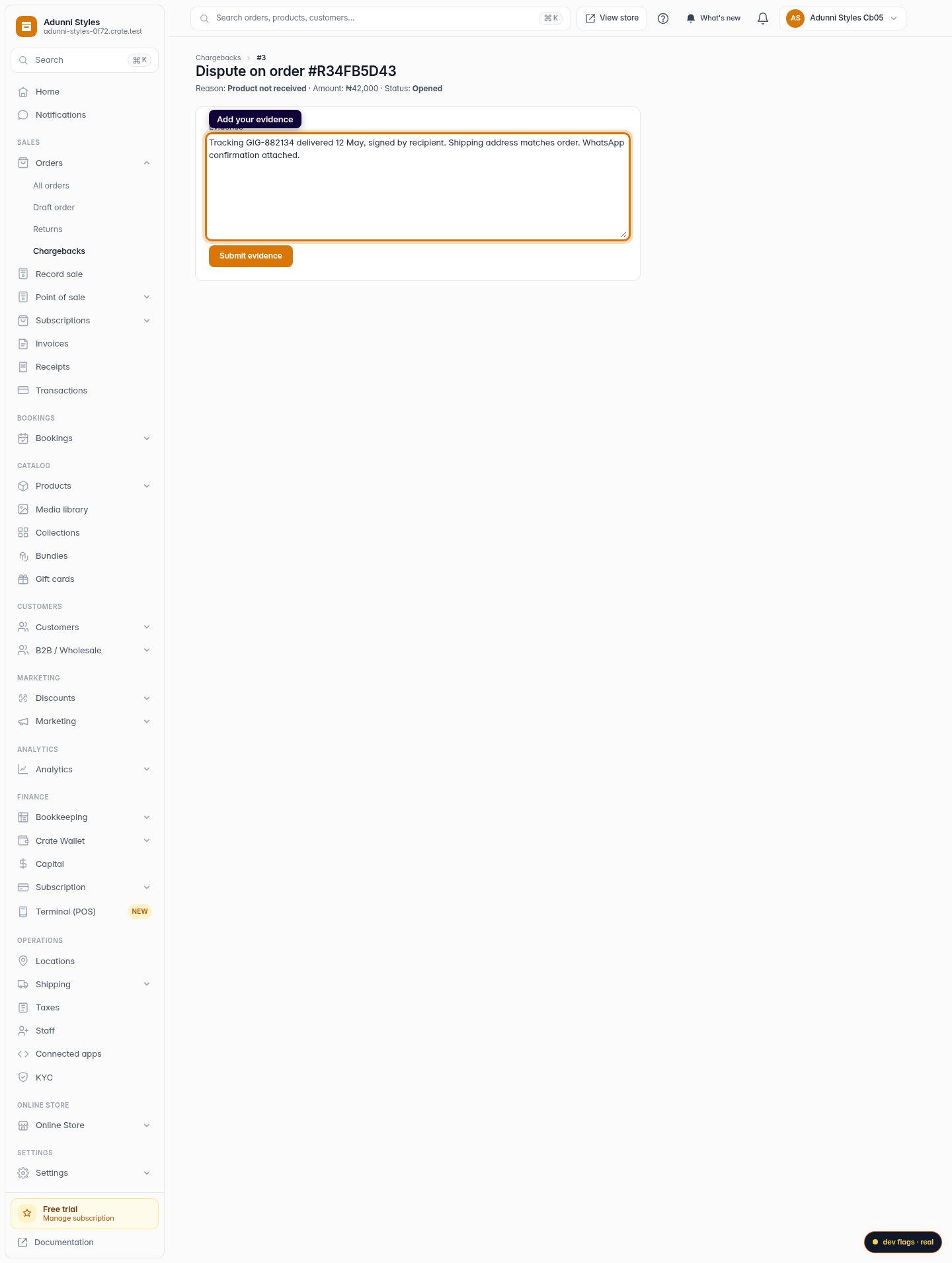
Respond fast and thoroughly. Strong evidence is specific: a tracking number with a delivery confirmation, the customer's shipping address matching the order, and any chat or email where they confirmed the purchase. Paste it all into the evidence box and submit before the deadline shown on the dispute.
After you submit
Crate marks the dispute Evidence submitted and hands it to the gateway. The final outcome — won or lost — comes back from the gateway and updates the dispute's status automatically. You don't need to chase it; just watch the Chargebacks queue.
-
1
Open Chargebacks
From the dashboard, go to Chargebacks. Every dispute raised against your paid orders — including Stripe ones — lists here, newest first.

Web -
2
Open the disputed order
Find the dispute and click Open. Each row shows the order number, the disputed amount, the reason, and how long the dispute has been open.

Web -
3
Add your evidence
In the Evidence box, paste everything that proves the order was legitimate and delivered — tracking numbers, delivery confirmation, and any customer correspondence.
Web -
4
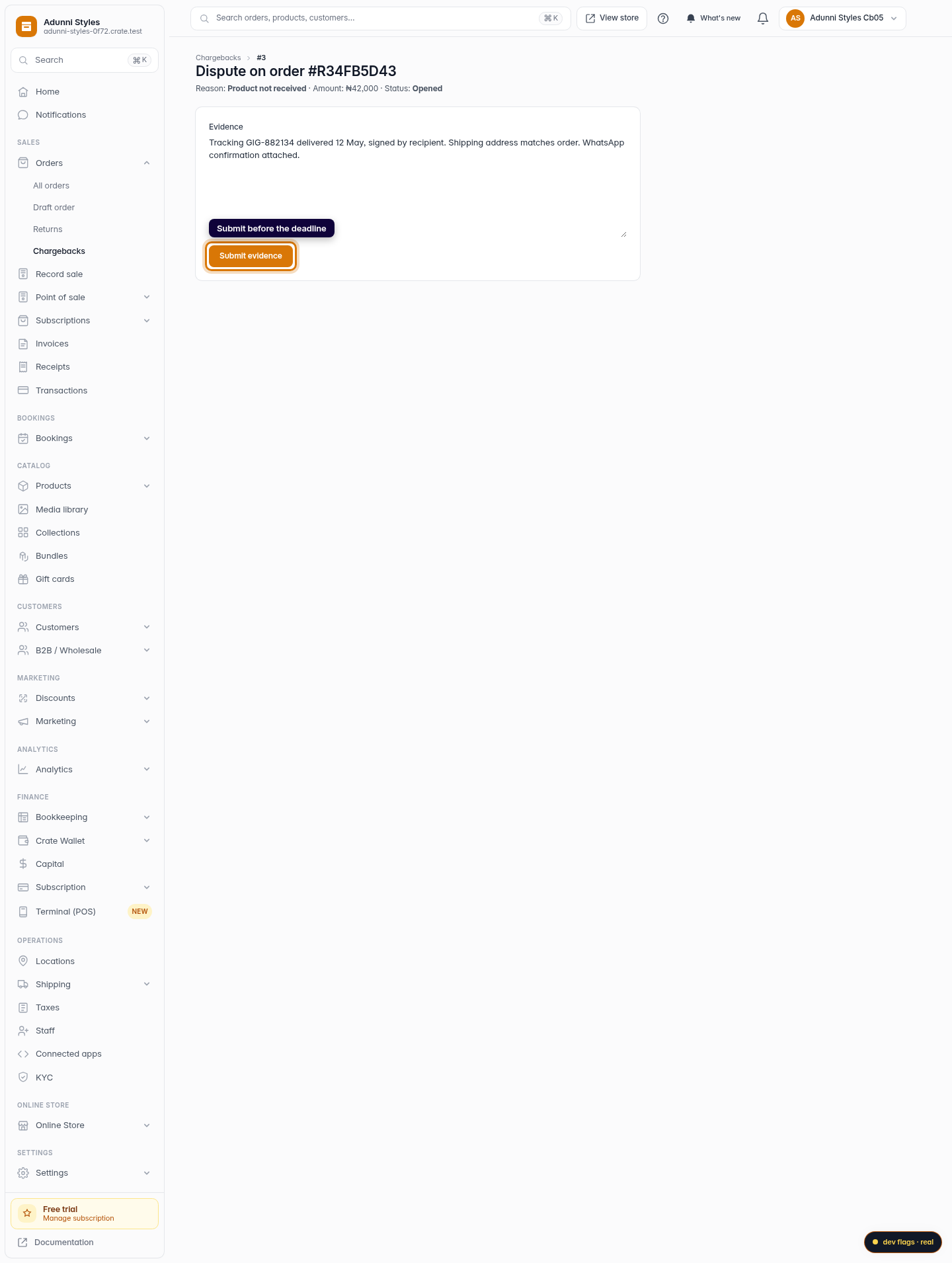
Submit before the deadline
Click Submit evidence. Crate marks the dispute as evidence submitted and forwards it to the gateway. Respond well before the deadline — late evidence isn't reviewed.
Web