How to create a coupon
Create a code your customers type at checkout to unlock a discount. Choose whether it discounts the whole cart or specific products, set a percentage or fixed amount, add limits and validity dates, and share the code.
A coupon is a code you hand to customers — in a newsletter, a DM, or printed on a flyer — that unlocks a discount when they type it at checkout. Because it's code-gated, it's perfect for targeted promotions: a welcome offer, a loyalty reward, or an influencer's personal code.
Coupons vs discounts
Crate keeps these two deliberately separate:
- A coupon has a code. Nothing happens until a customer enters it at checkout. You'll find them under Coupons.
- A discount is automatic and storewide — no code, it just applies. Those live under Discounts.
This guide covers coupons. If you want a promotion that applies to everyone without a code, see How to create a discount.
Whole cart vs specific products
When you build a coupon you choose how it behaves:
- Whole cart takes the discount off the cart total. Best for "₦1,000 off your order" or "10% off everything".
- Specific products discounts the matching line items only. Best when the offer is tied to particular items.
Protecting your margins
Two optional settings keep a generous-looking coupon safe:
- Max discount caps how much a percentage coupon can take off, so "20% off" on a large cart can't run away.
- Minimum purchase requires the cart to reach a subtotal before the coupon applies.
Tip: Set a per-customer limit (or tick Once per customer) on welcome and referral codes so each shopper can only redeem them once.
-
1
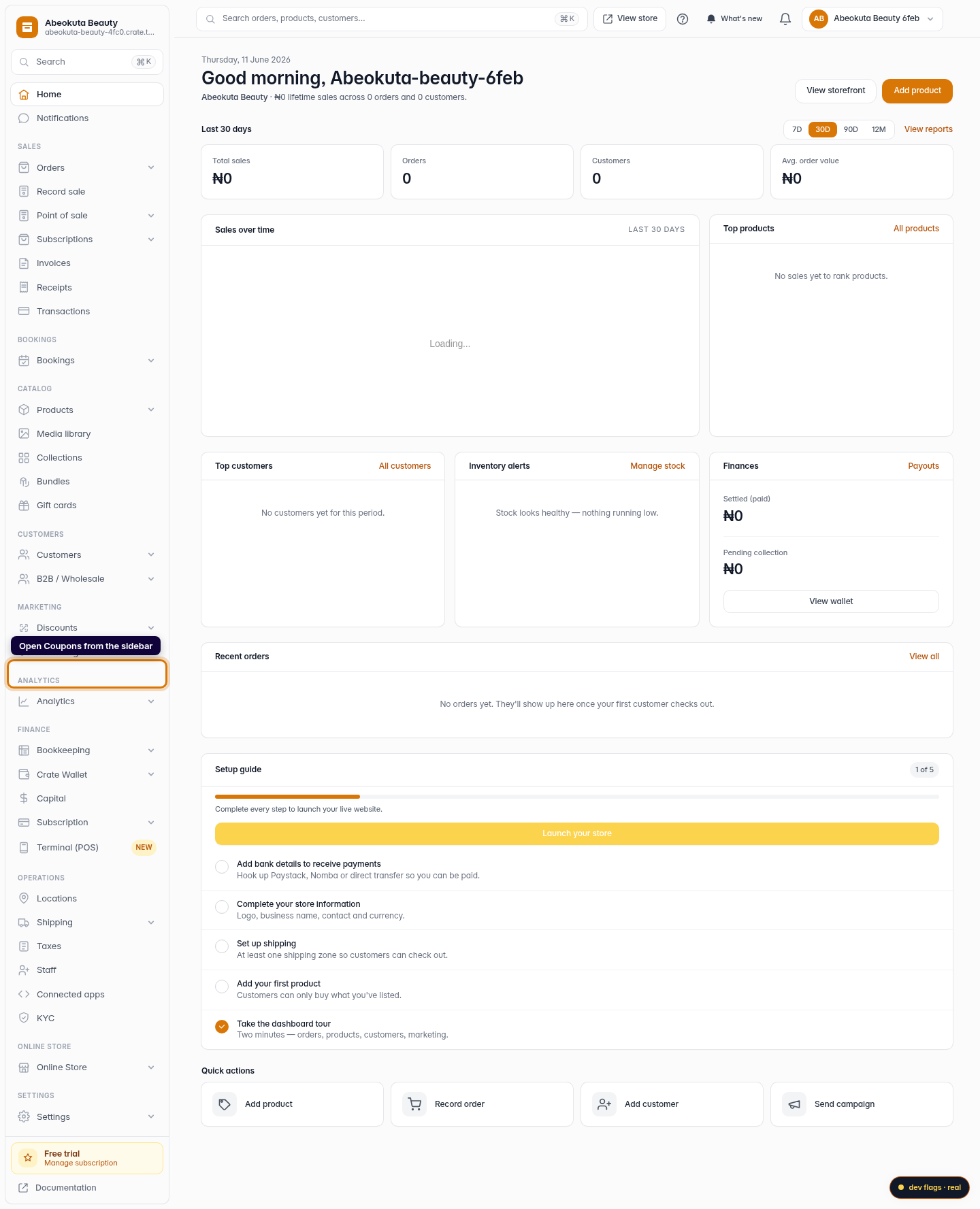
Open Coupons
From your Crate dashboard, open Coupons in the left sidebar. Coupons are code-bearing promotions — a customer enters the code at checkout to claim the deal (unlike storewide Discounts, which apply automatically).
Web -
2
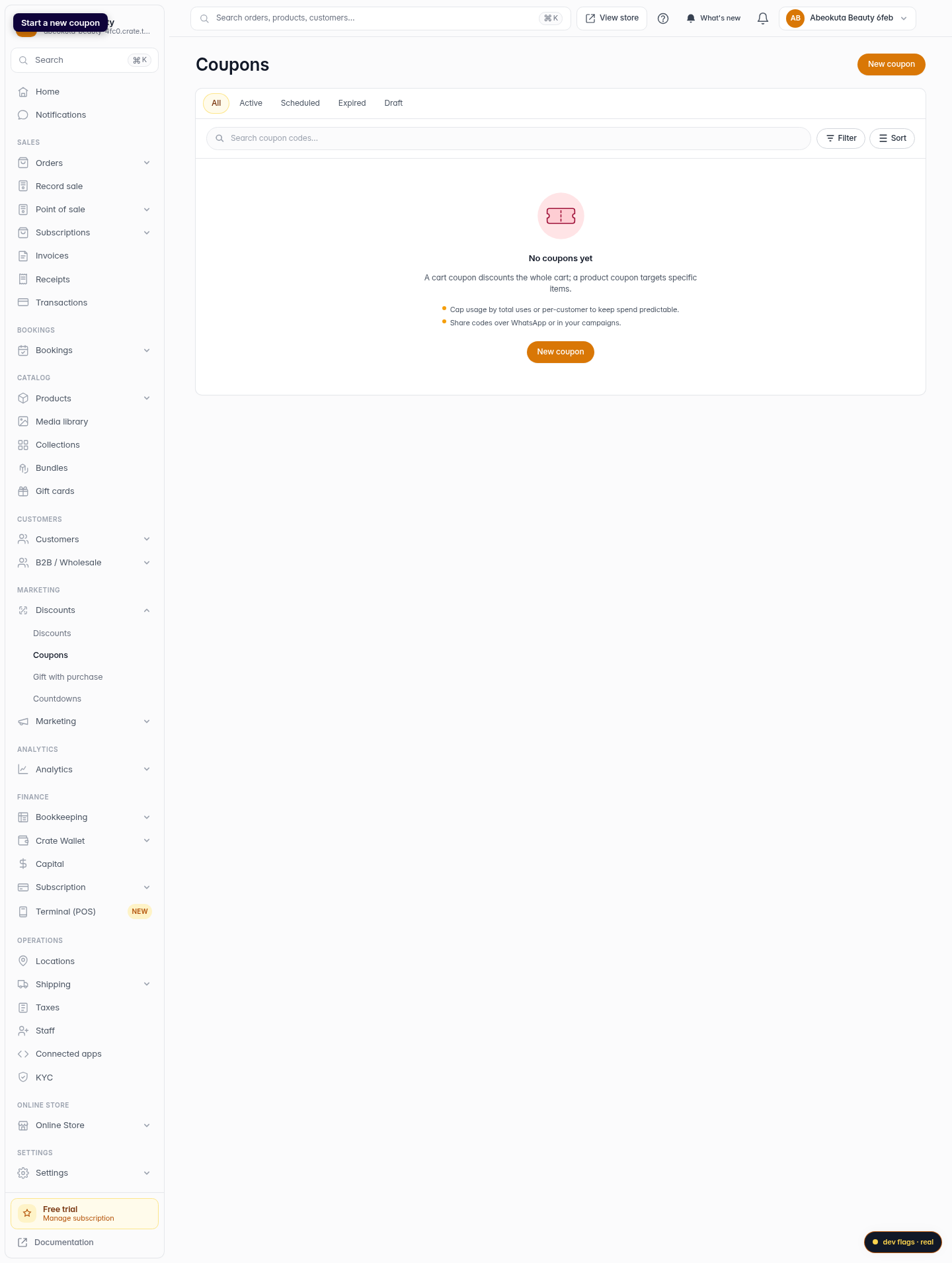
Start a new coupon
Click New coupon in the top-right corner to open the coupon builder.
Web -
3
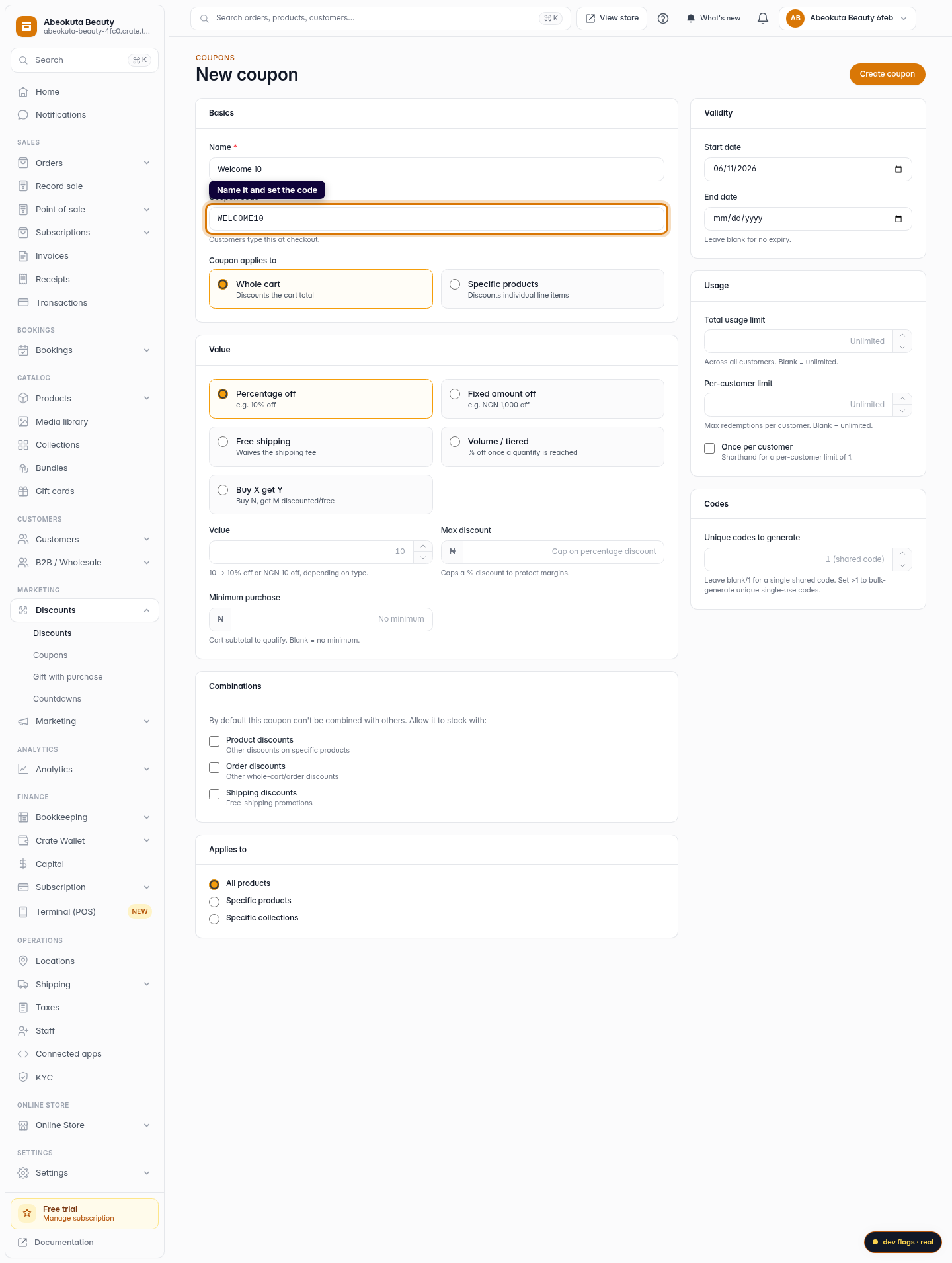
Name it and set the code
Give the coupon an internal name so you can find it later, then set the code customers will type — for example SUMMER10. Use letters, numbers, dashes and underscores.
Web -
4
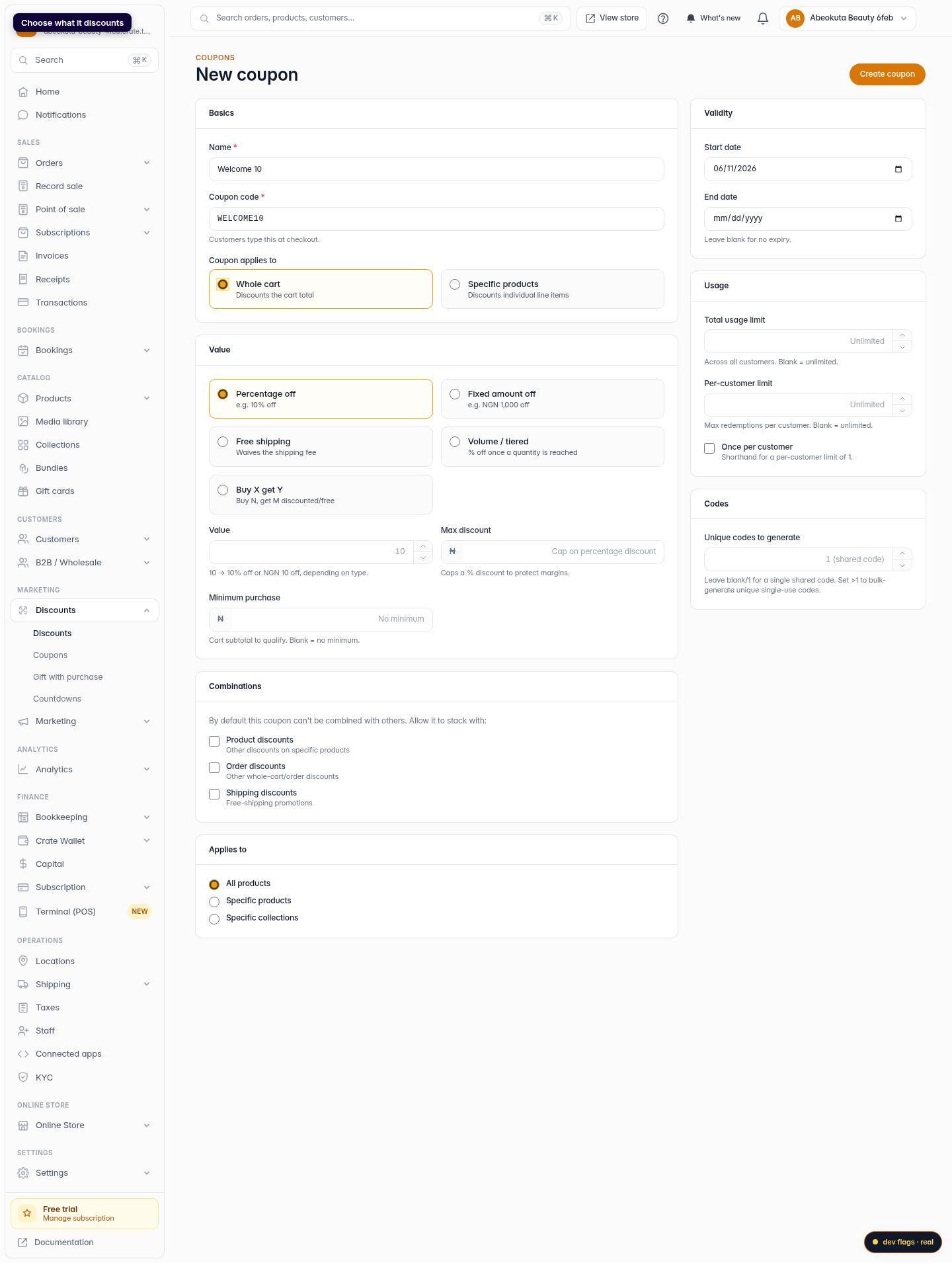
Choose what it discounts
Under Coupon applies to, pick Whole cart to take money off the cart total, or Specific products to discount individual line items.
Web -
5
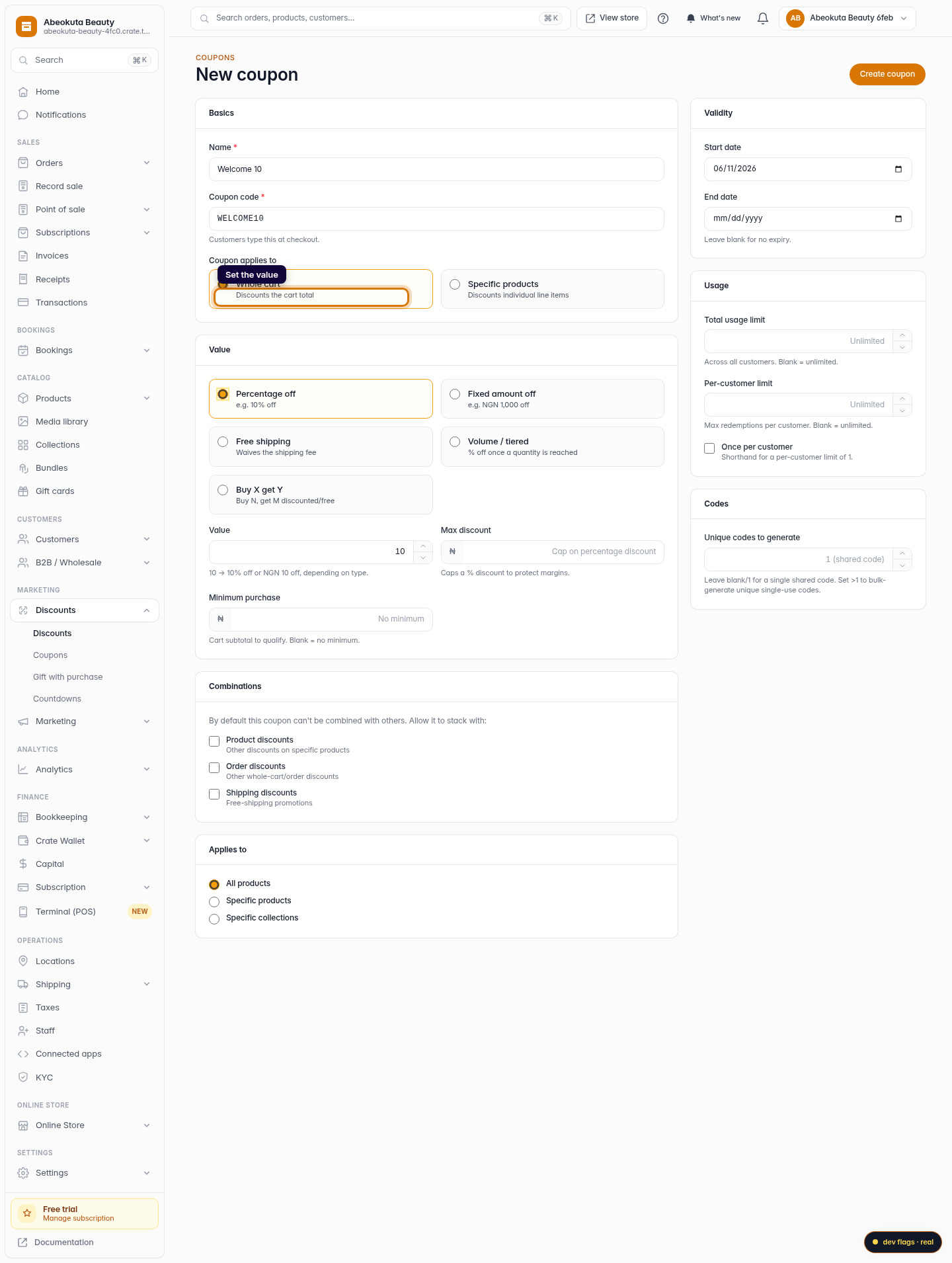
Set the value
Choose the value type — Percentage off, Fixed amount off or Free shipping — and enter the amount. For a percentage you can cap it with a Max discount and require a Minimum purchase to qualify.
Web -
6
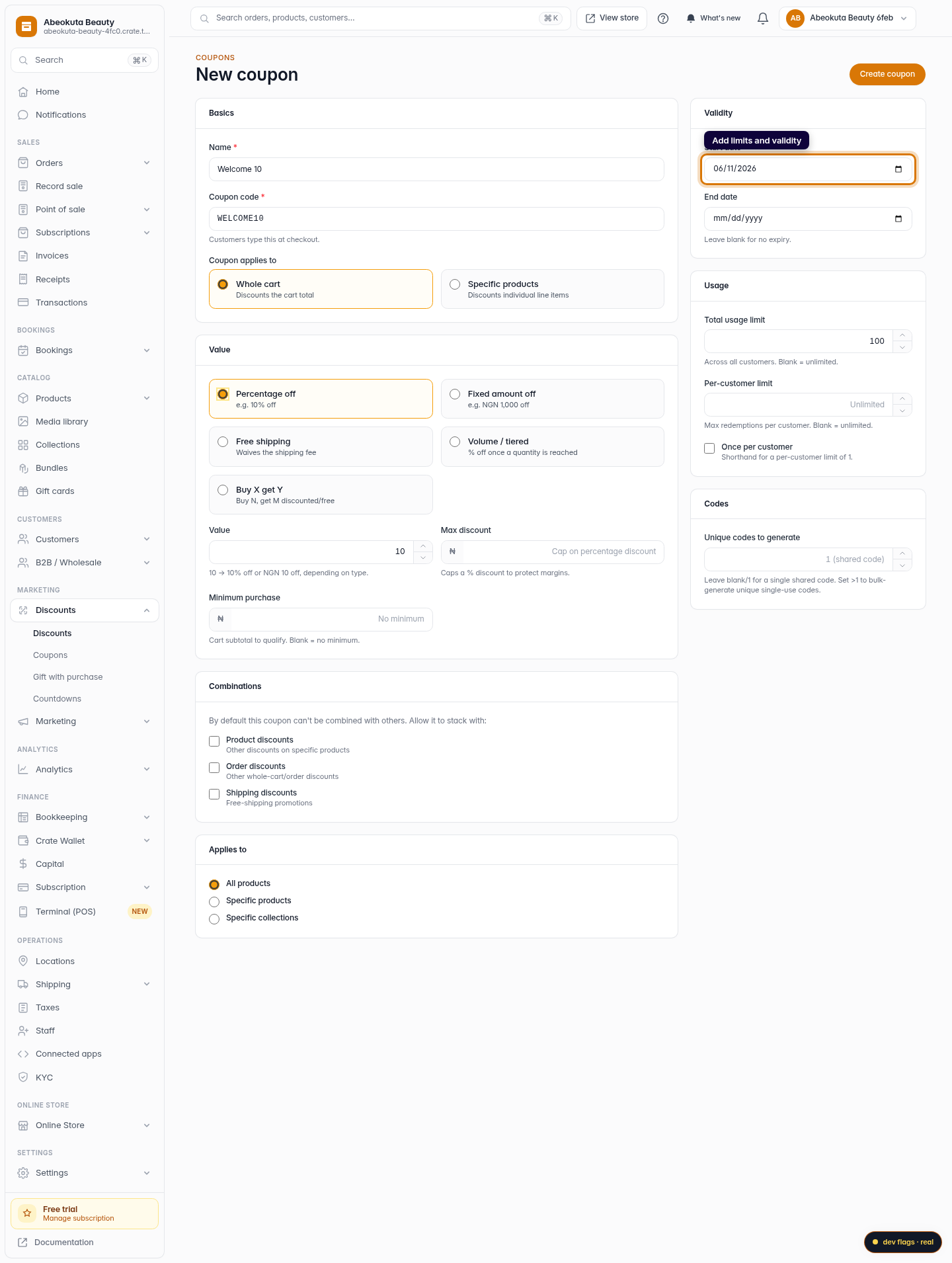
Add limits and validity
Optionally set a start and end date, a total usage limit, and a per-customer limit so a single shopper can't redeem it endlessly.
Web -
7
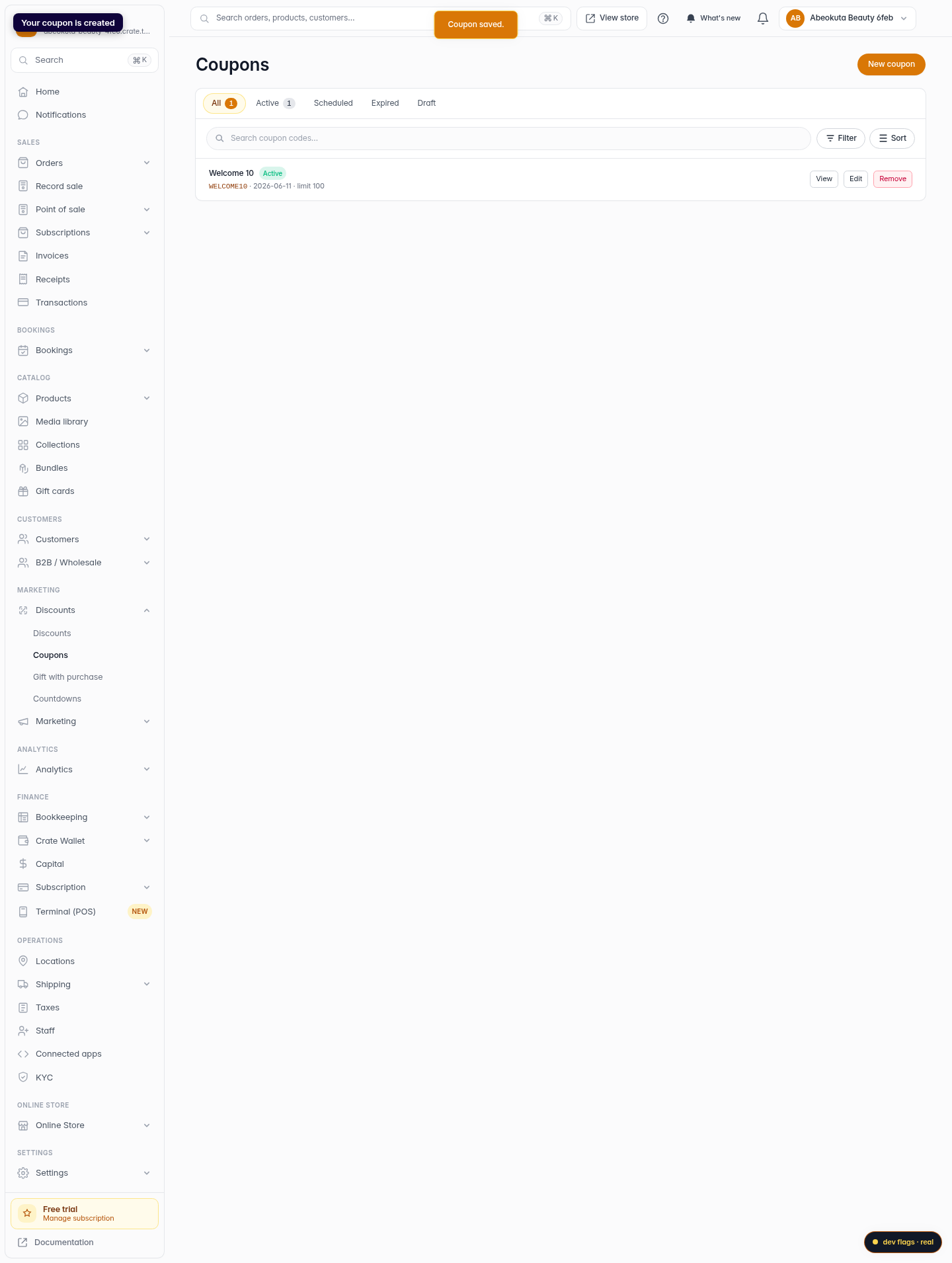
Create the coupon
Click Create coupon. Crate saves it and it appears in your Coupons list, ready to share with customers.
Web