Duplicate a product
Selling something almost identical to a product you already have? Duplicate it, tweak the few details that differ, and publish — far faster than building from scratch.
When two products differ by just a detail or two — a different print, a new colourway, a bundle of an existing item — rebuilding the whole thing is wasted effort. Duplicating gives you a near-identical starting point in seconds, so you only edit what's actually different.
You choose what carries over
Before Crate makes the copy, you decide what comes with it:
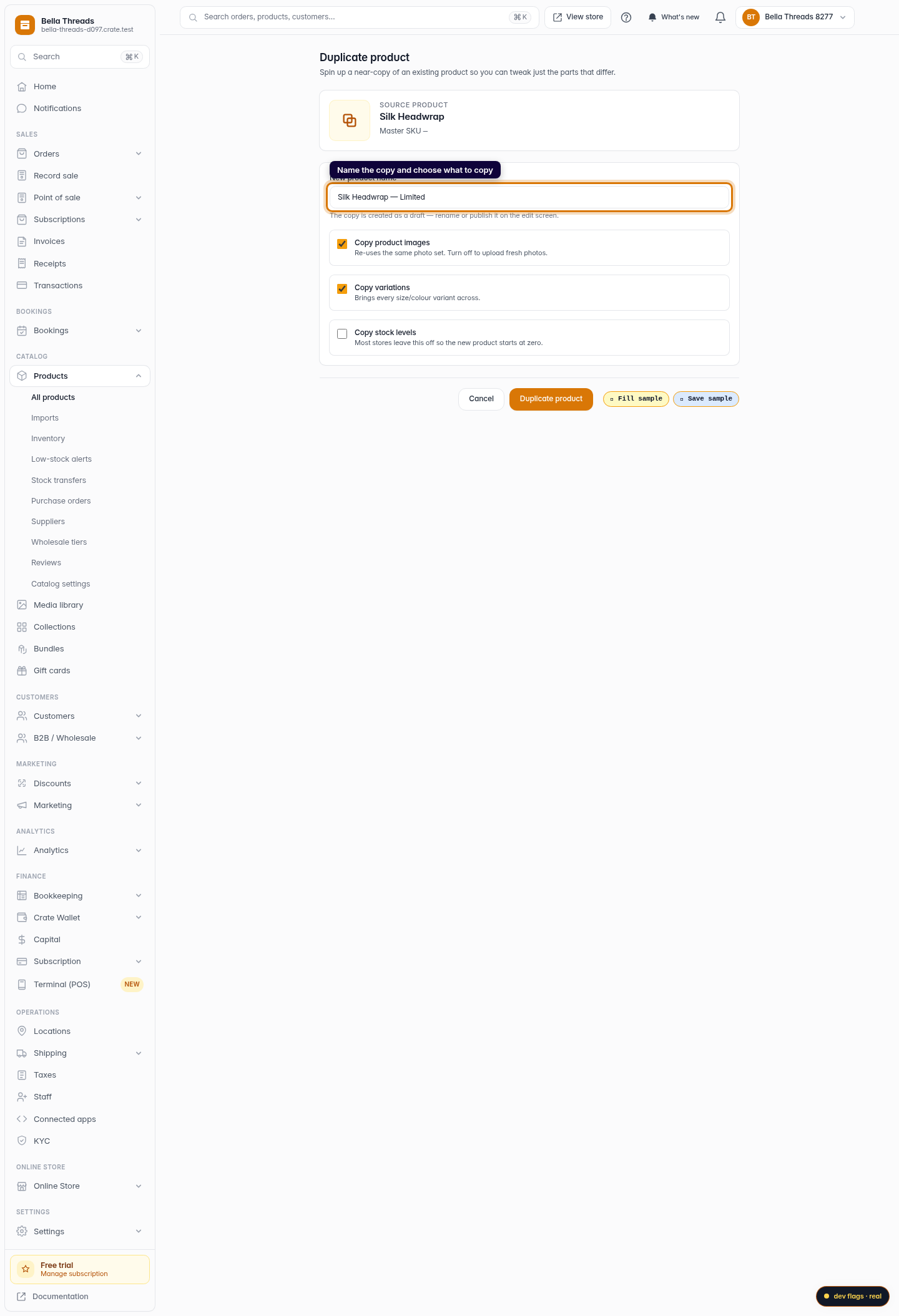
- Images — re-use the same photo set, or turn it off to shoot fresh.
- Variations — bring every size and colour across, or start with a single version.
- Stock levels — usually best left off, so the copy starts at zero and you set real counts before going live.
The copy starts as a draft
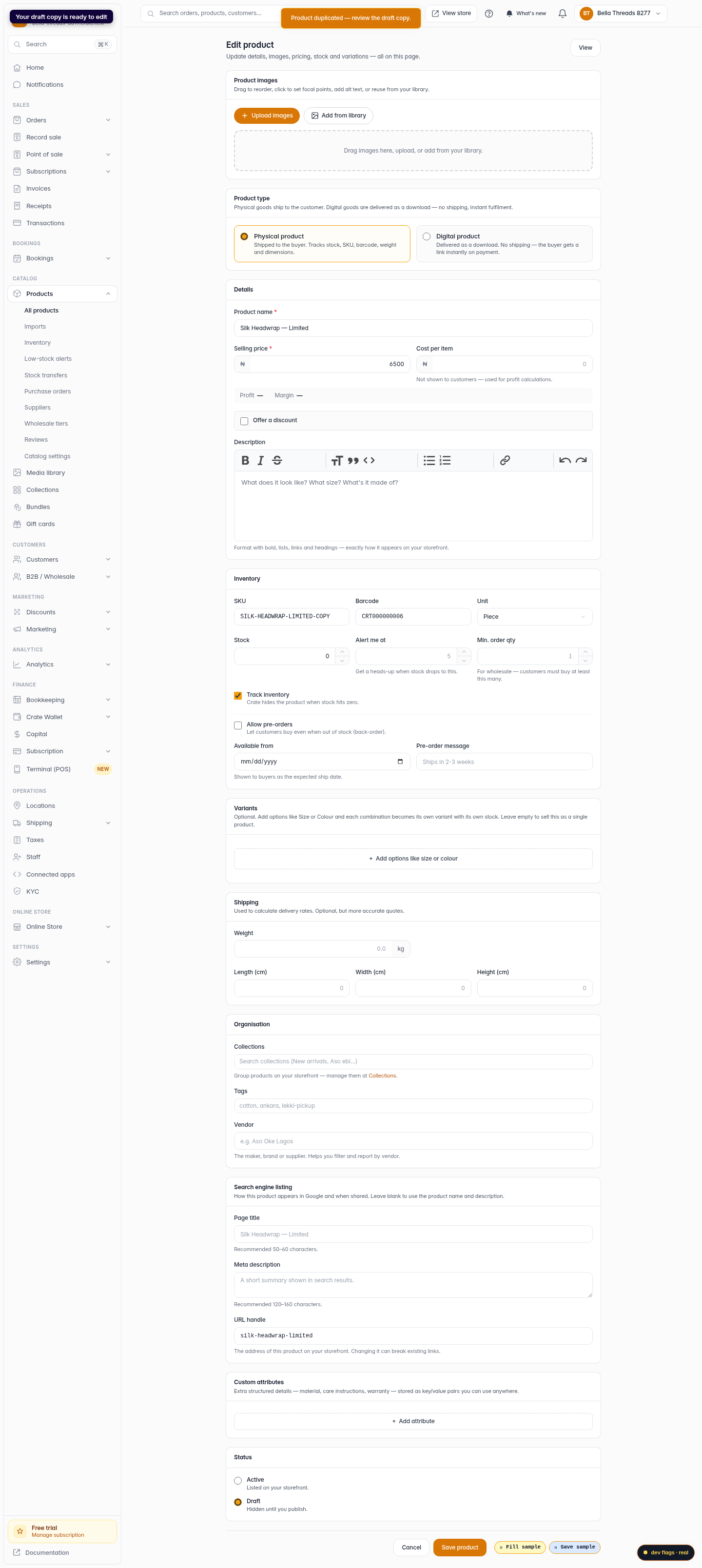
Every duplicate is created as a draft — hidden from your storefront until you publish it. That's deliberate: it gives you a moment to rename it, adjust the price, swap a photo or fix the SKU before any customer sees it. When it's ready, publish it from the product's edit page.
Tip: Duplicating is the fastest way to launch a seasonal variant — copy last season's bestseller, change the photos and name, and you're live in minutes.
-
1
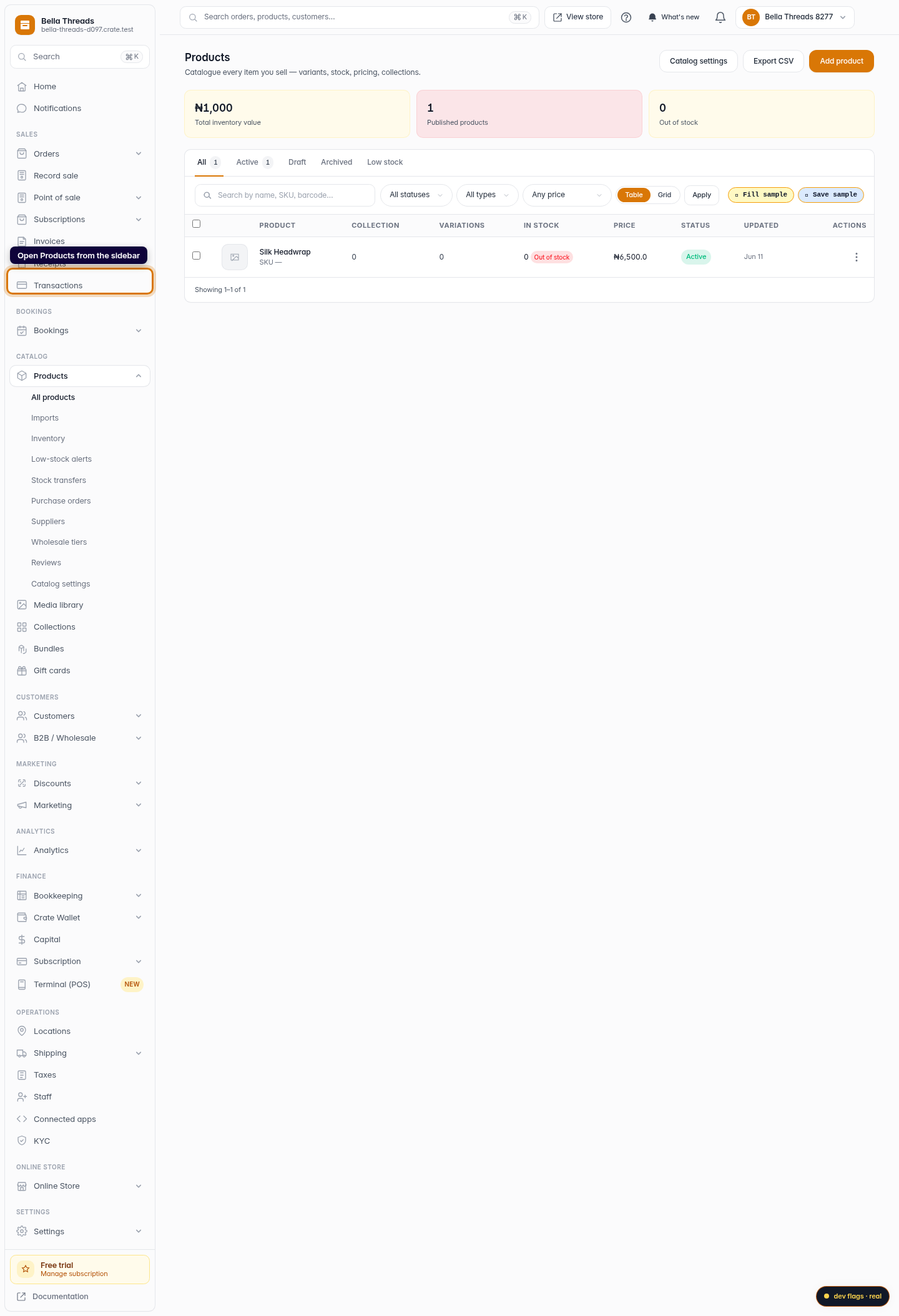
Open Products
From your Crate dashboard, open Products in the left sidebar.
Web 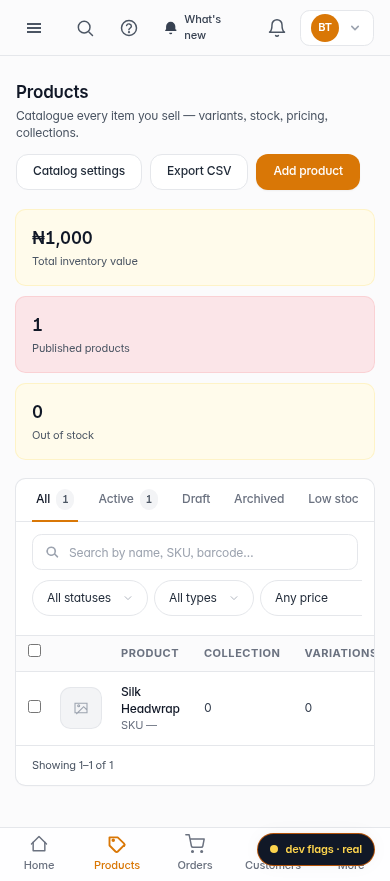
Mobile -
2
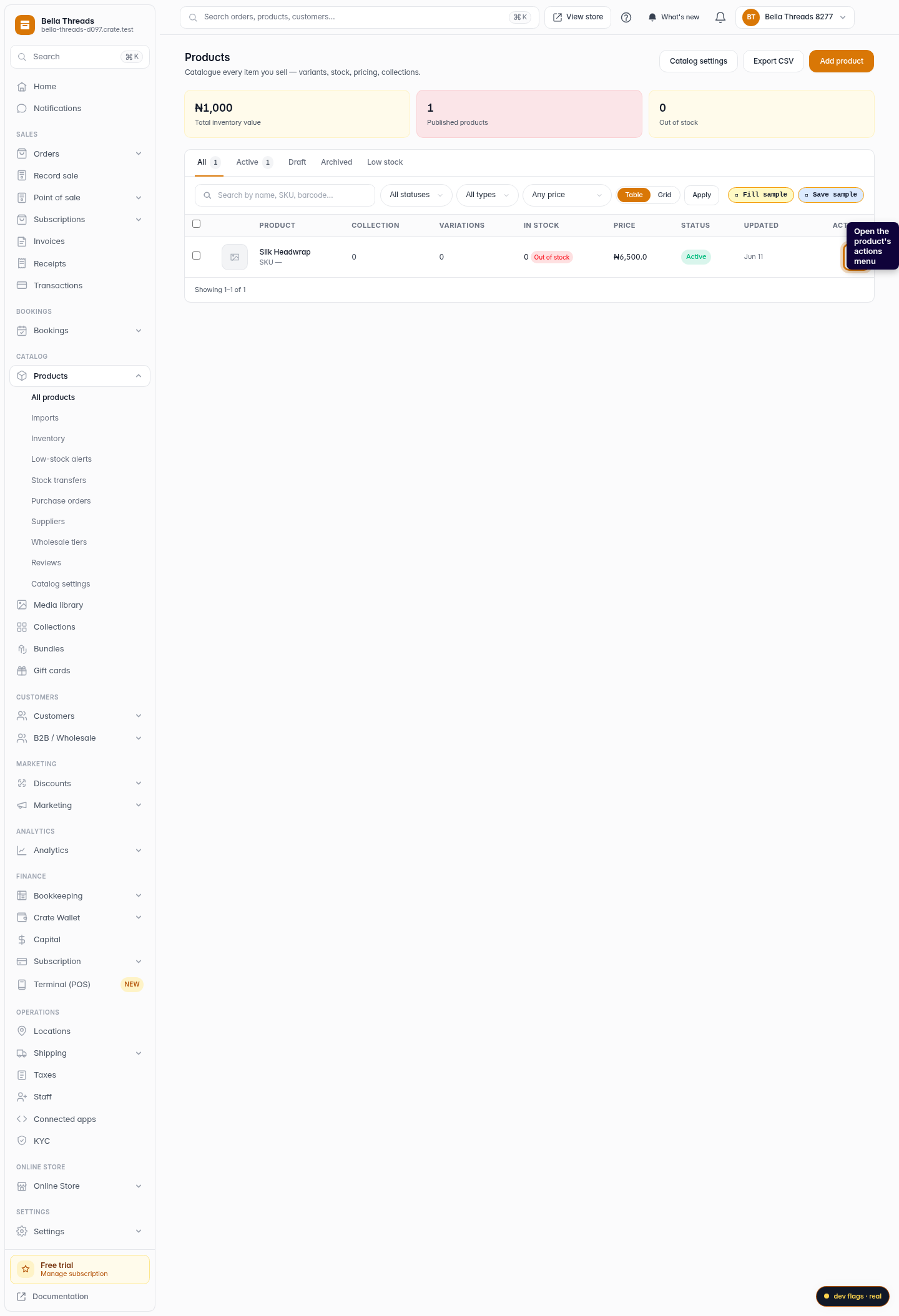
Open the product's actions menu
Find the product you want to copy and open its actions menu (the ⋮ button on its row).
Web -
3
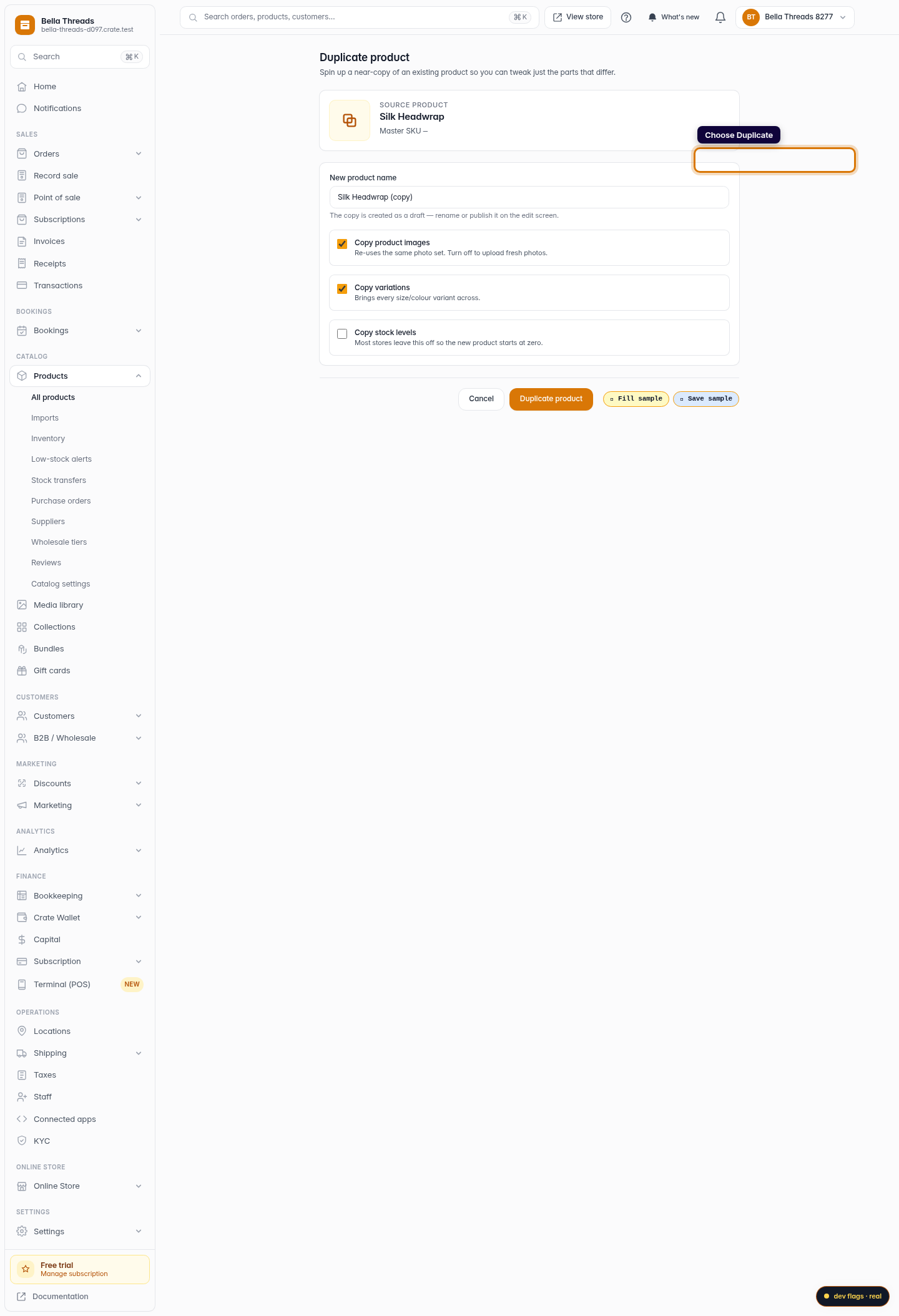
Choose Duplicate
Click Duplicate. Crate opens a short confirmation screen so you can decide exactly what to copy.
Web -
4
Name the copy and choose what to bring across
Crate suggests a name like (copy) — change it if you like. Tick whether to copy the images, variations and stock levels. Most stores leave stock off so the new product starts at zero.
Web -
5
Create the duplicate
Click Duplicate product. Crate creates a draft copy and drops you on its edit page, ready to tweak and publish.
Web